Looking to apply for a new BSES electricity connection online? BSES Rajdhani Power Limited (BRPL) and BSES Yamuna Power Limited (BYPL) are the two Delhi electricity distribution companies that use the BSES name. “BSES” originates from Bombay Suburban Electric Supply, the company’s original name, before it became the licensed brand used by these two Delhi distribution companies. If you are searching for BSES new connection apply online, the application process depends on whether your property falls under BRPL or BYPL. This guide covers connection types, eligibility, required documents, charges, application steps, inspection, payment, meter installation, and support.
BSES Electricity New Connection: Quick Information
| Details | Information |
|---|
| Full Form | BSES Rajdhani Power Limited (BRPL) and BSES Yamuna Power Limited (BYPL) |
| Service Area | Delhi |
| Connection Types | Domestic, Non-Domestic, Agricultural and Industrial |
| Electricity Type | LT and HT |
| Starting Security Deposit | ₹600 per kW for Domestic connection up to 2 kW |
| SLD Charge | ₹3,000 for LT connections up to 5 kW |
| Application Mode | Online |
Which BSES Connection Should You Apply For?
The right BSES connection depends mainly on how you plan to use the electricity. Choose the category that matches your premises' actual use, and check the applicable BSES requirements before applying.
| Connection Type | Suitable For |
|---|
| Domestic | Houses and residential premises |
| Non-Domestic | Shops, offices, banks, petrol pumps and other commercial premises |
| Industrial | Factories and eligible industrial activities |
| Agricultural | Eligible agricultural purposes |
| Common Services | RWA and common facilities such as lifts, staircases and compound lighting |
| Temporary | Temporary electricity requirements |
| EV Connection | Eligible EV and e-rickshaw charging requirements |
| Outdoor | Construction sites, hoardings, weekly markets and similar uses |
For example: If you are getting electricity for your home, choose Domestic. A shop or office generally requires Non-Domestic, while an eligible factory requires Industrial. If the connection is specifically for EV charging or common-area facilities, check the separate requirements for those categories before applying.
Documents Required for a New BSES Connection
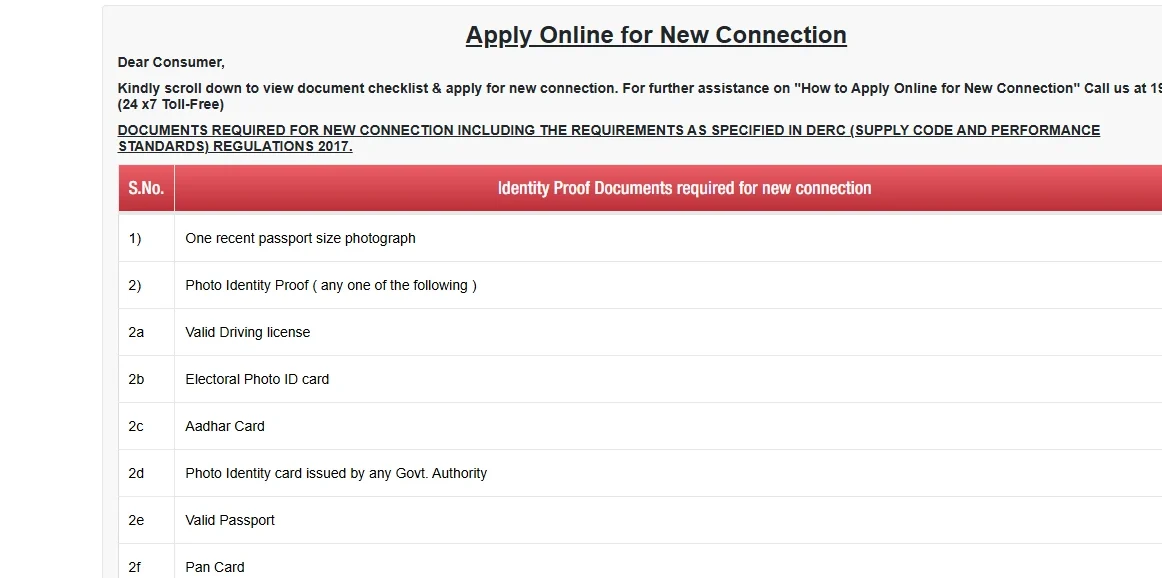
You generally need proof of identity and proof of ownership or occupancy to apply for a BSES connection.
1. Identity Proof
- Aadhaar Card
- PAN Card
- Passport
- Driving Licence
- Voter ID
- Government-issued photo ID
- Recent passport-size photograph
2. Ownership or Occupancy Proof
- Sale/Title Deed
- Possession or Allotment Letter
- Mutation Certificate
- Gift Deed
- Valid Lease Agreement
- Recent Rent Receipt
Tenants: A valid lease agreement or rent receipt not older than three months may be accepted with the required undertaking.
3. Additional Documents
Extra documents may apply for industrial, temporary, EV, construction, joint-property or organisation-related connections.
Before Uploading
- Keep documents clear and readable.
- Upload all relevant pages.
- Self-attest copies where required.
- BRPL ownership documents should be in PDF format and within 25 MB.
- For permanent connections, wiring and structure should be complete.
- BRPL requires an ELCB for applied loads of 2 kW or above.
BSES New Connection Charges
Before making your BSES new connection online payment, check the applicable charges for your tariff category and sanctioned load. The amount can include a refundable security deposit and non-refundable Service Line Cum Development (SLD) charges. The final payable amount is communicated through the Demand Note.
| Connection Type | Security Deposit |
|---|
| Domestic-Up to 2 kW | ₹600/kW |
| Domestic-Above 2 to 5 kW | ₹900/kW |
| Domestic-Above 5 kW | ₹1,200/kW |
| Non-Domestic | ₹4,500/kW or kVA |
| Industrial | ₹4,500/kW or kVA |
| Agricultural | ₹300/kW or kVA |
| Public Lighting | ₹3,000/kW or kVA |
| Railway, DMRC, DIAL, DJB | ₹3,000/kW or kVA |
| Mushroom Cultivation | ₹600/kW |
| Advertisement & Hoarding | ₹4,500/kW or kVA |
| EV Connections | ₹2,500/kW or kVA |
Service Line Cum Development Charges
These charges are non-refundable:
- Up to 5 kW: ₹3,000 + actual road-restoration charges.
- 6 kW to 150 kW: ₹3,000 + ₹500 per additional kW/kVA, subject to a maximum of ₹25,000, plus actual road-restoration charges.
- For 151-200 kW/215 kVA, a different calculation applies: ₹25,000 + ₹400 per kW/kVA + actual road-restoration charges.
Important: Security deposit rates are calculated according to the sanctioned load and applicable category. Check the Demand Note before making the BSES new connection online payment
How to Apply for a BSES New Connection Online
BSES Delhi has two Discoms: BRPL and BYPL. Use the portal of the Discom serving your property.
Step 1: Choose the Connection Type
BSES Delhi has two distribution companies:
Step 2: Start Your Application
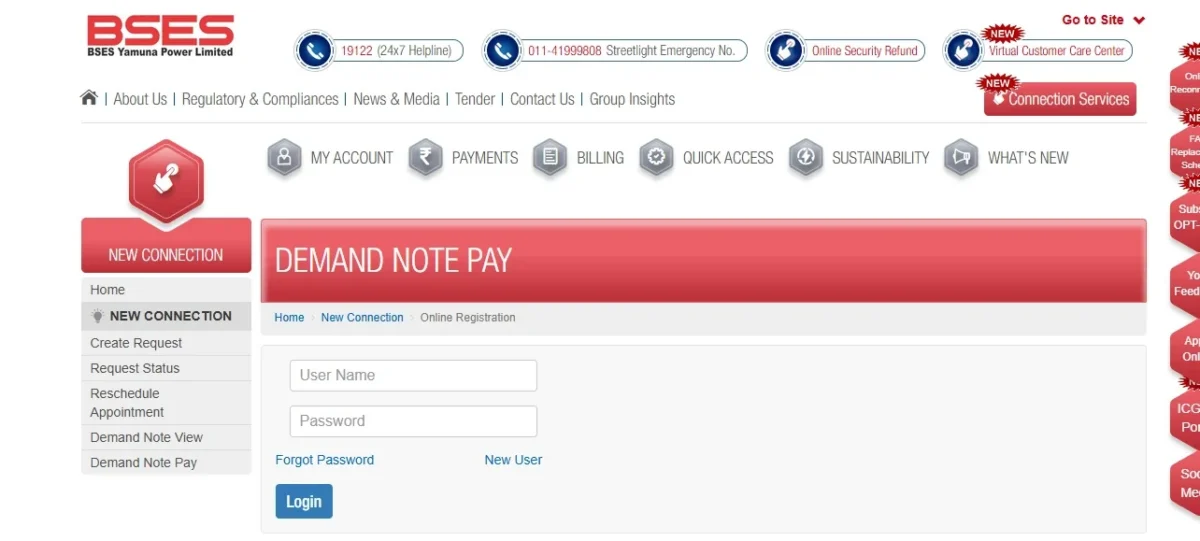
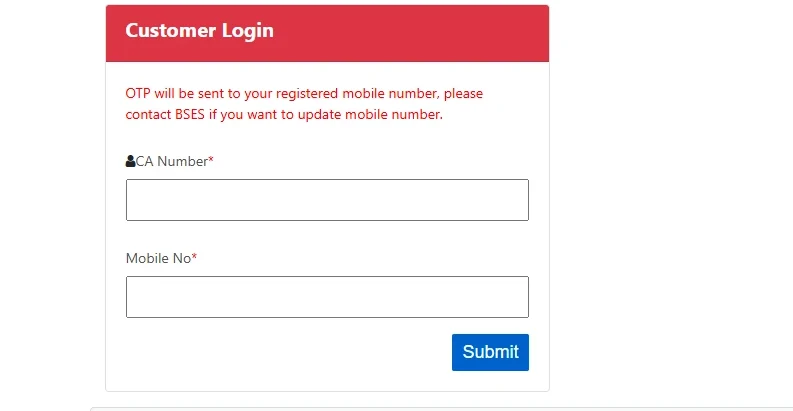
For BRPL, log in or register on the portal and select the option to apply for a New Connection. For BYPL, select New Connection on the online registration page and continue.
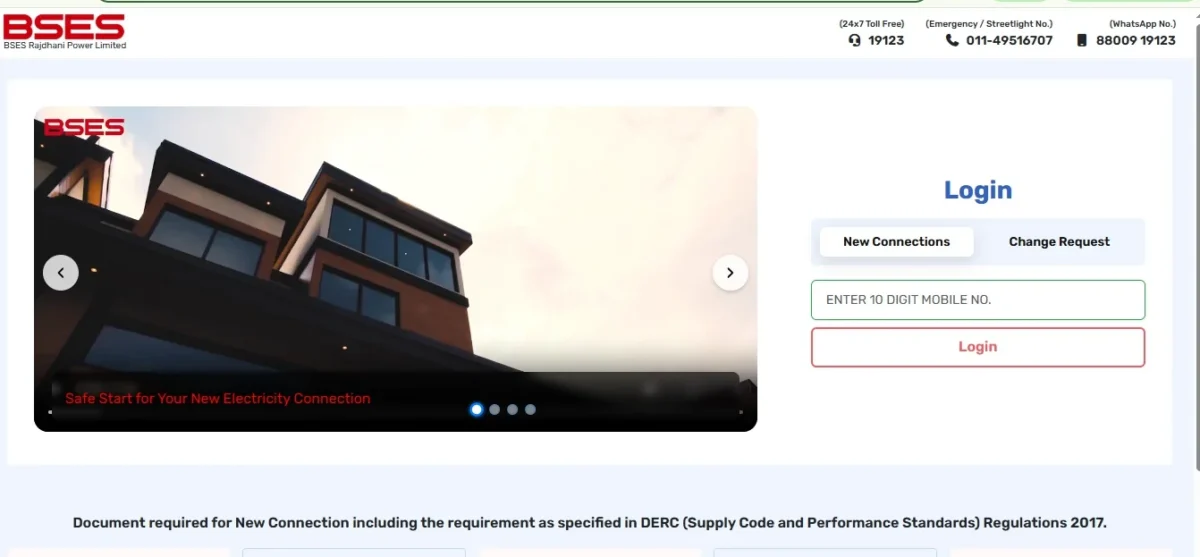
Note: BSES also lists other categories, such as temporary supply and EV charging.
Step 3: Enter Connection Details
Select the applicable connection category and enter your applicant, property and required load details.


Step 4: Upload Documents
Upload the required ID proof, photograph and ownership/occupancy proof as requested.
Step 5: Submit and Save the Application Number
Check all details and submit the application. Save the Request/Application Number to track your application.
After you complete the required formalities, BSES will carry out the required verification and inspection, issue the Demand Note, and process the payment, meter installation, and energisation.
How to Apply for a BSES New Connection Offline
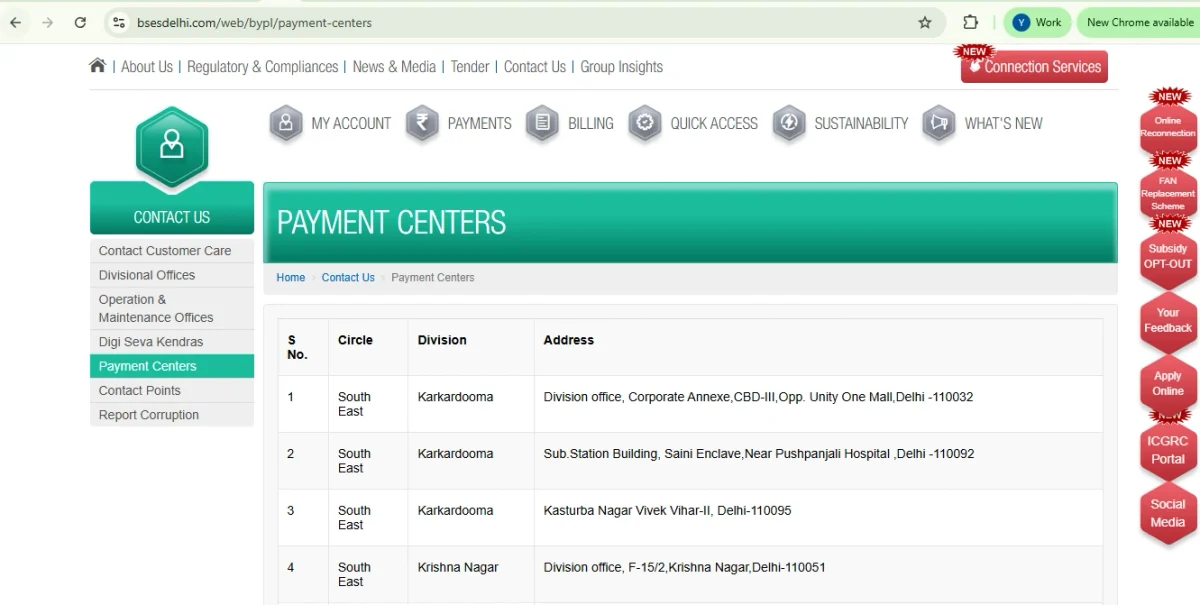
If you prefer not to apply online, you can visit the nearest BSES office or customer service centre and submit the new connection request with the required documents. BRPL allows applicants to visit a Division Customer Care Centre, while BYPL provides offline support through its Digisewa Kendras.
- Visit the nearest BSES office: Go to the relevant BRPL or BYPL customer service centre or designated offline service centre.
- Get the application form: Request the new electricity connection application form and, where applicable, the declaration form.
- Fill in the details: Provide your applicant, property, connection category and required load details.
- Submit the documents: Submit the required identity proof and ownership/occupancy proof along with the application.
- Complete verification: BSES verifies the application and may conduct a site inspection to check the premises and technical feasibility.
- Pay the applicable charges: After sanctioning the connection, BSES issues a Demand Note. Pay the amount through the prescribed payment method and keep the receipt.
- Meter installation: BSES completes the required connection work and installs the meter before energising the connection.
How to Make BSES New Connection Payment
Once your connection is sanctioned and the Demand Note is generated, you can pay the amount through the relevant BSES online service.
- Open the relevant BSES portal:

- Select the Demand Note option: For BYPL, choose Demand Note Pay. The same page also provides Demand Note View to check the amount before payment.
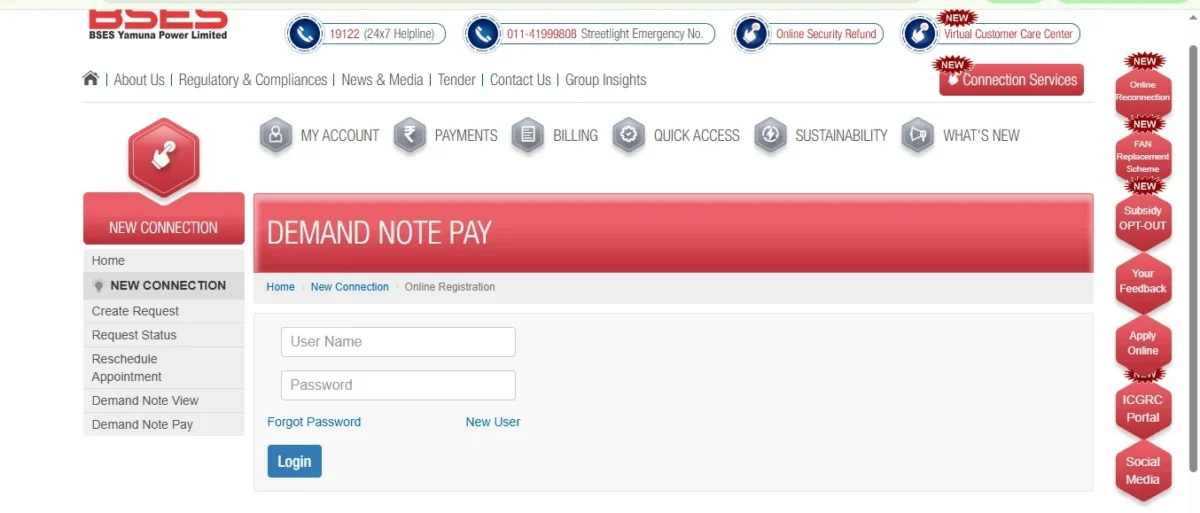
- Enter your request details: Use the details requested by the portal to retrieve your Demand Note.
- Check the amount: Verify the Demand Note amount and connection details before proceeding.
- Make the payment: Choose an available payment method, such as UPI, net banking, debit/credit card, NEFT/RTGS, or Bharat BillPay, as applicable.
- Save the receipt: Keep the payment confirmation or receipt for future reference.
How to Calculate Your BSES Commercial Electricity Bill
For a simple example, assume a BYPL Non-Domestic connection above 3 kVA, with consumption of 500 kVAh.
- Energy charge: 500 × ₹8.50 = ₹4,250
- Fixed charge: 3 kVA × ₹250 = ₹750
- Estimated bill before other applicable charges = ₹5,000
The actual bill can be higher because other applicable charges, such as FPPAS, may also be added. BYPL currently lists FPPAS separately on its official website.
Important: This is an example based on the BYPL Non-Domestic above 3 kVA tariff. The applicable rate can differ based on your Discom, tariff category and sanctioned load. Check the latest tariff before calculating the actual bill.
How Long Does It Take to Get a New BSES Connection?
The timeline depends on the application, site conditions, load and required permissions.
- BRPL: Its Citizen’s Charter lists 7 days for issuing the Demand Note after receiving the application and follows the applicable regulatory timeline for releasing the connection.
- BYPL: Installation can take 7 days without right-of-way requirements and 15 days when right-of-way or road-cutting permission is required.
Note: Document deficiencies, technical issues or pending permissions can extend the timeline.
BSES Delhi Helpline & Contact Details
| Contact | BRPL | BYPL |
|---|
| Customer Care / 24×7 Helpline | 19123 | 19122 |
| WhatsApp | 88009 19123 | 87459 99808 |
| Customer Care Email | brpl.customercare@reliancegroupindia.com | bypl.customercare@reliancegroupindia.com |
Pay Your BSES Electricity Bill Through NoBroker
Once your BSES connection is active, you can pay an eligible electricity bill through NoBroker Payments on the NoBroker website or app. The service uses Bharat Connect (BBPS) to process supported bill payments.
- Step 1: Open the NoBroker website or download the NoBroker app from the google playstore and go to Bill Payments.

- Step 2: Select Electricity and choose Delhi as the state.
- Step 3: Select the available BSES Rajdhani Payment Research or BSES Yamuna Payment Research biller and enter your consumer or account details.
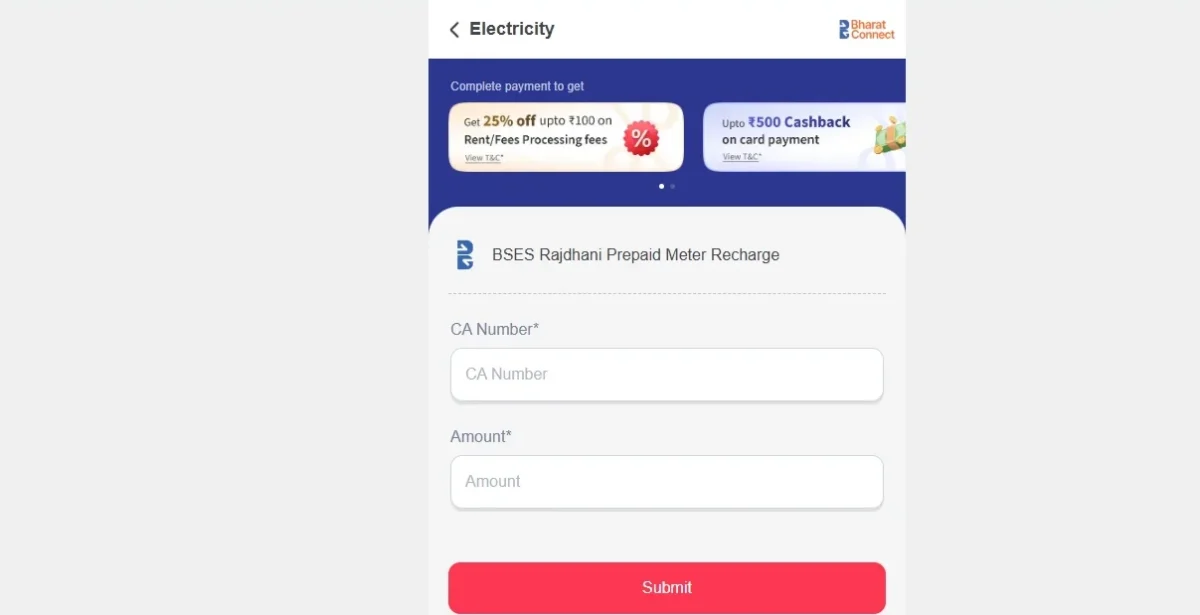
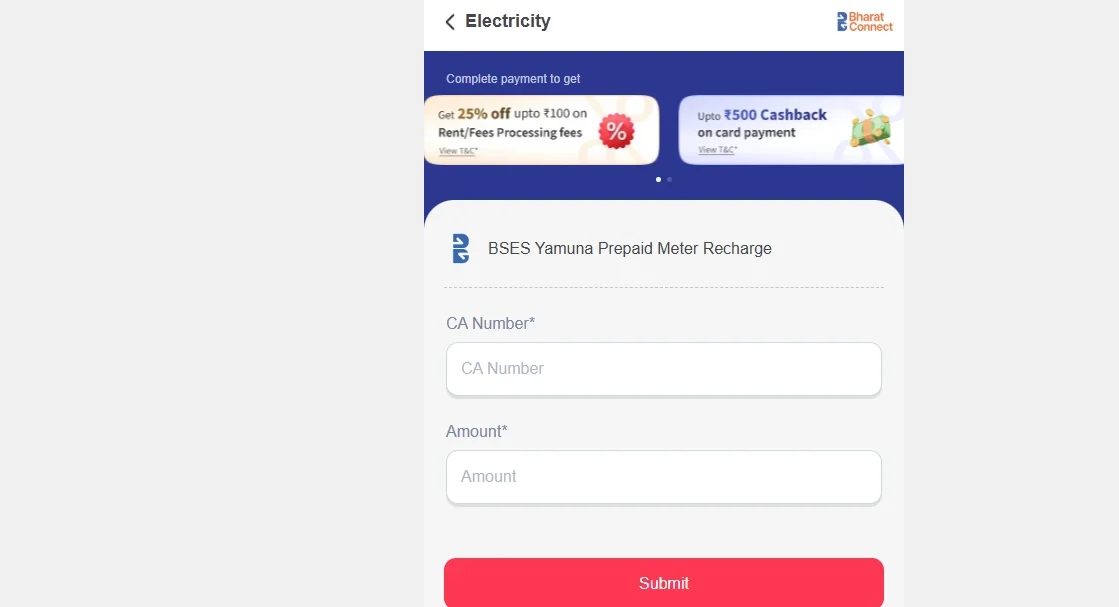
- Step 4: Submit the details to fetch your bill.
- Step 5: Verify the bill amount and account information.
- Step 6: Select a payment method and complete the transaction.
- Step 7: Save the payment confirmation for your records.
Important: NoBroker Payments can be used only for eligible BSES electricity bill payments. It does not provide or process applications for a new BSES electricity connection. For a new connection, use the official BRPL or BYPL application process.
Pay your BSES electricity bill online through NoBroker Payments
Disclaimer: Supported BSES billers, payment methods and applicable charges may change. Check the NoBroker Payments page before making a payment.
Frequently Asked Questions
Q. Can I apply for a BSES connection online? Ans: Yes. BRPL and BYPL offer online applications. BYPL also provides a mobile app and offline assistance through its divisional offices.
Q. What documents are generally required for a new BSES connection? Ans: You generally need identity proof and ownership or occupancy proof. Additional documents may apply based on your connection type.
Q. Can a tenant apply for a BSES electricity connection? Ans: Yes. Tenants can apply with a valid lease agreement or a recent rent receipt, along with the required undertaking.
Q. What is a Demand Note in a BSES connection? Ans: A Demand Note shows the amount payable after sanction, including the applicable security deposit and connection charges based on the sanctioned load.
Q. How long does a BSES new connection take? Ans: BYPL states seven days without right-of-way requirements and 15 days when road-cutting or right-of-way permission is required.
Q. Do I have to visit a BSES office to apply? Ans: No. You can apply online. BYPL also offers offline assistance through DigiSewa Kendras for applicants needing support.
Q. Can You Apply Without Visiting a BSES Office? Ans: Yes. You can submit a BSES new connection online application request through the official portal. If you cannot complete the application online, BYPL also assists through its Seva Kendra/Connection Desk and divisional offices.
Q. How to Check Your BSES Application Status? Ans: Keep your application or request number after submitting the form. BYPL provides Request Status, Demand Note View and Demand Note Pay options online. If BSES raises a document deficiency, check the message and submit the required documents through the available online process.
Most Viewed Articles
Hailing from Kolkata, Priyanka, a lover of literary classics, finds immense joy in exploring the nuances of language. With an unwavering love for reading stories and a profound passion for storytelling and wordplay, she effectively communicates relevant and practical information about the Indian realty market in a distinctive manner. Through her blogs, she skillfully immerses readers into the world of real estate, guiding them through every nook and cranny of the industry.
Loved what you read? Share it with others!



 ✕


 Full RM + FRM support