Table of Contents
Loved what you read? Share it with others!


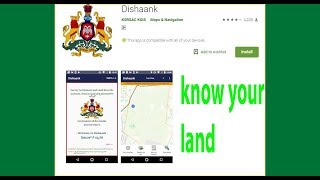
What Is Dishaank App: Purpose, Features, Benefits and How It Works in 2026
Updated : February 13, 2026, 11:59 AM
Author :
 Admin
Admin
Table of Contents
Buying land or property in Karnataka demands accurate verification of survey numbers, boundaries, and ownership status. The Dishaank app helps buyers validate land records directly on a digital map before making any financial commitment. Developed by the Government of Karnataka, this official Dishank mobile app works as a reliable property research tool. It has a website that connects cadastral maps with survey data, helping users avoid disputes, encroachments, and restricted land purchases. This blog covers how you can access the app by downloading maps for offline use and navigating the Bhoomi database to ensure your property investment is secure and transparent
What Is Dishaank App?
The Dishaank mobile app is developed by the Survey Settlement and Land Records (SSLR) Department under the Karnataka GIS (K-GIS) Program, implemented by KSRSAC. It helps SSLR officials access revenue maps for field surveys and enables citizens to view land details at the survey-number level. Integrated with the Bhoomi database, the app shows land location, extent, and ownership details to improve transparency and reduce disputes. The data is for informational use only and holds no legal validity. The current version is V-1.2. It stands out as a pioneering digital initiative for digitising survey maps dating back to 1960 and aligning them with current satellite imagery. This feature allows users to visually compare historical survey boundaries with present-day land conditions. By providing instant access to spatial and legal land data on mobile devices, the Dishaank app improves transparency, reduces the risk of disputes, and supports safer property decisions across Karnataka.
| Details | Information |
| App Name | Dishaank App [1] |
| Launched By | Under the Government of Karnataka (K-GIS) Program |
| Available On | Android & ios |
| Main Services | Land map & survey verification |
| Service Area | Karnataka |
| Login Required | No (for basic location/search) |
| RTC Verification | Yes (via Bhoomi Portal) |
| Map Download | Yes (Up to 3 villages for offline use) |
| App Cost | Free |
How to Use the Dishaank App?
The Dishaank app helps land and property buyers in Karnataka verify survey numbers, boundaries, and ownership details through official government maps. The interface supports quick navigation and accurate location-based results, which help buyers make informed decisions before purchasing land. This process allows buyers to verify land authenticity before finalising a purchase. To use the Dishaank App, follow these simple steps.
Steps to Use the Dishaank App:
- Step 1: Download the Dishaank app from the Google Play Store or Apple App Store
- Step 2: Open the app and allow location access for accurate map visibility
- Step 3: Skip the welcome screen to reach the main map interface
- Step 4: View the live map that shows the current geographic location
- Step 5: Tap the blue location marker to check the survey number of the land
- Step 6: Review land details such as district, taluk, hobli, village, and adjacent survey numbers
- Step 7: Select More Details to access extended land information online
- Step 8: Choose the survey number and the hissa number from the dropdown options
- Step 9: Click Owners to view ownership details, land type, and restriction status
- Step 10: Select the RTC option to view official land records through the Bhoomi portal
Key Features of Dishaank App
The Dishaank app lists key features that help users verify land ownership, survey boundaries, and legal status through official maps, RTC access, and location-based data for informed property decisions in Karnataka.
- GPS-Enabled Land Identification: The Dishaank app uses GPS-based mapping to accurately identify land parcels and display survey boundaries in real time.
- Digitised Village Maps:The platform provides official digitised village maps linked directly with government survey numbers for reliable land verification.
- Clear Boundary and Adjoining Plot Visibility: The app displays defined land boundaries and adjacent survey plots, helping buyers assess exact plot positioning.
- Survey Number and Hissa-Based Search: Users can search for land details by survey number and hissa to access precise parcel-level information.
- RTC Access Through Bhoomi Portal: The app redirects users to the official Bhoomi land records portal to view authenticated RTC details.
- Identification of Restricted and Government Land: The platform highlights government land, lake beds, forest zones, and rajakaluve areas to prevent disputed purchases.
- Offline Village Map Availability: The app allows village map downloads for offline access, which supports land verification in low-connectivity areas.
- User-Friendly Interface: The clean, structured interface enables easy navigation for property buyers, investors, and real estate professionals.
How To Download the Dishaank App?
The Dishaank app assists those who are looking to purchase land or property in Karnataka.The Dishaank app helps users verify land and property details in Karnataka using official survey maps. Dishaank mobile app is available in both Kannada and English languages on both Android and iOS devices.
Steps to Download the Dishaank App:
- Step 1: Tap Install and wait for the download to complete.
- Step 2: Open the Google Play Store or Apple App Store on your device.
- Step 3: Search for “Dishaank” and select the app developed by KSRSAC.
Common Problems in Dishaank App & Solutions
The Dishaank app may occasionally face technical or data-related issues during usage. Most problems can be resolved quickly by checking permissions, selections, or server availability.
- GPS Lag: Ensure your phone's location is set to ‘High Accuracy.’
- App Crashing: Clear the app cache in settings or reinstall the latest version.
- Survey number mismatch: Recheck the selected district, taluk, hobli, and village.
- RTC redirect failure: Bhoomi server downtime may cause temporary access issues.
- Map not loading: Enable GPS and grant the app location permissions.
Dishaank App Customer Care & Support
- Developer: KSRSAC (Karnataka State Remote Sensing Applications Centre).
- Support Email: sslrkarnataka@gmail.com.
- Address: 4th Floor, Doora Samparka Bhavana, ITI Compound, Hosur Road, Bengaluru.
Disclaimer: The Dishaank app does not provide a dedicated call centre. Users receive support through official Karnataka land records portals.
How To Find Land Details Using The Dishaank App Survey Number Search?
The Dishaank app can help you find land and property in Karnataka if you are looking to buy. With the app, you can search for land by survey number, which makes it easy to find exactly what you're looking for.
Here's a step-by-step guide on how to use the Dishaank app to find land details using the survey number search:
- Step 1: Download the app on your mobile device and sign up for a user account.
- Step 2: After entering the survey number, additional information related to that specific survey will appear on-screen.
- Step 3: Additional details regarding ownership will then show up, depending on what data has been entered already.
- Step 4: Tap the RTC button from the top menu bar if you want access to the Record Transaction Certificate (RTC).
Steps to Search by Survey Number:
- Step 1: Open the app and enter the Survey Number in the search bar.
- Step 2: Select District → Taluk → Hobli → Village in order.
- Step 3: The map auto-zooms and highlights the selected land parcel.
- Step 4: View land details, distance from your location, and tap More Details if needed.
- Step 5: Use the Navigation button to get directions via Google Maps.
Ownership & RTC access:
- Enter Surname Number (SUR) and House/Hissa Number (HIS) to view owners.
- Tap RTC to open the official Record of Rights on the Bhoomi portal.
Steps to Download the Dishaank App for PC or Mac?
Running the Dishaank app on PC or Mac helps when you need a larger view of cadastral maps or want detailed verification during property research.
Follow these steps:
- Step 1: Download and install an Android emulator such as BlueStacks or NoxPlayer on your PC or Mac
- Step 2: Launch the emulator and complete the setup process
- Step 3: Open the emulator’s built-in Google Play Store
- Step 4: Sign in with your Google account
- Step 5: Search for Dishaank App in the Play Store search bar
- Step 6: Install the app inside the emulator environment
- Step 7: Open the Dishaank app and allow location permissions if prompted
- Step 8: Use survey number search and map features the same way you would on mobile
How To Check Your RTC Karnataka Online Using The Dishaank App?
The Dishaank app allows users to access RTC details online by connecting survey-based land data with official Karnataka land records. RTC, or Record of Rights, Tenancy, and Crops, plays a critical role in verifying ownership and land classification before purchase.
Steps to Check RTC Using the Dishaank App:
- Step 1: Enable GPS location services on the device to ensure accurate land identification
- Step 2: Open the Dishaank app and enter the survey number in the search bar on the home screen
- Step 3: Click Submit Query to proceed with the search
- Step 4: Select the relevant district based on the property location
- Step 5: Choose the appropriate taluk and hobli as per the land records
- Step 6: Select the village from the available list to load survey details
- Step 7: Review the displayed land information, including address, classification, and ownership status
- Step 8: Choose the survey number and hissa reference where applicable
- Step 9: Select the RTC option to redirect to the official Bhoomi Karnataka portal
The Bhoomi website displays authenticated RTC records linked with the selected land parcel, allowing users to verify ownership details and legal status with confidence.
How To Download A Dishaank Map For Offline Use?
The Dishaank app allows users to download village-level land maps for offline access, which helps buyers verify survey boundaries even in low-connectivity areas. Offline maps support accurate land checks during on-site visits.
- Step 1: Install the Dishaank app on a smartphone
- Step 2: Open the app and access the menu from the home screen
- Step 3: Select the Download option from the menu
- Step 4: Choose the required district, taluk, hobli, and village from the dropdown lists
- Step 5: Confirm the selection to download the village survey map
- Step 6: Open the Base Map Gallery from the bottom-left corner
- Step 7: Select Offline Village under the Offline Maps section
- Step 8: View the downloaded village map in offline mode
- Step 9: Tap on the map to check survey numbers and boundary details without internet access
Offline maps display all survey divisions and land borders for the selected village, which supports reliable verification during field inspections.
While the Dishaank app helps verify land records and survey details, professional guidance is essential for completing a secure property transaction. For verified property listings, legal support, and expert guidance in Karnataka, trust NoBroker to assist you from search to final purchase with confidence. Use the Dishaank App to validate land details and rely on NoBroker to complete your property purchase with confidence.
Important Clarification: The Dishaank app does not support electricity bill payment, bill checks, or complaint services. Any reference to electricity services applies to unrelated state utility apps and should not be linked to Dishaank.
Benefits Of The Dishaank Karnataka App
Dishank Karnatak app presents contextual insights that help users evaluate land suitability and reduce the risk of disputes, encroachments, or restricted land transactions. Buyers benefit from a clear visual representation of survey data linked with government records, which strengthens due diligence.
Information Available Through the Dishaank App Includes:
- Land classification status, including private land, government land, roads, forest areas, lake beds, and rajakaluve zones
- Ownership structure, whether single-owner or joint ownership
- Exact land size as per official survey records
- Government restrictions or acquisition markings, if applicable
- Court injunction indicators linked to the land parcel
- Historical dispossession details of the original landowners
- Ownership restoration status where dispossession occurred
- Survey number revision indicators, where updates apply
- RTC reference and location details through Bhoomi integration
The app receives regular updates to maintain alignment with official land records and survey changes. A simple interface ensures smooth navigation for buyers, investors, and property professionals across Karnataka.
Make Smarter Property Buying Decisions with NoBroker
In conclusion, while the Dishaank app brings much-needed transparency to land records by helping users identify boundaries and survey details, NoBroker takes the process a step further by turning information into informed action. Reach out to our experts for the best property verification and guidance on legal checks, affordable pricing, and more. NoBroker is always here to support buyers at every stage of their home-buying journey. Together, this approach reduces risk, eliminates dependence on brokers or the middlemen and helps property buyers make confident, well-informed decisions.

Frequently Asked Questions?
Ans: The Dishaank App is a comprehensive guide to buying land and property in Karnataka, with detailed information on prices, locations and more.
Ans: Unfortunately, no. The information obtained through the app cannot be utilized for legal purposes, according to the Dishank Karnataka user handbook.
Ans: The Dishaank App provides detailed listings, maps and photos of land and properties available for sale in Karnataka. This makes it easy to find the perfect property for your needs. In addition, the app also offers information on prices, locations and more, so you can make an informed decision when investing in Karnataka land and property.
Ans: Yes. iPhone users can download the app's iOS version. Click here to get the Dishaank app from the App Store.
Ans: There are several reasons why the Dishaank App is the best way to search for Karnataka land and property:
1. The app offers comprehensive listings with detailed information on prices, locations and more.
2. The app is easy to use and navigate, making it simple to find the perfect property.
3. The Dishaank App is free to use, so you can save money while finding the best land or property for your needs.
Recommended Reading

Mumbai-Pune Expressway: Route Distance, Tolls, Rental and Property Trends in 2026
January 31, 2025
103179+ views

Market Value in Andhra Pradesh: District-Wise Rates and Latest Market Trends in 2026
February 12, 2025
98516+ views

Property Rates in Mumbai: Price per Sq. Ft. and Rental Trends in Top Areas 2026
February 12, 2025
94686+ views

10 Best Real Estate Companies in India for Investment & Property Development (2026)
May 2, 2025
75471+ views

Top 15 Largest States in India by Area, Population, Real Estate Insights and GDP Data in 2026
May 7, 2025
73808+ views
Most Viewed Articles

GFRG Panels: A New Technology in Building Construction
January 31, 2025
261920+ views

Top Cleanest Cities in India: Swachh Survekshan Top Ranked List
July 25, 2025
225605+ views

February 6, 2026
219352+ views

How Mivan Construction Technology Is Transforming the Art of Building!
January 31, 2025
184378+ views

CIDCO Lottery: Application Process, Eligibility, Flat Prices and Dates in 2026
April 30, 2025
139731+ views
Author
Loved what you read? Share it with others!
Recent blogs in
February 19, 2026 by Krishnanunni H M
Top 10 Construction Companies in Ghaziabad: Leading Builders and Developers List in 2026
February 19, 2026 by Kruthi
Top 10 Construction Companies In Jaipur for Residential and Commercial Projects in 2026
February 19, 2026 by Krishnanunni H M
10 Best Construction Companies In Pune: Trusted Builders and Contractors in 2026
February 18, 2026 by Kruthi










 Full RM + FRM support



Join the conversation!