- https://goaonline.gov.in/Appln/Uil/DeptServices?__DocId=ELE&__ServiceId=ELE01#:~:text=1.,gateway%20&%20click%20on%20Initiate%20Payment.
- https://goaelectricity.gov.in/
- https://www.goaelectricity.gov.in/Regulations/FPPCA%20September%202025.pdf
- https://www.bajajfinserv.in/goa-electricity-bill-payment-support
- https://www.goaelectricity.gov.in/PostaL_address.aspx#:~:text=Dilkush%20Ghurko%20Velip%20R/o,Allocation%20of%20Power%20to%20Goa
Table of Contents
Goa Electricity Bill Paymentâ - Quick InfoHow to Pay Goa Electricity Bill Online?How to Make an Offline Electricity Bill Payment in Goa?How to Check Goa Electricity Bill Status & History?How to Download the Goa Electricity Bill Receipt?What Are the Goa Electricity Bill Charges Per Unit?Common Issues & Solutions for Goa Electricity Bill PaymentGoa Electricity Department Customer CareHow NoBroker Can Help?Frequently Asked Questions
Loved what you read? Share it with others!


Goa Electricity Bill Payment Online: View Bill, Status Check and Download Receipt in 2026
Updated : February 19, 2026, 11:07 PM
Author :
 Vivek
Vivek
Summary
Goa electricity bill payment is simple and convenient, with multiple online and offline options available for consumers. Residents can pay their bills through the official Goa Electricity Department website, mobile apps, net banking, UPI, or authorized payment centers. Online payment helps avoid late fees, ensures uninterrupted power supply, and provides instant receipts. Users only need their contract account number to quickly view and clear outstanding electricity dues securely.
Table of Contents
Goa Electricity Bill Paymentâ - Quick InfoHow to Pay Goa Electricity Bill Online?How to Make an Offline Electricity Bill Payment in Goa?How to Check Goa Electricity Bill Status & History?How to Download the Goa Electricity Bill Receipt?What Are the Goa Electricity Bill Charges Per Unit?Common Issues & Solutions for Goa Electricity Bill PaymentGoa Electricity Department Customer CareHow NoBroker Can Help?Frequently Asked Questions
Goa Electricity Bill Payment - Quick Info
Goa electricity payment and billing details include CA-number-based identification, monthly billing cycles, clear tariffs, multiple consumer categories, and BBPS-supported payment modes, making electricity bill payment in Goa online structured and transparent.
- Consumer Number: Legacy identifier
- CA Number: 11-digit Contract Account
- The Switch: Phase type / e-bill / solar
- Billing Cycle: Monthly
- Electricity Provider: Goa Electricity Department
- Service Area: Entire Goa
- Bill Check Method: Goa Online portal
- Quick Payment Option: CA-based quick pay
- Online Payment Modes: Cards, UPI, Net Banking
- Consumer Types: Domestic, commercial, industrial
- Subsidy: Solar rooftop schemes
- Per Unit Tariff: Slab-based
- Late Payment Charges: 1.5–2% monthly
- Due Date: 15 days from generation
- Official Platform: goaonline.gov.in
How to Pay Goa Electricity Bill Online?
Goa electricity bill payment online is quick and secure using official portals or trusted apps, helping consumers avoid late charges while enabling easy tracking, receipts, and electricity bill payment in Goa. [1]
Method 1: Using the Official Goa Online Portal
The Goa Online electricity bill payment portal is the official platform to pay electricity bills online in Goa, view history, download receipts, and manage services using your CA number.
- Step 1: Visit https://www.goaonline.gov.in and log in using your registered mobile number and credentials.
- Step 2: Open Services → Electricity Bill Payment under the Goa Electricity Department services section.
- Step 3: Enter your 12-digit CA number, verify the bill details, select your payment method, and complete the transaction securely.
Method 2: GED Direct Payment (No Login Required)
GED Direct Payment allows electricity bill pay online in Goa without login, making it ideal for quick settlements using only your CA number.
- Step 1: Open https://www.goaonline.gov.in/QuickPay/Electricity on your browser or mobile device.
- Step 2: Enter your Contract Account (CA) number, solve the captcha, and fetch the Goa electricity bill details instantly.
- Step 3: Select UPI, card, or net banking, complete payment, and save the online electricity bill receipt.
Method 3: Using Third-Party App (NoBroker)
The NoBroker app offers a simple way to pay electricity bills online in Goa, combining secure payments, reminders, and digital receipts in one place.
- Step 1: Open the NoBroker app, go to NoBroker Pay Electricity, and select Goa Electricity Department.
- Step 2: Enter your CA number, review the bill amount fetched automatically, and choose UPI or card payment.
- Step 3: Complete payment securely and download the Goa electricity bill receipt from the transaction history.
How to Make an Offline Electricity Bill Payment in Goa?
Offline payment of Goa electricity bills is suitable for cash users, senior citizens, and rural consumers, and offers instant stamped receipts at departmental counters, kiosks, banks, and CSCs across Goa.
- Department counters: Pay bills at GED sub-divisional offices in Panaji, Margao, and Mapusa with cash, cheque, or DD.
- APM kiosks: Use Anytime Payment Machines at select electricity offices for 24/7 card or cash payments.
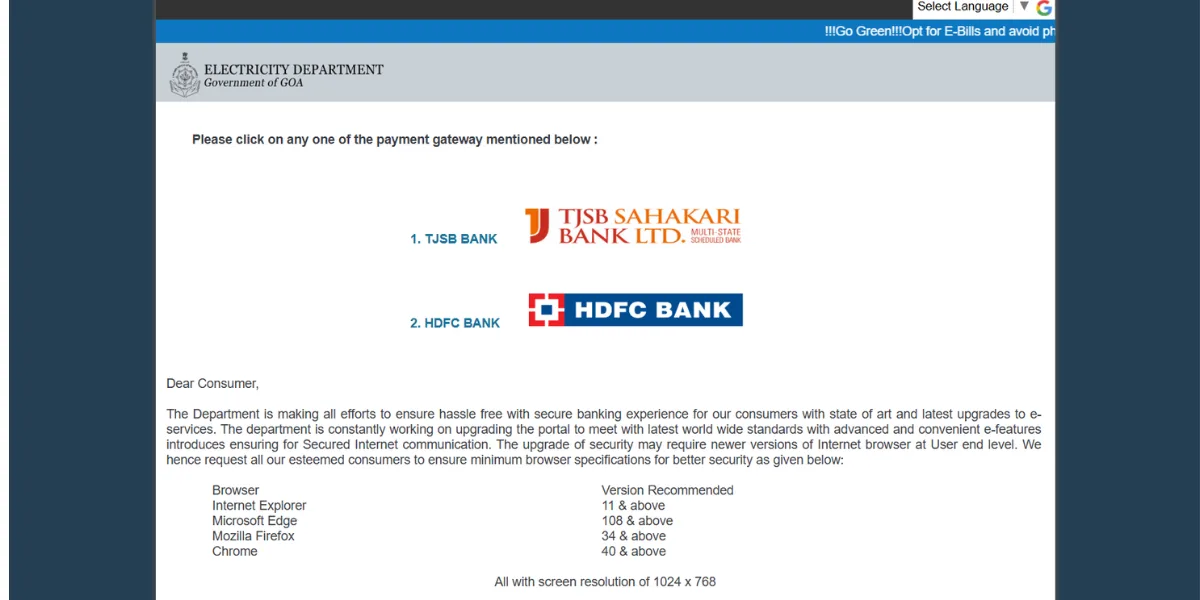
- Bank branches: Submit payments at partner banks such as HDFC or TJSB with a physical copy of your bill.
- CSC centres: Pay at local CSC or panchayat offices offering authorised GED bill collection services.
How to Check Goa Electricity Bill Status & History?
Checking the electricity bill status in Goa online helps track dues, verify payments, and monitor consumption history using the official portal or UPI apps with your CA number. [2]
- Step 1: Visit https://www.goaonline.gov.in, sign in, then open Services → Electricity Bill Payment.
- Step 2: Enter your CA number to view current status, previous bills, and the transaction history dashboard.
- Step 3: Alternatively, open NoBroker, select Electricity, enter the CA number, and fetch the Goa bill status instantly.
How to Download the Goa Electricity Bill Receipt?
You can download the Goa electricity bill receipt online for reimbursements or records through the Goa Online portal or receive instant copies after successful quick payments. [2]
- Step 1: Log in at https://www.goaonline.gov.in and open My Transactions under Electricity services.
- Step 2: Select the required month or transaction ID and click Download Receipt (PDF).
- Step 3: For quick-pay users, check your registered email for the auto-sent receipt link immediately.
What Are the Goa Electricity Bill Charges Per Unit?
Goa electricity bill charges depend on consumption slabs, consumer category, fixed charges, and fuel cost adjustments approved by the Joint Electricity Regulatory Commission (JERC). Keeping track of the electricity rate per unit in India can help you see how Goa's tariffs compare to those of other states. [3]
Goa Electricity Tariff Rates (FY 2026)
| Category | Consumption (Units) | Rate per Unit (₹) |
|---|---|---|
| Residential | 0–100 | 1.95 |
| 101–200 | 2.90 | |
| 201–300 | 3.85 | |
| 301–400 | 5.10 | |
| Above 400 | 6.10 | |
| Commercial | 0–100 | 4.30 |
| 101–200 | 5.20 | |
| Above 200 | 6.25 |
Additional Charges include fixed charges, FPPCA, electricity duty, and public lighting tax
Common Issues & Solutions for Goa Electricity Bill Payment
While online electricity bill payments in Goa are reliable, users sometimes encounter portal errors, CA number issues, or delayed updates. Most problems are temporary and can be resolved using official tools.
- Payment deducted, bill unpaid: Wait 2–3 working days; gateway sync delays usually trigger auto-update or refund.
- CA number not found: Recheck the 11-digit CA number on your physical bill or retrieve it via the Goa Online login.
- OTP not received: Verify registered mobile number, network stability, or use net banking instead of card-based payment.
- High bill amount: Request meter testing at the local GED office if consumption looks unusually high.
Goa Electricity Department Customer Care
The Goa electricity department's customer care system helps consumers resolve billing, payment, metering, and power supply issues via phone, email, and online grievance channels. [4] [5]
- Toll-free number: Call 1912 (24×7); outside Goa, dial 0832-2490800 for electricity bill queries.
- Email support: Send billing or payment issues to customersupport@goaelectricity.gov.in, including the CA number.
- Office working hours: GED offices operate Monday–Friday, 9:30 AM to 5:45 PM; emergency support runs 24×7.
- Complaint registration process: Register complaints via 1912, the Goa Online grievance form, or receive an SMS token for tracking.
How NoBroker Can Help?
NoBroker simplifies electricity bill payment by offering a single platform to check bills, pay electricity bills online in Goa, and track transaction history securely. Users can fetch the electric bill in Goa instantly using the CA number, make payments via BBPS-backed gateways, and receive digital receipts immediately. NoBroker also helps busy residents with reminders before due dates, reducing the risk of late fees. With easy navigation, secure checkout, and centralised bill management, NoBroker is a practical option for tenants, homeowners, and families managing multiple utility payments.
Frequently Asked Questions
Q1. How can I check my Goa electricity bill online?
Ans: You can check your Goa electricity bill online using your 11-digit CA number on the Goa Online portal or supported UPI applications.
Q2. Is online electricity bill payment in Goa safe?
Ans: Yes, Goa electricity online bill payment is secure and supported by BBPS-enabled gateways and government-authorised portals.
Q3. What happens if I miss the due date for the Goa electric bill payment?
Ans: Late payment incurs a monthly surcharge and may result in disconnection notices if unpaid after the grace period.
Q4. Can I download old Goa electricity bill receipts?
Ans: Yes, old receipts can be downloaded from the Goa Online portal under payment history using your CA number.
Q5. Are offline electricity bill payment options still available in Goa?
Ans: Yes, consumers can pay electricity bills offline at GED offices, CSC centres, APM kiosks, and authorised banks.
Recommended Reading
August 12, 2025
458806+ views
Gruha Jyothi Scheme Karnataka: Application Process, Eligibility and Documentation in 2026
September 12, 2025
70531+ views
UPPCL Jhatpat Portal for New Electricity Connection: Process, Status Tracking and Charges in 2026
January 31, 2025
50089+ views
May 24, 2025
44992+ views
New BESCOM Connection: Step-by-Step Process 2026
January 31, 2025
42962+ views
ARTICLE SOURCES
Most Viewed Articles
August 12, 2025
458806+ views
Gruha Jyothi Scheme Karnataka: Application Process, Eligibility and Documentation in 2026
September 12, 2025
70531+ views

How to Apply Online LPG Gas Connection: Application Process, Documents and Fees in 2026
June 1, 2025
62703+ views
UPPCL Jhatpat Portal for New Electricity Connection: Process, Status Tracking and Charges in 2026
January 31, 2025
50089+ views
May 24, 2025
44992+ views
Author
Loved what you read? Share it with others!
Recent blogs in
NBPDCL Bill Payment Online: Check, Download & Pay Bihar Electricity Bill in 2026
February 19, 2026 by Manu Mausam
CSPDCL Bill Payment Online: How to Check Bill Status and Download Receipt in 2026
February 18, 2026 by Manu Mausam
MPEB Bill Payment Online: Check, Download & Pay MP Electricity Bill in 2026
February 18, 2026 by Manu Mausam
JBVNL Bill Payment Online: Check Bill Status and Payment Methods in 2026
February 18, 2026 by Ananth







 Full RM + FRM support


Join the conversation!