Table of Contents
Loved what you read? Share it with others!


MGVCL Bill Payment: Online Process, Payment Methods, Due Date and Receipt Download 2026
Updated : January 28, 2026, 11:55 AM
Author :

Table of Contents
Madhya Gujarat Vij Company Limited (MGVCL) is responsible for delivering electricity across central Gujarat, ensuring a steady power supply for homes and businesses. To simplify bill payments, MGVCL provides a variety of online and offline payment methods, allowing consumers to choose the most convenient option. Whether paying through the official website, mobile app, UPI services, or designated payment centres, customers can easily manage their electricity bills. This guide explores the different ways to view, download, and pay MGVCL bills, helping you stay on top of payments and avoid any service interruptions.
MGVCL Bill Payment - Quick Details
Before diving into detailed payment methods, here's a quick overview of essential information related to MGVCL bill payment services. These details will help you better understand the available options and requirements for paying your electricity bills efficiently, while also familiar rising you with the various aspects of MGVCL's billing system.
| Information | Details |
| Service Provider | Madhya Gujarat Vij Company Limited (MGVCL) |
| Bill Payment Methods | Online and Offline options available |
| Online Payment Options | Official website, mobile app, UPI like PhonePe and Paytm , net banking |
| Offline Payment Options | Customer service centers, bank ATMs, payment kiosks |
| Mobile App | MGVCL official app available on Android and iOS |
| Payment via Website | Through portal.mgvcl.com |
| Bill View/Download | Available through website, app, and email notifications |
| Electricity Charges | Per Unit Cost is Rs. 2 to 10 depending on the consumption. |
| Payment Receipt | Generated immediately after successful payment |
| Customer Support | 1800 233 2670(toll-free) |
| Late Payment Charges | Applied after due date (varies by connection type) |
| Payment Confirmation | SMS and email notification |
| Due Date | Mentioned on the bill (typically 15 days from bill generation) |
| Bill Correction | Request through customer service or online portal |
| Minimum Payment | Full amount required |
| Refund Policy | Excess amount adjustment in next electricity bill |
MGVCL Bill Payment Methods
MGVCL offers various convenient payment methods to suit different customer preferences. Each payment channel is designed with consumer convenience in mind, providing secure and reliable ways to settle your electricity bills according to your comfort level with technology.
- Online Payment Options:
- MGVCL official website.
- MGVCL mobile app for quick payments.
- UPI-based payments (Google Pay, PhonePe, etc.).
- Internet banking and mobile banking.
- Offline Payment Methods:
- Paying through customer service centres.
- Using bank ATMs and payment kiosks.
How to Make MGVCL Bill Payment Online: Step-by-Step Process
The official MGVCL website offers the most direct way to pay your electricity bills online. This method is particularly beneficial for consumers who want the assurance of using the utility's official platform while enjoying the convenience of digital payments without needing to download MGVCL light bill with different applications or create accounts on third-party services.
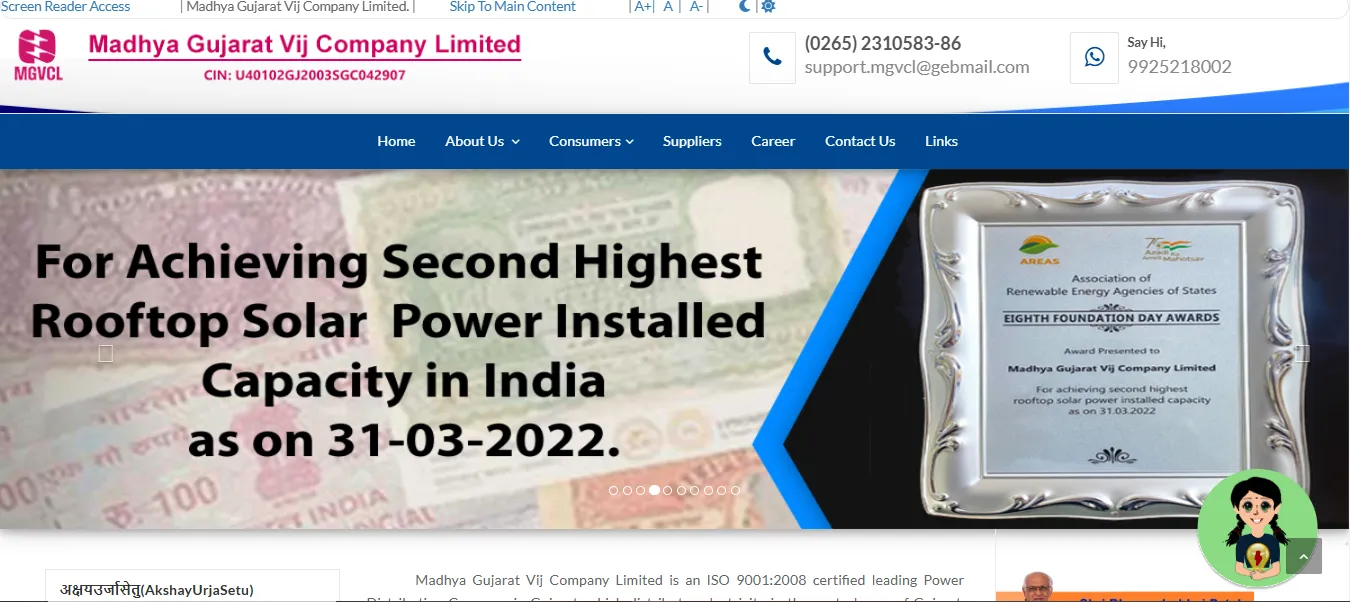
- Step 1: Visit the official website: Open your web browser and navigate to portal.mgvcl.com, the official MGVCL consumer portal for MGVCL electric bill payments and other services.
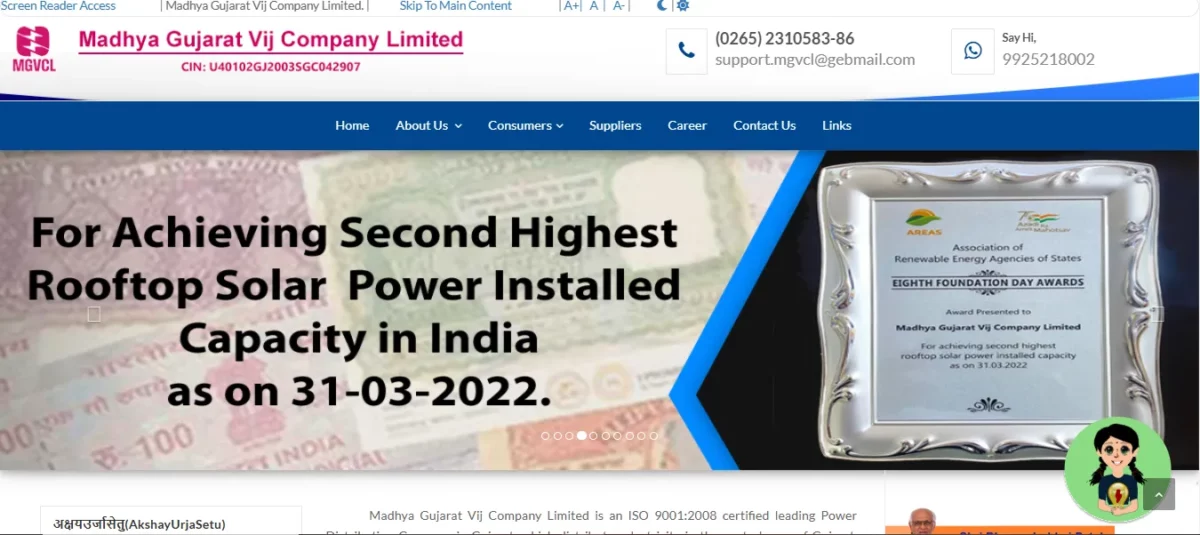
- Step 2: Select the Quick Pay option: On the homepage, find and click on the "Quick Pay" button to proceed with payment without logging in to your account.
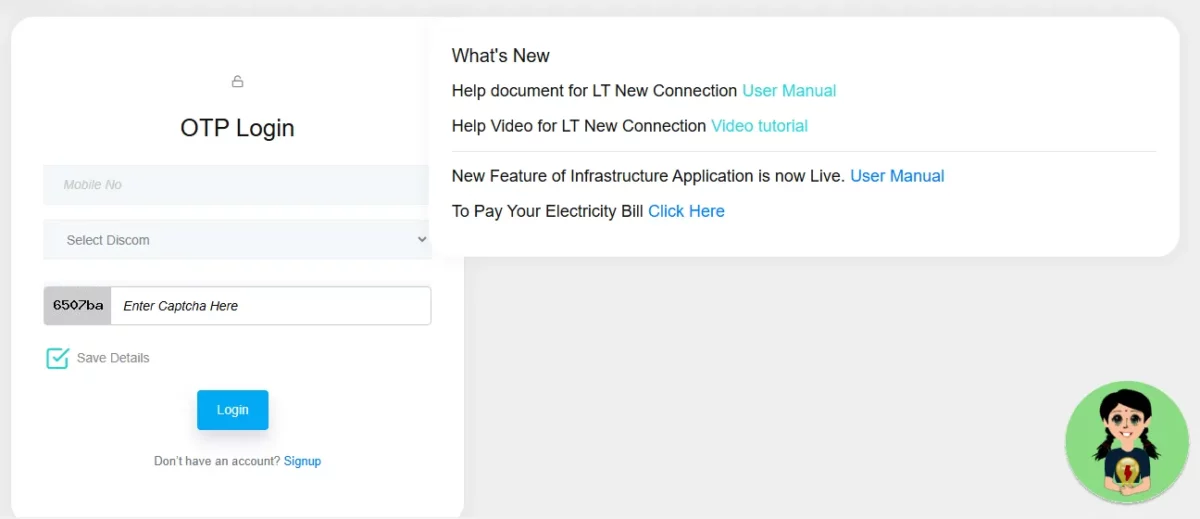
- Step 3: Enter your consumer details: Input your 12-digit consumer number as shown on your bill and select your billing unit from the dropdown menu.
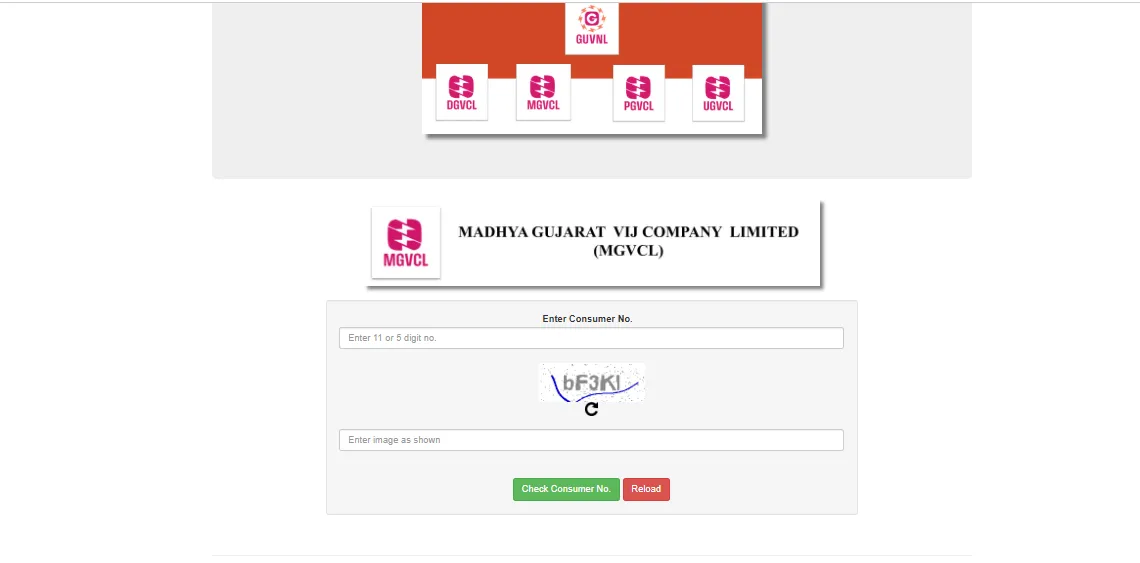
- Step 4: Verify bill details: Check the displayed MGVCL electric bill amount, due date, and consumer information to ensure they match your current bill before proceeding.
- Step 5: Select payment method: Choose your preferred payment option from credit/debit card, net banking, UPI, or wallet payment and follow the instructions.
- Step 6: Complete the payment: Enter the required payment details, authorize the transaction, and wait for the confirmation page showing your payment receipt number.
Automatic MGVCL Bill Pay Online
Setting up automatic bill payments ensures you never miss a due date and helps avoid late payment penalties. This service allows MGVCL to automatically deduct the billed amount from your registered payment method on a scheduled basis. This convenient feature is ideal for busy professionals, frequent travellers, or anyone who wants to eliminate the monthly task of manually paying MGVCL electric bills.
- Step 1: Log in to your MGVCL account: Access your account on portal.mgvcl.com using your registered username and password to access advanced payment features.
- Step 2: Navigate to Auto Pay settings: Find the "Auto Pay" or "Standing Instructions" option in your account dashboard or payment settings section.
- Step 3: Register your payment method: Add and verify your credit card, debit card, or bank account details that will be used for automatic deductions.
- Step 4: Set payment parameters: Specify maximum amount limits, payment dates, and other preferences for your automatic bill payments.
- Step 5: Confirm and activate: Review your auto-payment settings, accept the terms and conditions, and activate the service to enable recurring payments.
- Step 6: Monitor your payments: Check your payment history regularly to ensure automatic payments are processing correctly and adjust settings if needed.
How to Pay MGVCL Bill via UPI Apps
UPI payment apps offer one of the fastest ways to pay your electricity bills using just your smartphone. These apps provide secure transactions and instant payment confirmation for MGVCL bills. Pay MGVCL bill online with Universal Payment Interface (UPI) system that has revolutionized bill payments in India with its simple, secure, and immediate transaction processing capabilities.
- Step 1: Open your UPI app: Launch Google Pay, PhonePe, Paytm, or any other UPI-enabled payment application on your smartphone.
- Step 2: Select bill payment option: Navigate to the "Bill Payments" or "Utility Payments" section within the app interface.
- Step 3: Choose electricity category: Select "Electricity" from the available bill payment categories to see the list of service providers.
- Step 4: Select MGVCL as provider: Find and select "Madhya Gujarat Vij Company Limited" or "MGVCL" from the list of electricity providers.
- Step 5: Enter consumer details: Input your 12-digit consumer number and other required information as prompted by the app.
- Step 6: Verify and pay: Confirm the displayed bill amount, enter your UPI PIN when prompted, and complete the transaction to receive confirmation.
How to Make MGVCL Current Bill Payment Through NoBroker App
The NoBroker app provides a convenient platform for paying various utility bills, including MGVCL electric bill. This integrated approach allows you to manage multiple household payments through a single application. It helps eliminating the need to navigate multiple websites or apps for different services while maintaining a comprehensive record of all household expenses.
- Step 1: Download and open the NoBroker app: Install the NoBroker app from Google Play Store or Apple App Store and launch it on your device.
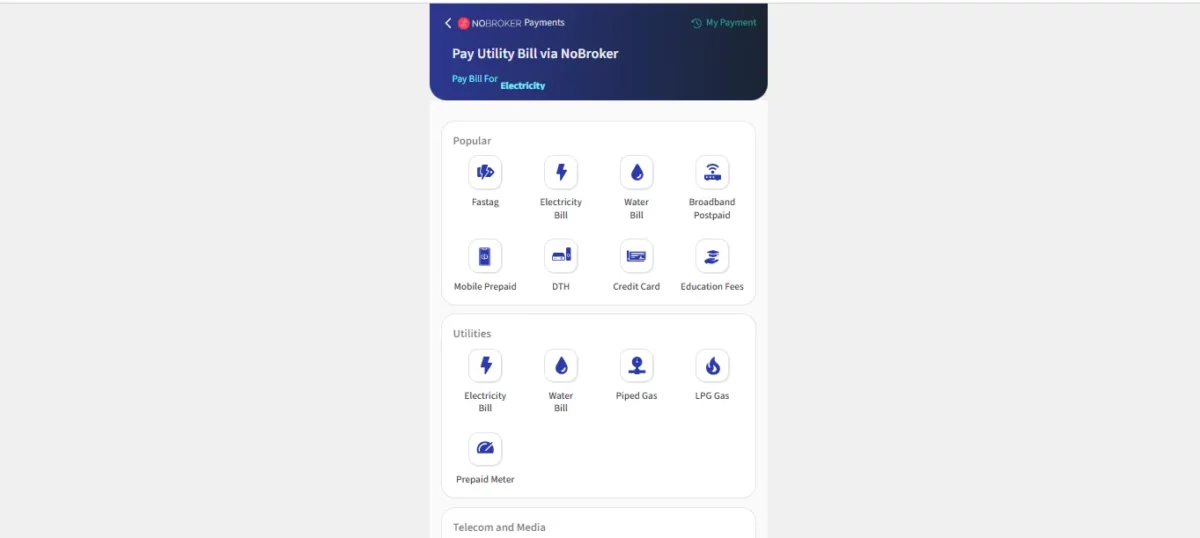
- Step 2: Navigate to bill payments: Tap on the "Pay Bills" or "Utility Payments" section from the app's main menu options.
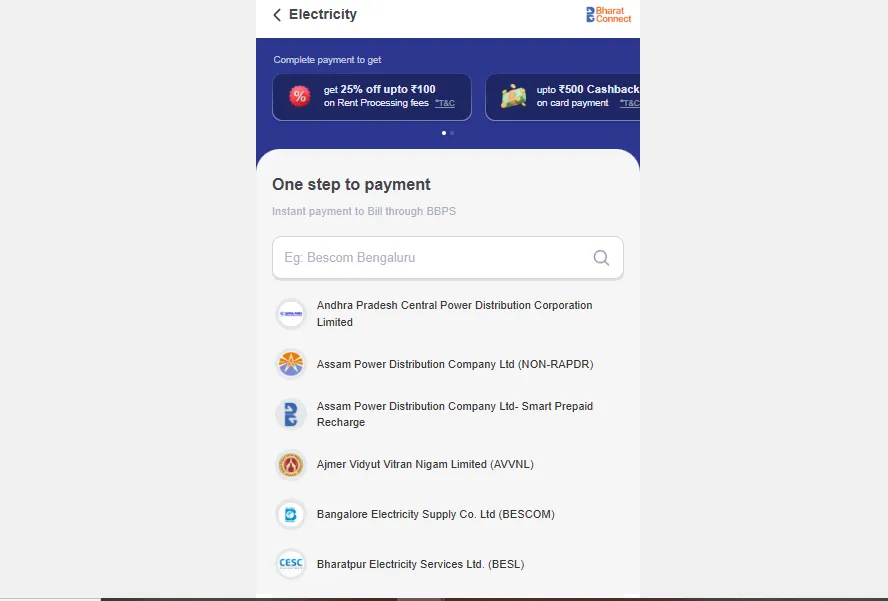
- Step 3: Select electricity bill option: Choose "Electricity" from the available bill payment categories displayed in the app.
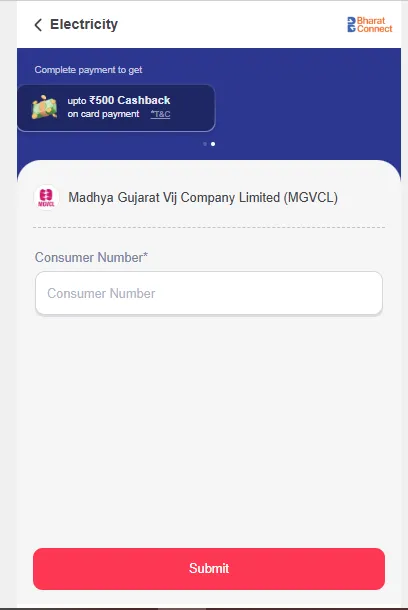
- Step 4: Choose MGVCL as the provider: Search for and select "MGVCL" from the list of electricity service providers.
- Step 5: Enter billing details: Input your 12-digit consumer number and other required information as requested by the app.
- Step 6: Select payment method and complete: Choose your preferred payment method, authorize the payment, and receive instant confirmation upon successful transaction.
How to Pay MGVCL Bill Without Login?
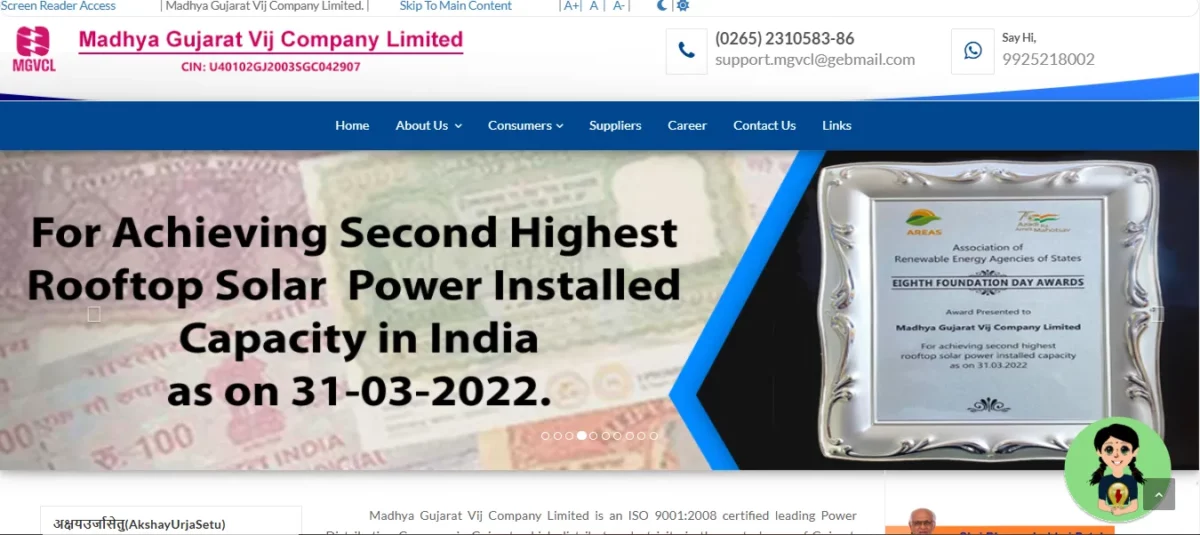
MGVCL quick payment option don't require account registration or login credentials. The guest payment feature caters to occasional payers, elderly consumers who may find account management challenging, or individuals, all without the hassle of remembering multiple login credentials.
- Step 1: Visit the MGVCL website: Go to portal.mgvcl.com and locate the "Quick Pay" or "Pay Without Login" option on the homepage.
- Step 2: Select bill type: Choose between "Current Bill Payment" or "Past Bill Payment" based on your requirement.
- Step 3: Enter consumer number: Input your 12-digit consumer number found on the top section of your electricity bill.
- Step 4: Provide additional verification: Enter your mobile number or other verification details as requested to retrieve your bill information.
- Step 5: Verify bill details: Check the displayed bill amount, due date, and consumer information for accuracy before proceeding.
- Step 6: Complete payment: Select your preferred payment method, follow the payment gateway instructions, and save the receipt upon completion.
How to Pay MGVCL Bill Offline Through a Customer Service Centre?
Traditional in-person payments at MGVCL customer service centers remain a reliable option, especially for those who prefer cash transactions or face difficulties with MGVCL online payment. These physical payment locations continue to serve an important function in the community by providing face-to-face assistance for consumers.
- Step 1: Locate your nearest center: Find the closest MGVCL customer service center through their website or by calling customer support.
- Step 2: Bring necessary documents: Carry your current electricity bill or at minimum, know your consumer number before visiting.
- Step 3: Join the payment queue: Take a token number at the center and wait for your turn at the payment counter.
- Step 4: Present bill at counter: Show your electricity bill to the counter executive who will verify your details in the system.
- Step 5: Make the payment: Pay the bill amount via cash, check, or card as accepted at the center.
- Step 6: Collect receipt: Ensure you receive an official payment receipt and keep it safely for future reference.
How to Pay MGVCL Bill Offline Using Bank ATMs and Payment Kiosks?

Several banks and authorized payment kiosks now offer MGVCL online bill payment services, combining the convenience of electronic payments with the accessibility of widespread ATM networks. This hybrid payment method bridges the gap between traditional and digital payment systems.
- Step 1: Visit an enabled ATM/kiosk: Go to an ATM or payment kiosk that offers utility bill payment services (typically advertised at the location).
- Step 2: Select bill payment option: Insert your card, enter your PIN, and select "Bill Payment" or "Utility Payment" from the main menu.
- Step 3: Choose electricity category: Select "Electricity Bills" from the available bill payment categories on the screen.
- Step 4: Select MGVCL as provider: Choose "MGVCL" from the list of electricity service providers displayed.
- Step 5: Enter consumer details: Input your consumer number using the ATM keypad as directed on screen.
- Step 6: Confirm and complete payment: Verify the bill amount displayed, confirm the transaction, and collect the printed receipt.
How to Pay MGVCL Additional Load Charges Online?
When increasing your sanctioned load or applying for additional electrical connections, MGVCL charges specific fees that can be paid through their online portal for convenience. These additional load charges apply when upgrading your electricity capacity to accommodate more appliances or machinery, especially relevant for growing households and businesses.
- Step 1: Log in to your MGVCL account: Access portal.mgvcl.com and sign in using your registered credentials.
- Step 2: Navigate to additional services: Look for "Additional Services" or "New Connection/Load Change" section in the dashboard.
- Step 3: Select load enhancement option: Choose "Load Enhancement" or "Additional Load Request" from the available services.
- Step 4: Enter required details: Fill in the application form with details about your current connection and requested load increase.
- Step 5: View calculated charges: Review the system-calculated additional load charges based on your request parameters.
- Step 6: Complete payment: Select your preferred payment method, complete the transaction, and save the payment acknowledgment for reference.
How to Check MGVCL bill payment Status Online?
After making a payment, it's important to check MGVCL billthat it has been successfully processed and credited to your account to avoid any disconnection due to payment issues. It helps ensuring you can take timely action if needed rather than discovering problems only when facing disconnection notices.
- Step 1: Visit the MGVCL website: Go to portal.mgvcl.com and locate the "Payment Status" or "Transaction Status" option.
- Step 2: Select verification method: Choose whether to check by consumer number or by transaction reference number.
- Step 3: Enter required details: Input either your consumer number or the transaction ID provided during payment.
- Step 4: Provide additional verification: Enter any additional verification details requested, such as mobile number or date of birth.
- Step 5: Submit and view status: Click on "Check Status" or similar button to check MGVCL bill payment status.
- Step 6: Check payment details: Review the displayed information showing payment date, amount, and current status (successful/pending/failed).
How to Download MGVCL Bill Payment Receipt Online?
MGVCL bill receipts serve as proof of payment and are important for record-keeping, especially for business expenses or rental properties requiring documentation. Ability to download MGVCL last bill eliminates the need to preserve physical copies that can be lost or damaged for tax purposes, expense claims, or resolving billing disputes.
- Step 1: Log in to the MGVCL portal: Access your account at portal.mgvcl.com using your registered username and password.
- Step 2: Navigate to payment history: Find and click on "Payment History" or "Transaction History" in your account dashboard.
- Step 3: Locate the specific payment: Browse through your recent transactions or use filters to find the specific payment.
- Step 4: Select receipt option: Click on "Download Receipt" to Download MGVCL online bill.
- Step 5: Choose receipt format: Select your preferred format (PDF is recommended for better compatibility).
- Step 6: Save the receipt: Download MGVCL bill and save the receipt to your device for future reference or printing.
How to View MGVCL Payment History?
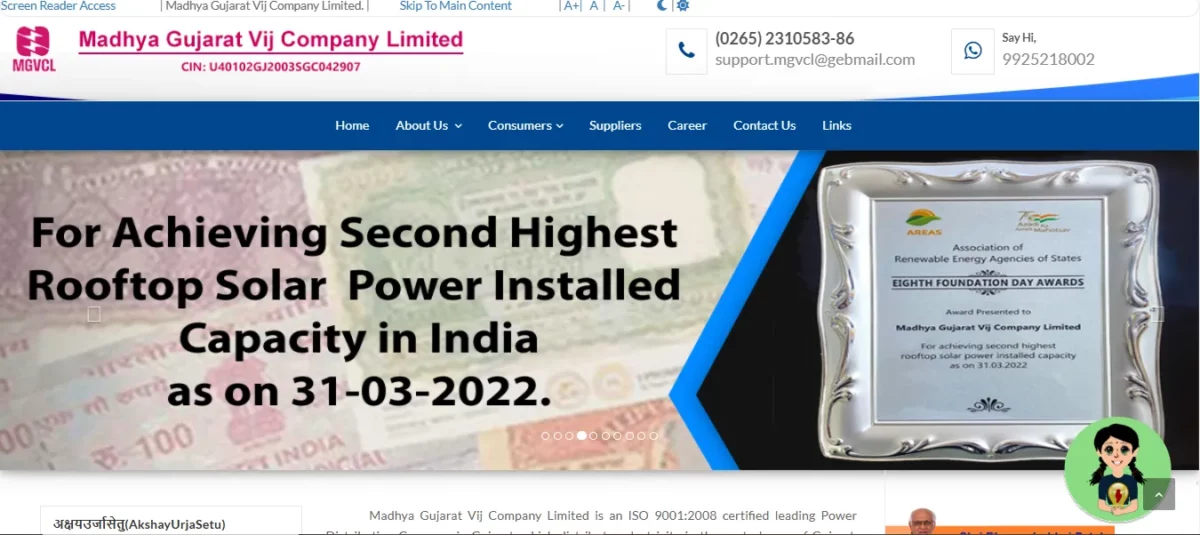
Tracking your payment history helps monitor your electricity expenses over time and provides documentation for any billing disputes or discrepancies. The payment history feature allows consumers to analyse their electricity expenditure patterns across seasons, compare year-on-year consumption trends, and maintain comprehensive records for accounting purposes.
- Step 1: Access your MGVCL account: Log in to portal.mgvcl.com with your registered username and password.
- Step 2: Find payment history section: Locate and click on "Payment History" or "Transaction Records" in your dashboard.
- Step 3: Set date range parameters: Specify the time period for which you want to view MGVCL bill payment records (last month, last year, etc.).
- Step 4: Apply any filters: Use available filters to narrow down results by payment method, amount range, or status.
- Step 5: View detailed history: Review the comprehensive list of payments showing dates, amounts, and methods.
- Step 6: Export or print if needed: Use options to export the payment history as a spreadsheet or PDF for record-keeping.
How to Check MGVCL Last Electricity Bill Payment Details?
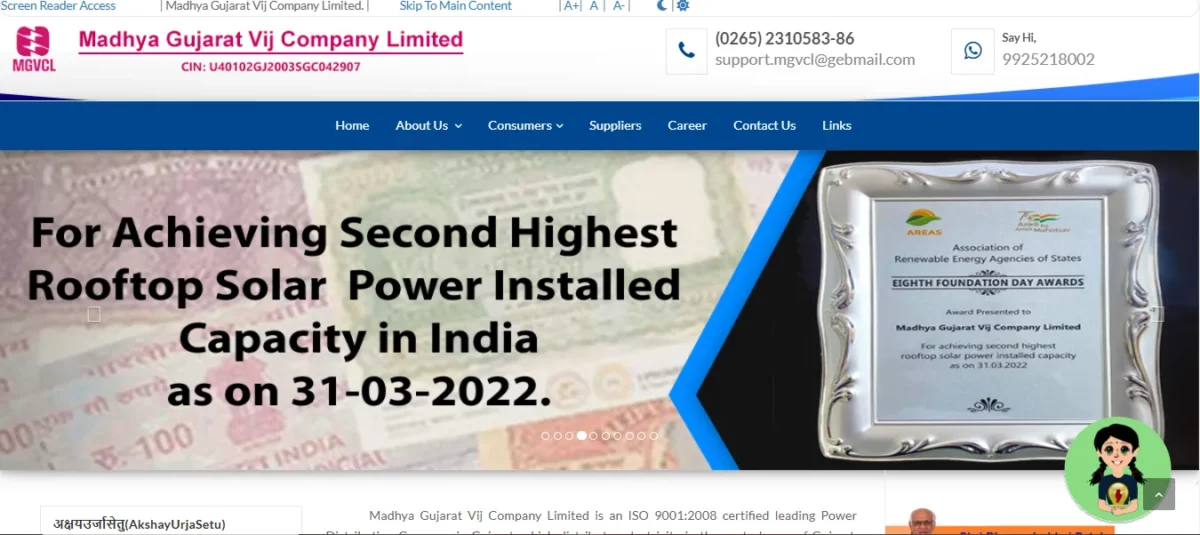
It’s important to check MGVCL bill online to ensure your account is current and to have accurate information about your electricity consumption patterns. It ensures you're aware of any unexpected changes in consumption or charges that might indicate metering issues or the need for energy conservation measures.
- Step 1: Log in to your account: Access portal.mgvcl.com and sign in with your registered credentials.
- Step 2: Go to bill information section: Navigate to "Bill Information" or "Recent Bills" section in your dashboard.
- Step 3: View last bill details: You can view MGVCL bill history at the top of your dashboard.
- Step 4: Check payment status: Verify whether the bill shows as "Paid" or "Unpaid" in the status column.
- Step 5: View online MGVCL bill detailed breakdown: Click on the bill to see detailed information including payment date and method.
- Step 6: Download for records: Use the download option to download MGVCL old bill or save last bill payment details.
What are the MGVCL Electricity Charges Per Unit?
Knowledge of these rates enables consumers to make informed decisions about energy consumption, plan for seasonal variations in usage, and implement conservation measures during peak rate periods to optimize costs while maintaining necessary comfort and operational requirements.
| UGVCL | Slab | Per Unit Cost |
| Domestic | 0 - 50 Unit | Rs. 2.0 |
| 51 - 100 Unit | Rs. 2.50 | |
| 0 - 150 Unit | Rs. 2.75 | |
| 151 - 250 Unit | Rs. 5.25 | |
| 251 - 500 Unit | Rs. 6.30 | |
| 501 - 800 Unit | Rs. 7.10 | |
| Above 801 Unit | Rs. 7.10 |
What are the Commercial Electricity Charges Per Unit?
Different categories of commercial consumers are subject to varying tariffs, and knowing these rates can help optimize power consumption. This section provides an overview of the latest MGVCL commercial electricity tariffs.
| UGVCL | Slab | Per Unit Cost |
| Commercial | Rs. 7.52 |
Pay your Easy and Secure MGVCL Bills via NoBroker
NoBroker's integrated bill payment platform offers a seamless solution for managing MGVCL electricity bills alongside other household expenses. With a user-friendly interface, secure payment gateways, and instant confirmation, transactions are completed effortlessly. The platform stores consumer details for faster payments, sends timely reminders, and provides a detailed payment history for better expense tracking - without extra service fees. MGVCL has modernized its payment system, offering digital and traditional methods to suit all preferences.
Frequently Asked Questions
Ans: If your payment fails, check your transaction status on the MGVCL portal using your reference number. Wait 24 hours for automatic resolution, then retry or contact customer support if the issue persists.You can also perform a MGVCL bill check with consumer number.
Ans: Log in to your MGVCL account, navigate to "View Bill" section, select the billing period, and download MGVCL electric billduplicate copy.
Ans: MGVCL generally requires full payment, but special instalment arrangements may be available for customers facing financial hardship. Contact customer care to discuss your situation and available options.
Ans: Yes, MGVCL charges late payment fees of 1.5% per month on outstanding amounts after the due date. Continued non-payment may result in disconnection and additional reconnection charges.
Ans: Log in to your MGVCL account, navigate to "Profile" or "My Account" section, select "Update Contact Details," enter new information, verify through OTP, and submit the changes.
Recommended Reading
MGVCL Bill Payment: Online Process, Payment Methods, Due Date and Receipt Download 2026
January 28, 2026
1291+ views
Most Viewed Articles
Low CIBIL Score Loan Apps List: Best Apps for Instant Loans with Bad Credit for 2026
May 20, 2025
268517+ views
7 Days Loan Apps List in India with Quick Approval and Fast Disbursal in 2026
January 13, 2026
152789+ views
Top 20 RBI Approved Loan Apps List in India (2026): Verified and Safe Platforms
March 12, 2025
128689+ views
Top 15 Loan Apps in India: Fast Approval, Low Interest Rates (2025)
September 1, 2025
93897+ views
15 Best 500 Rs Loan Apps in India with Minimal Documentation and Fast Bank Transfer
September 18, 2025
93120+ views
Author
Loved what you read? Share it with others!
Recent blogs in
Instant Loan Apps Without CIBIL Score: Interest Rates, Eligibility & Processing Fees in 2026
March 20, 2026 by Suju
Instant Loan on Aadhar Card: Interest Rates, Tenure & Quick Approval in 2026
March 2, 2026 by Siri Hegde K
MGVCL Bill Payment: Online Process, Payment Methods, Due Date and Receipt Download 2026
January 28, 2026 by Anda Warner








 Full RM + FRM support


Join the conversation!