Table of Contents
Quality Service Guarantee Or Painting Free
Get a rental agreement with doorstep delivery

Find the BEST deals and get unbelievable DISCOUNTS directly from builders!

5-Star rated painters, premium paints and services at the BEST PRICES!
Loved what you read? Share it with others!
UGVCL Bill Payment: Online Methods, Charges and Receipt Download in 2026
Published : January 28, 2026, 11:39 AM
Updated : February 3, 2026, 3:19 PM
Author :

Table of Contents
Uttar Gujarat Vij Company Limited (UGVCL) is a state-run electricity distribution company serving consumers across North Gujarat. It operates under the Gujarat Urja Vikas Nigam Limited (GUVNL) and is responsible for providing a reliable power supply to residential, commercial, and industrial users. To ensure convenience in bill payments, UGVCL offers a range of online and offline payment options. Consumers can settle their electricity bills through the official website, mobile app, UPI platforms, or by visiting designated payment centres. Opting for a preferred payment method helps in avoiding late fees and ensures an uninterrupted power supply.
UGVCL Bill Payment - Quick Details
Before diving into the various payment methods, here's a quick overview of essential information about UGVCL bill payments that will help you manage your electricity bills efficiently and avoid any inconvenience.
| Information | Details |
| Service Provider | Uttar Gujarat Vij Company Limited (UGVCL) |
| Bill Payment Methods | Online and Offline |
| Online Payment Options | Official website, Mobile app, UPI apps like Paytm and PhonePe , Internet banking |
| Offline Payment Options | Customer service centers, Bank ATMs, Payment kiosks |
| Mobile App | UGVCL Mobile App available on Google Play and App Store |
| Payment via Website | https://www.ugvcl.com/ |
| Bill View/Download | Available through website and mobile app |
| Electricity Charges | Varies based on consumption and category (domestic/commercial) |
| Payment Receipt | Downloadable after successful payment |
| Customer Support | 1800-233-155335(Toll-free) |
| Late Payment Charges | Additional fees applied after due date |
| Payment Confirmation | SMS and email notification |
| Due Date | 15 days from bill generation date |
| Bill Correction | Available through customer service centers |
| Minimum Payment | Full amount required to avoid late fees |
| Refund Policy | Extra amount will be adjustment in next electricity. |
UGVCL Bill Payment Methods in 2026
UGVCL offers a variety of payment methods designed to accommodate customers' different preferences and needs. Whether you prefer digital transactions or traditional payment methods, UGVCL has options that make bill payment convenient and hassle-free.
Quality Service Guarantee Or Painting Free
Get a rental agreement with doorstep delivery
Find the BEST deals and get unbelievable DISCOUNTS directly from builders!
5-Star rated painters, premium paints and services at the BEST PRICES!
Online Payment Options for UGVCL Bill Payment
The digital payment options provided by UGVCL allow customers to pay their electricity bills from anywhere at any time, eliminating the need to visit physical locations and wait in queues.
- UGVCL Official Website
- UGVCL Mobile App
- UPI-Based Payments
- Internet Banking and Mobile Banking
Offline Payment Methods for UGVCL Bill Payment
For customers who prefer traditional payment methods or face digital accessibility challenges, UGVCL continues to support various offline payment options across its service areas.
- Paying Through Customer Service Centers
- Using Bank ATMs and Payment Kiosks
How to do UGVCL Bill Payment Online: Step-by-Step Guide?
UGVCL electricity bill payment online through the official website is straightforward and convenient. Follow these simple steps to complete your payment quickly and securely without leaving the comfort of your home.
Step 1: Visit the UGVCL Official Website: Open your web browser and navigate to www.ugvcl.com, the official website of Uttar Gujarat Vij Company Limited.
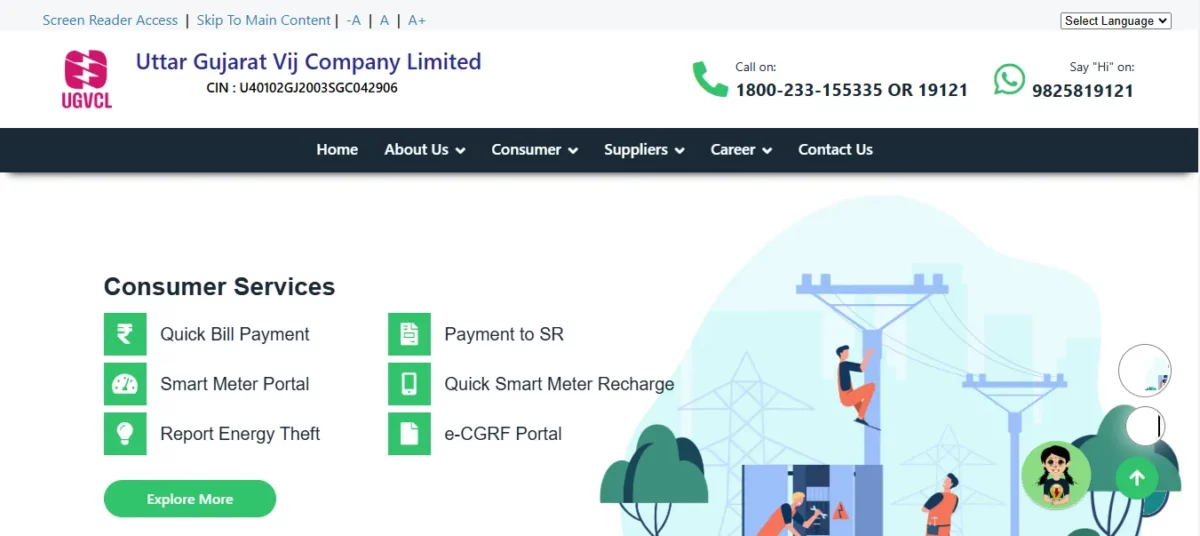
Step 2: Locate the Bill Payment Section: On the homepage, find and click on the "Consumer Portal" or "Online Payment" option in the main menu.
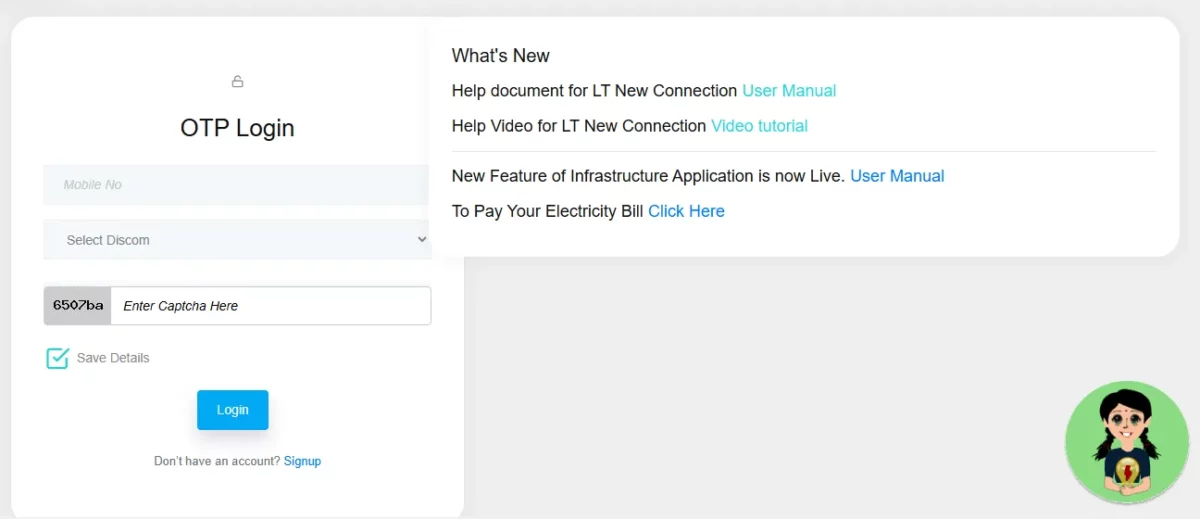
Step 3: Enter Your Consumer Details: Input your Consumer Number/Service Number as mentioned on your electricity bill to proceed.
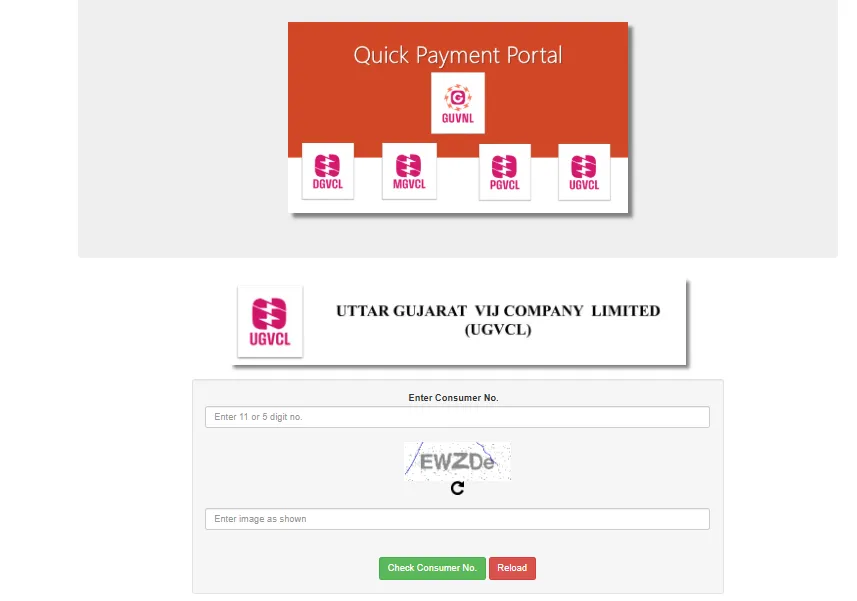
Step 4: Verify Bill Details: Review your displayed bill information, including the amount due, due date, and connection details for accuracy.
Step 5: Select Payment Method: Choose your preferred payment method from options like credit/debit card, net banking, UPI, or wallet.
Step 6: Complete the Payment: Enter your payment details securely, confirm the transaction, and wait for the payment confirmation page.
Step 7: Download Receipt: After successful payment, download and save the payment receipt for your records and future reference
Automatic UGVCL Bill Payment Online
Setting up automatic bill payments for your UGVCL electricity bills eliminates manual payment hassles and ensures timely payments. This convenient UGVCL bill pay online feature helps you avoid late payment penalties and disconnection notices while providing peace of mind that your utility bills are always paid on schedule.
- Step 1: Log in to your bank's internet banking portal using your credentials.
- Step 2: Navigate to the bill payment section and look for the auto-pay or standing instructions option.
- Step 3: Select the electricity bill category and choose UGVCL from the biller list.
- Step 4: Enter your UGVCL consumer number exactly as it appears on your electricity bill.
- Step 5: Set a maximum payment limit that covers your typical monthly electricity consumption charges.
- Step 6: Choose payment frequency as monthly and select a date before the due date.
- Step 7: Verify all details and authorise the automatic payment setup with your banking password.
- Step 8: Enable payment notifications to receive alerts when automatic payments are processed.
How to Pay UGVCL Bill via UPI Apps?
UPI apps offer one of the fastest and most convenient ways for UGVCL bill payment without visiting physical centers. Popular platforms like Google Pay, PhonePe, and Paytm support UGVCL bill pay services with just a few taps, providing instant payment confirmation and digital receipts directly to your smartphone.
- Step 1: Open your preferred UPI app (Google Pay, PhonePe, or Paytm) on your phone.
- Step 2: Navigate to the bill payment or utility payments section within the app.
- Step 3: Select the electricity bill category from the available utility payment options list.
- Step 4: Choose UGVCL or Uttar Gujarat Vij Company Limited as your electricity provider.
- Step 5: Enter your 11-digit UGVCL consumer number as shown on your electricity bill.
- Step 6: The app will fetch your pending bill details with the amount and due date.
- Step 7: Verify that all displayed information matches your actual UGVCL bill details carefully.
- Step 8: Tap on the Proceed to pay button after confirming the bill amount.
How to do UGVCL Current Bill Payment Through the NoBroker App?
The NoBroker app provides a streamlined platform for UGVCL current bill payment alongside other utility services. This user-friendly approach to bill payment lets you manage multiple bills in one place, with secure payment options and instant digital receipts for your electricity bill transactions.
Step 1: Download and install the NoBroker app from your device's app store.
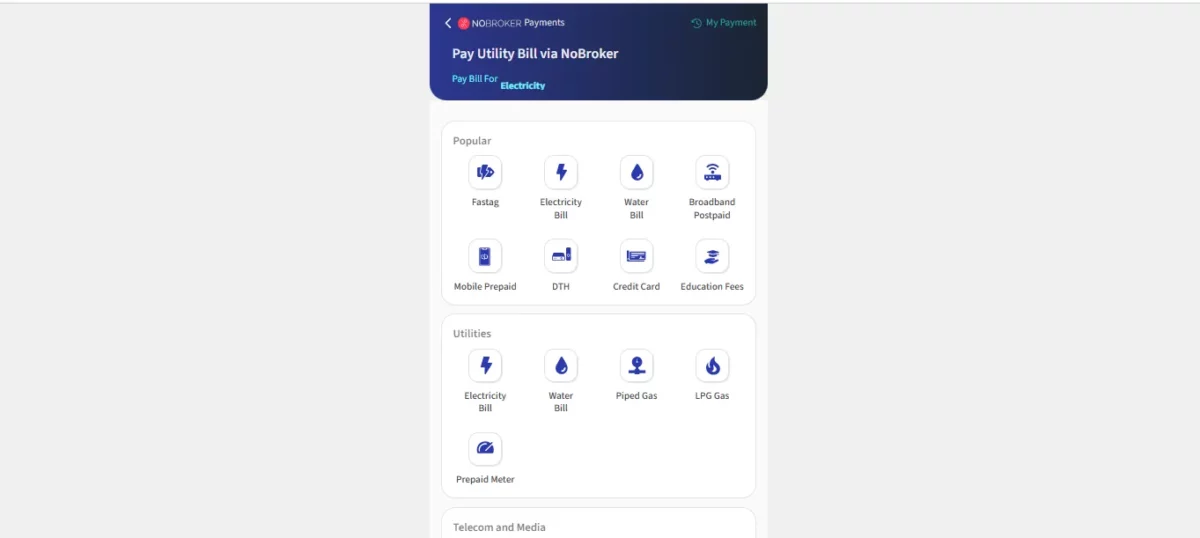
Step 2: Create an account or log in with your existing NoBroker credentials.
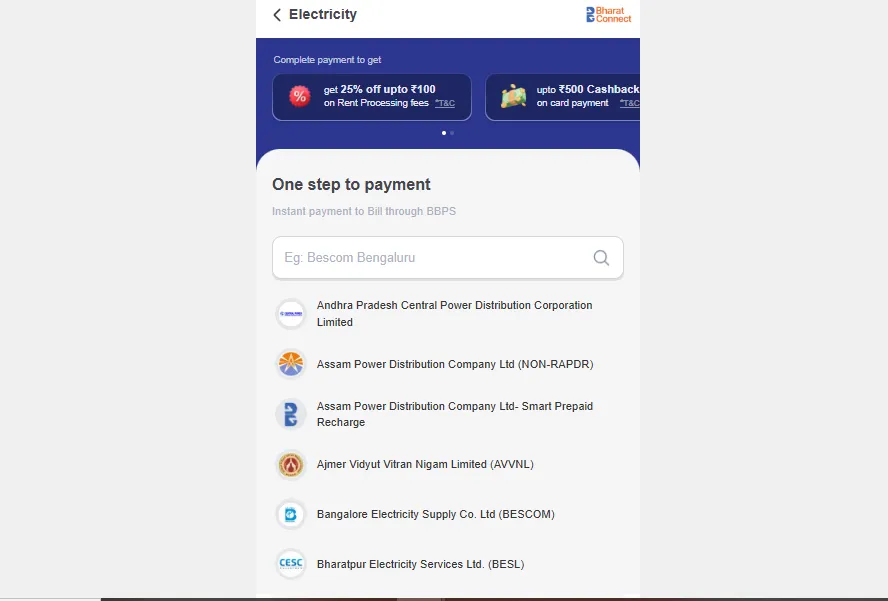
Step 3: Tap on the "Pay Bills" or "Utility Payments" option on the home screen.
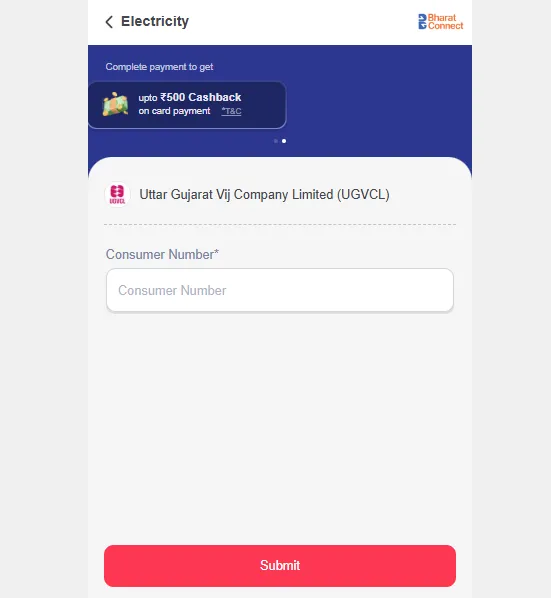
Step 4: Select electricity bill option from the various utility services displayed.
Step 5: Choose UGVCL from the list of available electricity service providers.
Step 6: Enter your UGVCL consumer number and verify the connection details displayed.
Step 7: Download and save the payment receipt on your UGVCL billies for future reference and records.
How to pay the UGVCL bill without login?
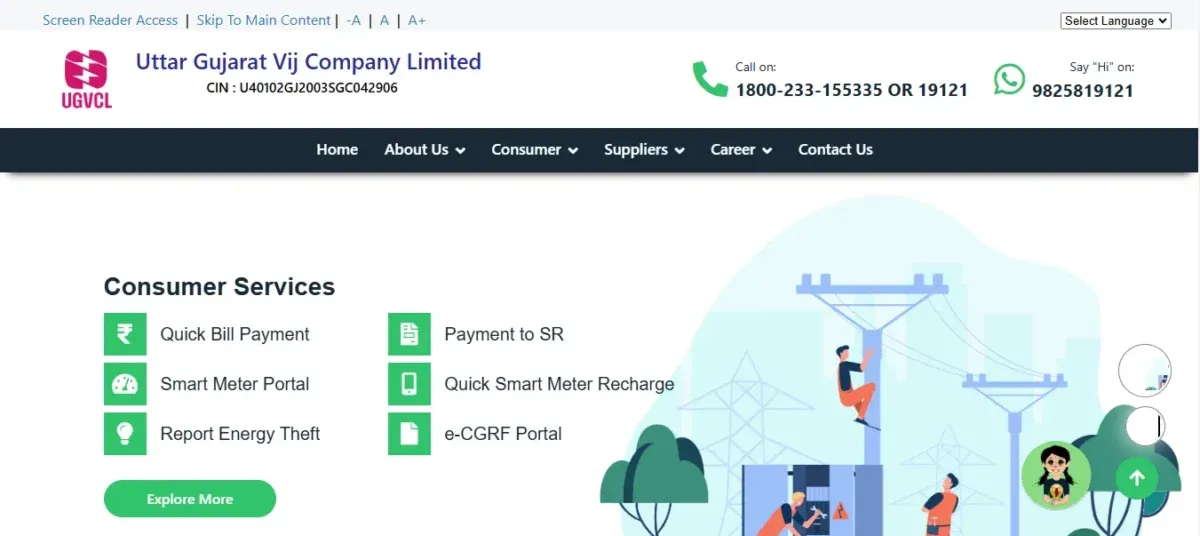
UGVCL offers a convenient quick-pay feature, allowing customers to pay electricity bills without creating an account. This guest payment option for UGVCL bill payment simplifies the process for one-time costs, requiring just your consumer number and basic details to complete transactions securely and efficiently.
- Step 1: Visit the official UGVCL website and locate the "Quick Pay" option on homepage. Open your web browser and navigate to www.ugvcl.com to access the official portal.
- Step 2: Click on "Pay Without Registration" or "Guest Payment" button prominently displayed. This option is usually highlighted on the homepage for easy access to quick payments.
- Step 3: Enter your 11-digit UGVCL consumer number as shown on your electricity bill. Double-check your consumer number to ensure accurate identification of your connection account.
- Step 4: Provide your registered mobile number to receive payment confirmation notification afterwards. This number should match the one registered with UGVCL to pay the electricity bill online on UGVCL.
- Step 5: Complete the transaction by following instructions on the payment gateway. Enter the required UGVCL bill details carefully to ensure the successful processing of your bill.
How to Pay UGVCL Bill Offline Through a Customer Service Centre?
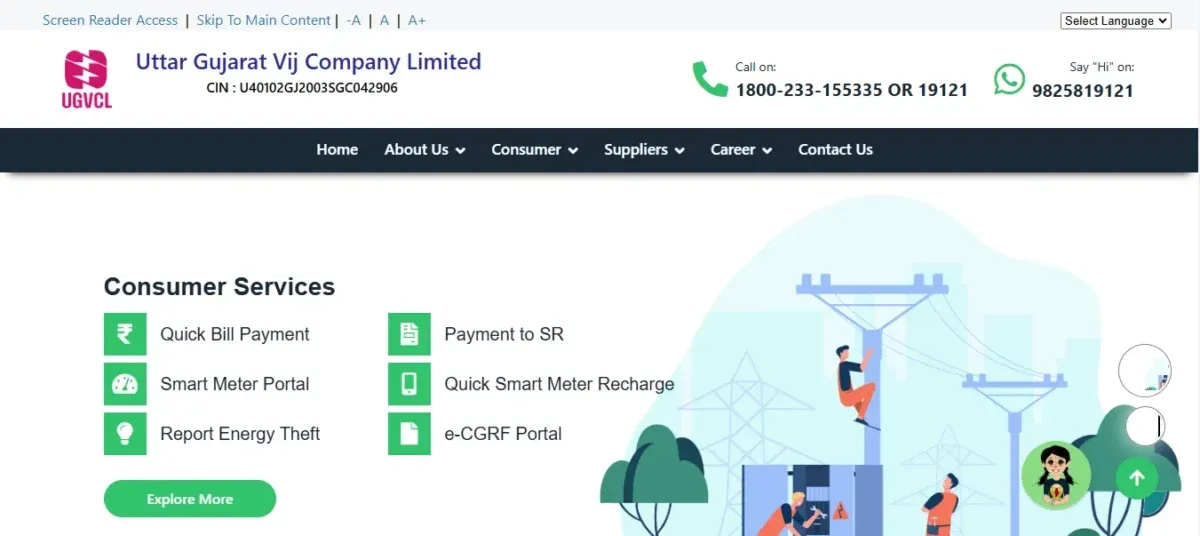
UGVCL maintains numerous customer service centers across North Gujarat for consumers preferring in-person payments. These centers accept UGVCL bill payments in cash, check, or demand draft, allowing face-to-face interaction with staff who can address any billing queries while processing your payment immediately.
- Step 1: Locate your nearest UGVCL customer service centre in your area. Check UGVCL website or call customer service to find the closest payment centre.
- Step 2: Carry your most recent electricity bill and valid identification document. The bill contains your consumer details, while ID proof confirms your identity.
- Step 3: Visit the centre during operational hours (typically 10 AM to 5 PM). Centres usually operate on all working days with some also open on Saturdays.
- Step 4: Take a token number from the queue management system upon arrival. This organised system ensures fair service orders for all visiting customers.
- Step 5: Wait for your token number to be displayed on the electronic display board. Seating areas are provided where you can wait comfortably for your turn.
- Step 6: Present your electricity bill to the customer service representative. The representative will verify your bill details in the system.
- Step 7: Specify your UGVCL power bill payment method (cash, check, or demand draft). Cash payments are accepted for any amount, while checks require proper details.
- Step 8: Make the payment and wait for the representative to process it. The amount will be entered into the system and receipt will be prepared.
How to Pay UGVCL Bill Offline Using Bank ATMs and Payment Kiosks?
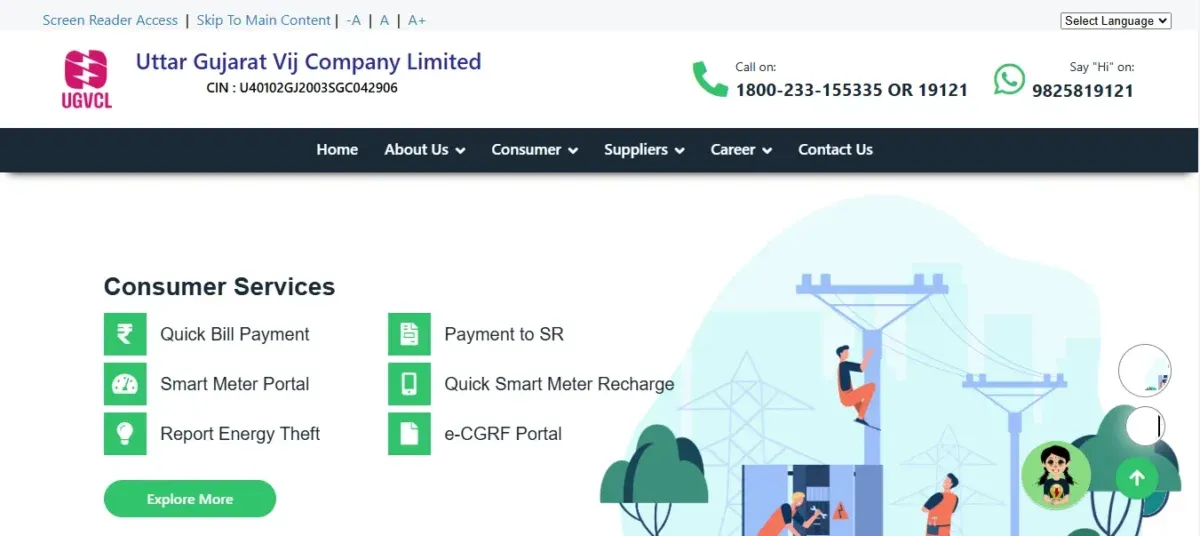
Several banks have installed specialised ATMs and payment kiosks that support UGVCL bill payment services. These self-service machines offer a convenient offline payment option for UGVCL electricity bills with extended availability beyond regular business hours, accepting both cash and card payments depending on the kiosk type.
- Step 1: Locate a bank ATM or payment kiosk that offers utility bill payment services. Major banks like SBI, HDFC, and ICICI have ATMs supporting UGVCL payments.
- Step 2: Access the ATM or kiosk using your debit card or without card. Some kiosks allow cardless access for bill payments through simple menu navigation.
- Step 3: Select "Bill Payment" or "Utility Payment" option from the main menu. This option is typically found in the services section of the ATM menu.
- Step 4: Choose "Electricity Bill" category from the available utility services list. Navigate through the menu to select the electricity payment option first.
- Step 5: Select "UGVCL" or "Uttar Gujarat Vij Company Limited" as a service provider. The machine will display a list of electricity providers to choose from.
- Step 6: Enter your UGVCL consumer number as shown on your electricity bill. Use the numeric keypad carefully to input the correct consumer identification number.
- Step 7: Verify the bill amount displayed on screen matches your actual bill. Confirm the amount is correct before proceeding with the payment process.
- Step 8: Insert cash or select card payment based on the kiosk capabilities. Cash kiosks accept notes of various denominations up to the bill amount.
- Step 9: Wait for the machine to process your payment and update records. The system communicates with UGVCL servers to record your payment instantly.
How to pay UGVCL additional load charges online?
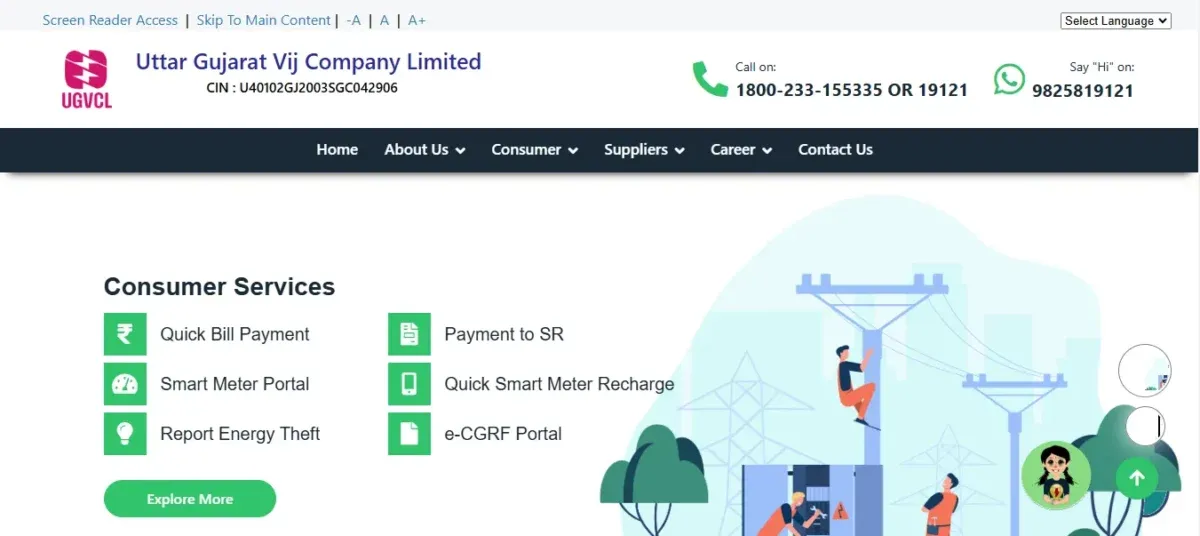
When upgrading your electricity connection capacity, UGVCL imposes additional load charges that must be paid. The UGVCL online payments system for additional load charges streamlines this process, allowing consumers to pay these one-time fees through the official portal using various digital payment methods.
- Step 1: Submit application for load increase through proper channels first. Apply to UGVCL pay onlineor visit UGVCL office to request sanctioned load enhancement initially.
- Step 2: Receive the demand note with the calculated additional load charges amount. UGVCL will assess your requirements and issue a formal notice for payment.
- Step 3: Visit the official UGVCL website and navigate to the consumer portal. Go to www.ugvcl.com and find the consumer login section to proceed.
- Step 4: Log in using your consumer number and registered mobile number. Enter your credentials carefully to access your account dashboard securely.
- Step 5: Look for "Miscellaneous Payments" or "Additional Charges" option. This section is separate from regular bill payments in the portal menu.
- Step 6: Select "Additional Load Charges" from the payment category options available. Choose the correct payment type to ensure proper crediting of your payment.
- Step 7: Enter your load increase application number when prompted by system. This reference number links your payment to your specific load enhancement request.
- Step 8: Verify the calculated charges displayed match your demand note amount. Cross-check figures to ensure you're paying the correct additional load fees.
- Step 9: Select your preferred online payment method (cards/UPI/net banking). Choose the most convenient digital payment option for completing the transaction.
- Step 10: Complete payment and download receipt for documentation and future reference. Save the confirmation as proof of payment for your load increase application.
How to check UGVCL bill payment Status online?
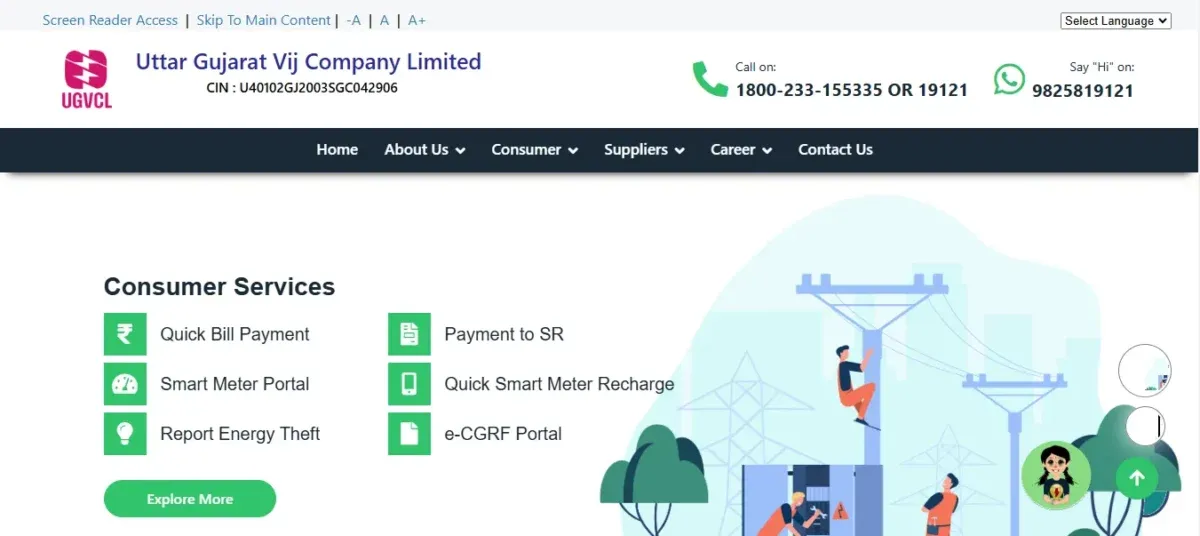
After making a payment for your electricity bill, verifying the UGVCL bill payment status is essential. The online status checking feature allows you to confirm whether your transaction was successful, especially important when using new payment methods or making payments close to the due date.
- Step 1: Open your web browser and visit the official UGVCL website. Navigate to www.ugvcl.com to access the authentic portal for payment verification.
- Step 2: Locate and click on the "Consumer Portal" or "Online Services" section. This area contains all consumer-related digital services offered by UGVCL.
- Step 3: Find the UGVCL bill payment history option in the menu. This dedicated section allows you to check the status of recent payments.
- Step 4: Enter your UGVCL consumer number in the required field. This unique identification number is printed on your electricity bill document.
- Step 5: Input the transaction reference number if available for direct tracking. This number was provided when you completed your payment transaction.
- Step 6: Specify the date range when you made the payment. Narrowing the period helps locate your specific transaction more efficiently.
- Step 7: Click on "Submit" or "Check Status" button to process your query. The system will search its records based on the details you provided.
- Step 8: Wait briefly while the system retrieves your payment information. The server connects to the payment database to fetch your transaction details.
- Step 9: View the displayed status showing "Successful," "Failed," or "Pending." This indicates whether your payment has been properly processed and recorded.
How to download UGVCL bill payment receipt online?
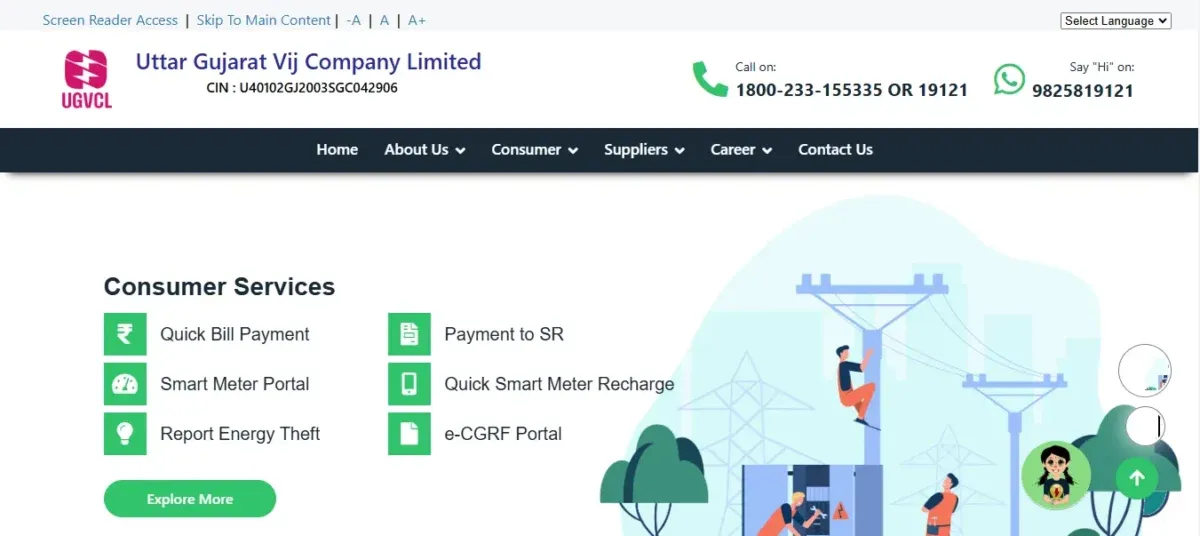
Accessing and downloading your UGVCL bill payment receipt online provides important documentation for your records. This digital proof of payment can be retrieved anytime through the consumer portal, eliminating the need to preserve physical receipts while providing evidence in case of billing disputes.
- Step 1: Visit the UGVCL official website and access the consumer portal. Go to www.ugvcl.com and find the login section for registered users.
- Step 2: Log in with your registered user ID and password credentials. Enter your login details carefully to access your account dashboard.
- Step 3: Navigate to the "Payment History" or "View Receipts" section after logging in. This dedicated area stores digital copies of all your payment confirmations.
- Step 4: Specify the time period for which you want to access receipts. Select start and end dates to narrow down your search effectively.
- Step 5: Locate the specific payment transaction in the displayed list. Find the particular payment by checking dates and amounts in the record.
- Step 6: Click on the "Download" or "Receipt" icon next to that payment. A download or printer symbol typically represents this button.
- Step 7: Select your preferred format for the receipt (PDF recommended). PDF format preserves formatting and is widely accepted as official documentation.
- Step 8: Wait for the receipt to generate and prepare for download. The system creates a formatted document containing all payment details.
- Step 9: Save the downloaded receipt to your device in a dedicated folder. Organise your utility payment receipts for easy access in the future.
- Step 10: Verify the downloaded receipt contains all necessary payment information. This UGVCL bill check online shows the payment date, amount, consumer details, and confirmation number.
How to View UGVCL Payment History?
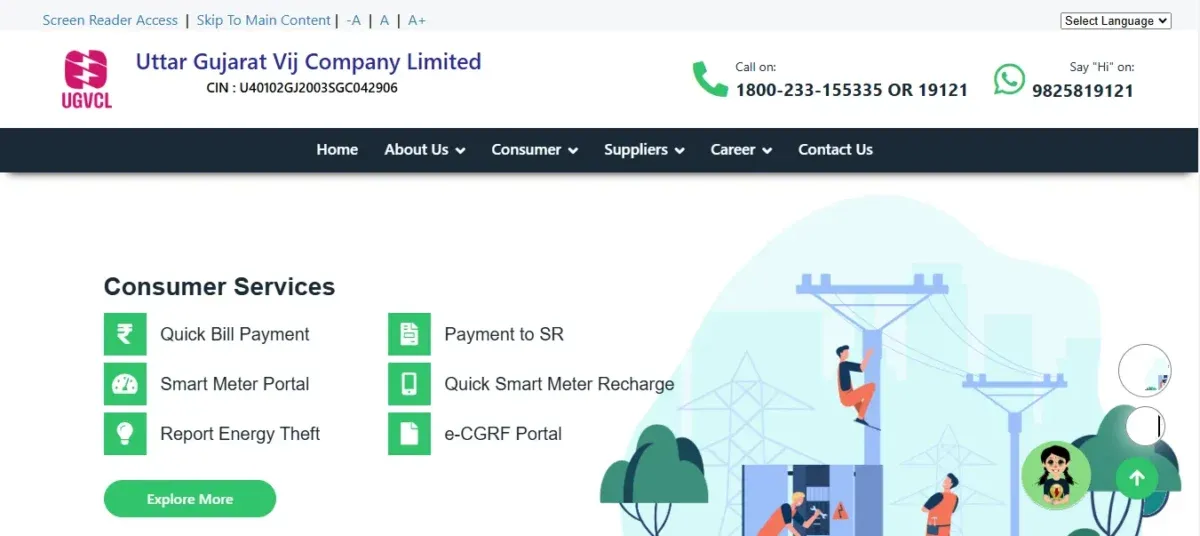
The UGVCL payment history feature provides a comprehensive record of all your electricity bill transactions. Accessing this history online helps track payments over time, verify transaction details, and maintain proper documentation for budgeting and financial record-keeping purposes.
- Step 1: Open the UGVCL website and navigate to the consumer login page. Access www.ugvcl.com and find the dedicated consumer portal entrance.
- Step 2: Enter your registered user ID and password to log in securely. Use your authorised credentials to access your protected account information.
- Step 3: Locate and click on the "My Account" or "Payment History" option. This section contains records of all your previous electricity bill payments.
- Step 4: Select the time period for which you want to view payment records. Specify start and end dates to define your UGVCL bill desk payment history search range.
- Step 5: Clickthe "View" or "Generate Report" button to display your history. The system will retrieve all payment transactions during your selected period.
- Step 6: Examine the chronological list of all payments made during the period. Each entry shows the transaction date, amount, payment method, and status.
How to check UGVCL last Electricity bill Payment Details?
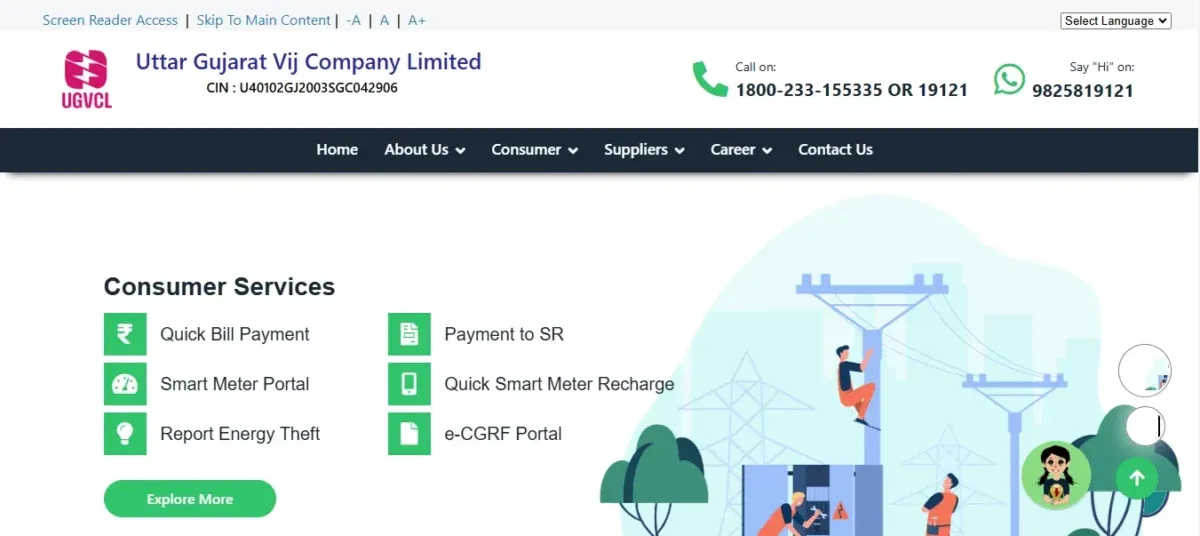
Checking your most recent UGVCL electricity bill payment details helps verify proper processing of your transaction. This quick verification ensures your account is up to date, confirms the payment was correctly credited, and provides peace of mind about your current billing status.
- Step 1: Visit the UGVCL official website and open the consumer portal. Navigate to www.ugvcl.com to access the authorised online service platform.
- Step 2: Log in with your registered consumer credentials securely. Enter your username/consumer number and password to access account information.
- Step 3: Go to "Bill Information" or "Recent Transactions" section. This area displays your current bill status and recent payment activities.
- Step 4: Verify the payment amount matches what you paid exactly. Confirm the recorded amount matches your payment receipt or bank statement.
- Step 5: Review the payment status showing "Successful" or "Completed." This confirmation indicates your payment was properly processed and credited.
- Step 6:This UGVCL bill download option will provide you the receipt for this specific payment if needed. Save digital proof of your most recent payment for your records.
What are the domestic Electricity Charges Per Unit for UGVCL
Understanding UGVCL bill payment requires knowledge of the domestic tariff structure. UGVCL implements a slab-based charging system for residential consumers where the rate increases with higher consumption. This progressive pricing encourages energy conservation while ensuring affordable electricity for basic needs.
| UGVCL | Slab | Per Unit Cost |
| Domestic | 0 - 50 Unit | Rs. 2.0 |
| 51 - 100 Unit | Rs. 2.50 | |
| 0 - 150 Unit | Rs. 2.75 | |
| 151 - 250 Unit | Rs. 5.25 | |
| 251 - 500 Unit | Rs. 6.30 | |
| 501 - 800 Unit | Rs. 7.10 | |
| Above 801 Unit | Rs. 7.10 |
What are the Commercial Electricity Charges Per Unit?
This section explores the per-unit charges applicable to commercial consumers under UGVCL.
| UGVCL | Slab | Per Unit Cost |
| Commercial | Rs. 7.52 |
Pay your Easy and Secure UGVCL bill payments via NoBroker
Pay your UGVCL bills easily and securely via NoBroker, a seamless platform with zero additional charges. It allows users to save multiple UGVCL connections, receive timely reminders, and access complete payment history with downloadable receipts. With bank-grade security and flexible payment options like credit/debit cards, UPI, and net banking, NoBroker eliminates the hassle of visiting payment centres. UGVCL bill payment has evolved, offering multiple convenient methods, from digital platforms to traditional centres. Timely payments ensure an uninterrupted electricity supply and prevent penalties. By following step-by-step guides, you can manage bills efficiently, track payments, and stay worry-free!
Frequently Asked Questions
Ans: Check your internet connection and bank balance. Verify the transaction status in the payment history section of the UGVCL website. If debited, contact customer support with transaction details for resolution.
Ans: Visit the UGVCL website, go to "View Bill" section, enter your consumer number, and download a copy of your current bill. Previous bills are available in the bill history section.
Ans: UGVCL generally requires full payment. However, consumers facing financial difficulties can apply for instalment facility by visiting their local UGVCL office with an application explaining their circumstances.
Ans: Yes, UGVCL charges a late payment surcharge of 1.5% per month on the outstanding amount. Prolonged non-payment may also result in temporary disconnection of electricity supply.
Ans: Log in to your UGVCL consumer account, navigate to "Profile" or "Personal Information" section, select "Update Details," enter new contact information, submit with relevant identity proof.
Loved what you read? Share it with others!
Most Viewed Articles
August 12, 2025
451189+ views
Gruha Jyothi Scheme Karnataka: Application Process, Eligibility and Documentation in 2026
September 12, 2025
69147+ views

How to Apply Online LPG Gas Connection: Application Process, Documents and Fees in 2026
June 1, 2025
59640+ views
UPPCL Jhatpat Portal for New Electricity Connection: Process, Status Tracking and Charges in 2026
January 31, 2025
49742+ views
May 24, 2025
44418+ views
Author
Recent blogs in
NBPDCL Bill Payment Online: Check, Download & Pay Bihar Electricity Bill in 2026
February 19, 2026 by Manu Mausam
CSPDCL Bill Payment Online: How to Check Bill Status and Download Receipt in 2026
February 18, 2026 by Manu Mausam
MPEB Bill Payment Online: Check, Download & Pay MP Electricity Bill in 2026
February 18, 2026 by Manu Mausam
JBVNL Bill Payment Online: Check Bill Status and Payment Methods in 2026
February 18, 2026 by Ananth







 Full RM + FRM support


Join the conversation!