


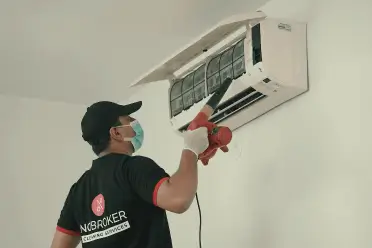
Samsung AC Problem: Complete Troubleshooting Guide for Cooling, Water Leakage, Display, Remote and Compressor Issues
Nothing is more frustrating than switching on your air conditioner during a hot summer day only to realise it isn’t working properly. Whether your Samsung AC is not cooling, leaking water, making strange noises, refusing to turn on, or showing an error code, most issues have a simple explanation.
The good news is that many Samsung air conditioner problems can be identified before they require major repairs. Some problems only require cleaning the filters, replacing the remote batteries, resetting the system, or checking the power supply. Others, such as compressor failure or refrigerant leakage, need professional servicing.
In this complete guide, we’ll explain the most common Samsung AC problems, why they happen, how you can troubleshoot them safely, and when it’s time to call an expert.
Why is My Samsung AC Not Working?
If your Samsung AC is not working suddenly, don’t assume the air conditioner is damaged immediately. Several minor issues can stop your AC from functioning properly.
Here are some of the most common reasons:
- Dirty air filters
- Power supply issues
- Incorrect thermostat settings
- Low refrigerant gas
- Frozen evaporator coils
- Faulty compressor
- Remote control malfunction
- Sensor failure
- Blocked outdoor unit
- Electrical PCB issues
Fortunately, many of these can be diagnosed using simple Samsung AC troubleshooting steps before spending money on repairs.
Samsung AC Troubleshooting Checklist
Before calling a technician, go through this quick troubleshooting checklist. These simple checks solve many common Samsung air conditioner issues without requiring professional repairs.
| Problem | Quick Check | Possible Solution |
| Samsung AC not turning on | Check the power supply | Reset the breaker or plug properly |
| Samsung AC is not cooling | Clean filters | Wash and dry filters |
| Water leaking | Inspect drain pipe | Remove blockage |
| Remote not working | Replace batteries | Reset remote |
| Display not working | Turn power off for 5 minutes | Restart AC |
| Strange noise | Check loose panels | Tighten screws |
| Outdoor unit not running | Remove debris | Ensure airflow |
Samsung AC Is Not Cooling
One of the most searched complaints is Samsung AC is not cooling. Sometimes the AC runs continuously, but the room temperature never becomes comfortable.
If you’ve ever wondered, “My Samsung AC is not cooling,” several different issues could be responsible.
Dirty Air Filters
Dust blocks airflow and reduces cooling efficiency.
Signs include:
- Weak airflow
- Longer cooling time
- Higher electricity bills
Solution:
- Remove filters
- Wash with water
- Let them dry completely
- Reinstall
Samsung recommends cleaning filters every two weeks during heavy usage.
Low Refrigerant Gas
Refrigerant absorbs heat from your room. If the gas level drops because of a leak, the cooling performance decreases significantly.
Common symptoms include:
- Warm air from the indoor unit
- Ice forming on copper pipes
- Compressor running continuously
This issue requires professional leak detection and gas refilling.
Dirty Condenser Coils
The outdoor condenser releases heat outside.
When covered with:
- Dust
- Leaves
- Pollution
- Mud
Heat cannot escape properly, resulting in a Samsung AC cooling problem.
Cleaning the outdoor unit often improves cooling dramatically.
Incorrect Temperature Settings
Many users accidentally set:
- Fan Mode
- Dry Mode
- Temperature at 27–30°C
Instead, set:
- Cool Mode
- Temperature between 22–24°C
- Fan Speed: High
These settings usually provide the best cooling performance.
Samsung Air Conditioner Not Cooling vs Low Cooling
Many homeowners confuse “not cooling” with “low cooling.” Understanding the difference helps identify the underlying problem more accurately before starting any troubleshooting.
| Situation | Possible Cause | Difficulty |
| No cooling at all | Compressor, gas leak, PCB | High |
| Weak cooling | Dirty filters | Low |
| Cooling after a long time | Dirty condenser | Medium |
| Cooling stops after some time | Frozen coil | Medium |
| Cooling only in one room | Airflow blockage | Medium |
Samsung AC Not Turning On
If your Samsung AC is not turning on, don’t panic. The issue isn’t always a major electrical fault. It could simply be a power interruption, a remote issue, or a safety feature preventing the system from starting.
The same troubleshooting also applies if your Samsung aircon is not turning on.
Check the Power Supply
Inspect:
- Circuit breaker
- Wall socket
- Main switch
- Stabiliser (if installed)
Sometimes voltage fluctuations automatically trip the breaker.
Test the Remote
If the remote is faulty, the AC may appear completely dead.
Try:
- New batteries
- Resetting the remote
- Using the manual power button
Child Lock or Timer Mode
Some Samsung AC models activate timer settings or child lock, preventing immediate operation.
Cancel:
- Sleep Mode
- Timer
- Child Lock
Before testing again.
Internal PCB Failure
If nothing works, the indoor PCB may have failed.
Common signs include:
- No display
- No beep
- Remote not responding
- Indoor fan inactive
Professional diagnosis is recommended.
Samsung AC Display Not Working
A blank display doesn’t always indicate a major fault. In many cases, power fluctuations or loose connections temporarily disable the display while the AC itself remains functional.
If your Samsung AC display is not working, first check the simplest causes.
Possible reasons include:
- Power fluctuation
- Loose display cable
- PCB issue
- Display board failure
- Power saving mode
First try:
- Turn OFF the breaker.
- Wait 5 minutes.
- Turn ON again.
If the display remains blank, professional servicing may be necessary.
Samsung AC Remote Display Not Working
If your Samsung AC remote display is not working, the problem is often related to battery issues rather than the air conditioner itself.
This also covers situations where the Samsung AC remote display light is not working, or the Samsung AC remote light is not working.
Common Causes
- Weak batteries
- Battery leakage
- Damaged LCD
- Internal circuit damage
- Remote dropped accidentally
Quick Fixes
- Install fresh batteries.
- Clean battery terminals.
- Reset the remote.
- Test using your phone camera to check if the infrared signal is being emitted.
If the infrared light works but the screen stays blank, replacing the remote is usually the best solution.
Samsung AC Not Responding to Remote
Sometimes the remote appears functional, but the AC ignores every command.
Possible causes include:
- Obstructed infrared sensor
- Weak batteries
- Remote pairing issue
- Faulty receiver board
- Strong sunlight is interfering with the signal
Try operating the remote from a shorter distance while pointing directly at the indoor unit.
Different Samsung AC Types and Their Common Problems
Different Samsung air conditioner designs can develop different issues depending on how they’re installed and used. The table below highlights common problems associated with each AC type to help you identify likely causes more quickly.
| Samsung AC Type | Common Problems | Maintenance Need |
| Split AC | Gas leakage, water leakage, dirty filters | Moderate |
| Window AC | Noise, vibration, airflow blockage | Moderate |
| Digital Inverter Split AC | PCB issues, sensor faults, compressor protection mode | Low to Moderate |
| WindFree™ AC | WindFree panel blockage, sensor errors, and reduced airflow if not cleaned | Low |
| Cassette AC | Drain blockage, ceiling water leakage, airflow imbalance | High |
| Floor Standing AC | Dust buildup, fan motor wear, reduced airflow | Moderate |
This comparison helps readers understand that different Samsung AC designs tend to experience different types of issues, improving usability and SEO.
Samsung AC Outdoor Unit Not Working
The outdoor unit is responsible for releasing the heat absorbed from your room. If the Samsung AC outdoor unit is not working, the indoor unit may still run, but cooling performance will be poor or will stop completely.
Common Causes
- Faulty capacitor
- Tripped circuit breaker
- Loose electrical wiring
- Defective fan motor
- Compressor protection mode
- Faulty contactor
- PCB malfunction
What You Can Do
- Check if the breaker has tripped.
- Remove leaves, dust, or debris around the outdoor unit.
- Ensure there is enough space for airflow.
- Restart the AC after switching it off for 5–10 minutes.
If the outdoor fan never starts or makes a humming sound, avoid opening the unit yourself and contact a technician.
Samsung AC Compressor Not Starting
The compressor is often called the heart of an air conditioner. If the Samsung AC compressor is not starting, the AC may run without producing cold air.
Possible Reasons
- Low refrigerant level
- Faulty start capacitor
- Overheating
- Compressor overload protector activated
- Electrical failure
- Damaged compressor winding
Signs of Compressor Failure
- The indoor unit blows normal air instead of cool air.
- The outdoor unit makes clicking sounds.
- The compressor starts and immediately stops.
- Higher electricity consumption.
- AC takes much longer to cool the room.
A compressor repair should always be handled by a qualified professional.
Samsung AC Is Leaking Water
If your Samsung AC is leaking water, don’t ignore it. Water leakage can damage walls, ceilings, flooring, and even electrical components if left untreated.
The same troubleshooting applies if your Samsung aircon is leaking water.
Common Causes
- Blocked drain pipe
- Dirty air filters
- Frozen evaporator coil
- Improper installation
- Cracked drain pan
- Excess humidity
What You Can Do
- Clean the air filters.
- Inspect the drain pipe for blockages.
- Make sure the indoor unit is slightly tilted towards the drain outlet.
- Switch off the AC if excessive water leakage continues.
If water continues leaking after cleaning the filters, professional servicing is recommended.
Samsung AC Is Making Noise
Some operating sounds are completely normal. However, loud or unusual noises usually indicate a mechanical problem.
If your Samsung AC is making noise, identifying the type of sound can help narrow down the issue.
Different Noises and Their Meanings
Before replacing any parts, listen carefully to the sound your AC is making. Different noises often point to different faults and can help speed up troubleshooting.
| Noise | Possible Cause | Recommended Action |
| Buzzing | Loose electrical connection | Call technician |
| Clicking | Relay or thermostat operation | Normal unless continuous |
| Grinding | Fan motor problem | Professional repair |
| Rattling | Loose screws or panels | Tighten fittings |
| Hissing | Refrigerant leak | Leak inspection |
| Whistling | Airflow restriction | Clean filters |
Samsung Digital Inverter Air Conditioner Troubleshooting
Samsung Digital Inverter ACs are designed to save energy by adjusting compressor speed automatically. While they are highly efficient, they can still develop operational issues.
Common Digital Inverter problems include:
- Sensor malfunction
- PCB failure
- Outdoor communication error
- Compressor protection mode
- Refrigerant leakage
- Dirty heat exchanger
Troubleshooting Steps
- Turn the AC off for five minutes before restarting.
- Clean the indoor filters.
- Check whether the outdoor unit is blocked.
- Verify that the remote settings are correct.
- Note any displayed error code.
If the same problem returns repeatedly, professional servicing is the safest option.
C4 AC Problem Samsung
One of the error codes users search for is the C4 AC problem on Samsung.
The C4 error generally indicates a communication or sensor-related issue, depending on the Samsung AC model. It may be associated with indoor and outdoor unit communication, temperature sensor faults, or control board issues.
What You Should Do
- Turn off the AC.
- Switch off the main power for five minutes.
- Restart the unit.
- Check whether the error appears again.
- If the C4 code persists, arrange a professional diagnosis.
Avoid repeatedly resetting the system, as doing so will not fix an underlying electrical or sensor fault.
Samsung Inverter vs Non-Inverter vs WindFree vs Split vs Window AC Problems
Each Samsung AC type has its own strengths and common maintenance requirements. Understanding these differences helps homeowners choose the right model and know what problems to expect over time.
| Feature | Inverter AC | Non-Inverter AC | WindFree™ AC | Split AC | Window AC |
| Cooling Efficiency | Excellent | Good | Excellent | Excellent | Good |
| Electricity Consumption | Lowest | Highest | Very Low | Low | Moderate |
| Noise Level | Very Low | Moderate | Extremely Quiet | Quiet | Higher |
| Common Problems | PCB, sensors | Compressor cycling | WindFree panel blockage | Gas leakage, drainage | Vibration, airflow blockage |
| Maintenance | Low | Moderate | Low | Moderate | Moderate |
| Best For | Daily use | Budget buyers | Bedrooms | Homes & offices | Small rooms |
How to Prevent Common Samsung Air Conditioner Problems
Regular maintenance is the easiest way to avoid unexpected repairs and extend your AC’s lifespan.
Follow these preventive maintenance tips:
- Clean the air filters every two weeks.
- Service the AC at least once a year.
- Keep the outdoor unit free from dust and leaves.
- Check the drain pipe regularly.
- Avoid setting extremely low temperatures for long periods.
- Replace remote batteries before they completely drain.
- Schedule refrigerant inspections if cooling decreases.
- Protect the AC from major voltage fluctuations using a stabiliser if required.
Routine maintenance is often much cheaper than repairing compressors or replacing electronic control boards.
When Should You Call a Professional?
Some Samsung AC issues can be fixed at home, while others require trained technicians.
Call a professional if:
- The compressor does not start.
- Water leakage continues after cleaning.
- The outdoor unit never runs.
- The AC repeatedly shows error codes.
- You suspect a refrigerant leak.
- Burning smells or sparks are present.
- The circuit breaker trips repeatedly.
- Cooling does not improve after basic troubleshooting.
Attempting electrical or refrigerant repairs without proper equipment can cause further damage and may also void your warranty.
Final Verdict
Most Samsung AC problems, including poor cooling, water leakage, remote issues, display failures, or unusual noises, can often be traced to dirty filters, incorrect settings, or lack of maintenance. However, problems involving the compressor, refrigerant, PCB, or electrical components should always be handled by a qualified technician. Regular servicing, timely cleaning, and basic Samsung AC troubleshooting can improve performance, extend your air conditioner’s lifespan, and help prevent expensive repairs in the future.
Frequently Asked Questions
1. Why is my Samsung AC not cooling even though it is running?
Dirty air filters, low refrigerant, blocked condenser coils, incorrect temperature settings, or compressor issues are the most common reasons why a Samsung AC is not cooling.
2. Why is my Samsung air conditioner not turning on?
Check the power supply, circuit breaker, wall socket, remote batteries, and timer settings. If everything appears normal, the issue may be related to the PCB or internal electrical components.
3. Why is my Samsung AC leaking water indoors?
A blocked drain pipe, dirty filters, frozen evaporator coil, or improper installation can cause a Samsung AC to leak water.
4. Why is my Samsung AC remote not responding?
Weak batteries, blocked infrared signals, damaged remote sensors, or a faulty receiver board inside the AC can prevent the remote from working properly.
5. What should I do if my Samsung AC display is not working?
Turn off the power for five minutes and restart the unit. If the display remains blank, the display board or PCB may require professional inspection.
6. Why is my Samsung AC making loud noises?
Grinding, rattling, buzzing, or hissing sounds may indicate loose parts, fan motor issues, refrigerant leaks, or electrical problems that should be checked promptly.
7. Can I fix a Samsung AC cooling problem myself?
Yes. Cleaning the air filters, checking the thermostat settings, and removing debris around the outdoor unit are simple troubleshooting steps. Refrigerant and compressor repairs should only be handled by professionals.
8. What does the C4 error mean on a Samsung AC?
The C4 AC problem Samsung generally indicates a communication or sensor-related fault, though the exact meaning can vary depending on the model. If the error remains after restarting the AC, professional servicing is recommended.
9. How often should I service my Samsung air conditioner?
For the best cooling performance and energy efficiency, Samsung ACs should generally be professionally serviced at least once a year, with filters cleaned every two weeks during heavy usage.
10. How can I prevent common Samsung air conditioner problems?
Regular filter cleaning, annual servicing, keeping the outdoor unit clean, checking the drain line, and using the correct cooling settings will help reduce the chances of most Samsung air conditioner problems.