Best Home Design Apps for Decor Compact Living


2.5K Views
Table of Contents
Dreaming of a home makeover but don't know where to start? Best Home Design Apps can be of great help! Whether you're a seasoned designer or a homeowner looking to renovate, these apps can help you transform your living space into a place you love.
With features like 2D/3D floor plan creation, virtual furniture placement, and extensive material libraries, you can visualise your dream design before you commit. With user-friendly interfaces and powerful features, these apps make it easy to visualise and plan your dream home. Whether you're looking to redesign a single room or a full-scale renovation, these apps offer the tools and inspiration you need to bring your vision to life.
Top 10 Best Home Design Apps
| App Name | Rating (Out of 5) | Key Features |
| NoBroker Interiors | 4.8 | User-friendly, 2D/3D floor plans, walls, doors, furniture, social media platform, connect with professionals, colour schemes |
Planner 5D | 3.8 | User-friendly, 2D/3D floor plans, vast furniture library |
| Room Planner | 4.0 | 2D/3D floor plans, walls, doors, furniture, mood boards |
| Houzz | 4.6 | Inspiration browsing, social media platform, connect with professionals |
| Homestyler | 3.6 | Powerful 3D modelling, layouts, furniture, finishes |
| Foyr Neo | 3.9 | Professional-grade, detailed 3D models, textures, lighting |
| MagicPlan | 4.4 | Quick & easy floor plans, camera scanning, furniture |
| SketchUp | 4.5 | Popular 3D modelling program, complex but powerful |
| SmartDraw | 4.1 | Diagramming & drawing tools, floor plans, furniture layouts, mood boards |
| HomeByMe | 4.5 | User-friendly, 2D/3D floor plans, large furniture library, guided projects |
Top 10 Best Home Design Apps to Help You Transform Your Living Space Into a Place You Love
1. NoBroker Interiors
NoBroker Interiors brings professional design to your phone. Get matched with an expert, design your dream space, and enjoy end-to-end execution - all within the app. Free consultations, transparent pricing, and personalised service make your home renovation a breeze. Available in select Indian cities.
Recommended Reading

23 Modern Wall-Mounted Dining Table Desi...
107.4K Views


How to Make a Room Soundproof: 10 Practi...
34.4K Views

₹30 Lakh House Designs: Design Your Drea...
25.4K Views
Best 15 Stylish and Secure Iron Window G...
25.2K Views

Main Hall Modern TV Unit Design: Top 14 ...
23.5K Views
- Overview: NoBroker Interiors goes beyond just inspiration boards. It connects you with experienced designers who collaborate with you to create a personalised plan for your space. They handle everything from space planning and 3D visualisation to material selection and project management.
- Subscriptions:
- Free: Mood board creation tools, design inspiration gallery, access to basic design articles.
- Premium: Priority designer matching, extended consultation hours, and access to 3D visualisation tools.
- Pros: Get matched with qualified designers who understand your style and budget, track project progress, access real-time quotes, and manage your budget within the app, no need to juggle multiple vendors, NoBroker Interiors takes care of everything from design to execution.
- Cons: Currently operational in only a few major Indian cities.
2. Planner 5D
This user-friendly app allows you to create detailed 2D and 3D floor plans for rooms, houses, and even entire landscapes. You can browse a vast library of furniture and decor items to virtually decorate your space and see how it will look before you buy anything. Planner 5D is available for free with in-app purchases for premium features. This is known as the best exterior home design app.
- Overview: User-friendly app for creating detailed 2D and 3D floor plans. Browse a massive library of furniture and decor for virtual room makeovers.
- Subscriptions: Free with in-app purchases for premium features like additional furniture options and export formats.
- Pros: User-friendly, vast furniture library, free version available.
- Cons: Limited features in the free version, some in-app purchases can add up.
3. Room Planner
Room Planner is another great option for creating 2D and 3D floor plans. It offers a wide variety of features, including the ability to add walls, doors, windows, and furniture. You can also use Room Planner to create mood boards and experiment with different colour schemes. There is a free version of Room Planner with limited features, as well as a paid subscription that unlocks more features.
- Overview: Create 2D and 3D floor plans with features like adding walls, doors, windows, and furniture. Experiment with colour schemes and mood boards.
- Subscriptions: Free version with limited features. A paid subscription unlocks more features like unlimited projects and 3D rendering.
- Pros: Easy to use, good for basic layouts and furniture placement, free version available.
- Cons: Limited features in the free version, 3D rendering may require a paid subscription.
4. Houzz
Houzz is more than just a home design app; it's a social media platform for all things home improvement. This is the best Android app for home design. You can browse millions of photos of kitchens, bathrooms, living rooms, and more, and save your favourites to inspiration boards. Houzz also connects you with local home improvement professionals, such as architects, contractors, and interior designers. The Houzz app is free to use.
- Overview: More than just an app, Houzz is a social media platform for home improvement inspiration. Browse millions of photos, save favourites, and connect with professionals.
- Subscriptions: Free to use.
- Pros: Free to use, endless inspiration, connect with professionals.
- Cons: Not specifically a design app, limited functionality for creating your plans.
5. Homestyler
Homestyler is a powerful home design app that allows you to create realistic 3D models of your home. You can use Homestyler to experiment with different layouts, furniture arrangements, and finishes. The app also includes a large library of brand-name furniture and decor items. Homestyler offers a free version with limited features, as well as a paid subscription that unlocks more features.
- Overview: Powerful app for creating realistic 3D models of your home. Experiment with layouts, furniture arrangements, and finishes. Large library of brand-name furniture.
- Subscriptions: Free version with limited features. A paid subscription unlocks more objects, materials, and export options.
- Pros: Powerful 3D modeling, large brand-name furniture library, good for complex designs.
- Cons: The free version is limited, subscriptions can be expensive for casual users.
6. Foyr Neo
Foyr Neo is a professional-grade home design app that is perfect for serious DIYers and design enthusiasts. The app allows you to create highly detailed 3D models of your home, complete with textures, lighting, and shadows. Foyr Neo also includes a powerful rendering engine that allows you to create photorealistic images of your designs. Foyr Neo is a paid app and the best-designed home app.
- Overview: Professional-grade app for serious DIYers. Create highly detailed 3D models with textures, lighting, and shadows. Powerful rendering engine for photorealistic images.
- Subscriptions: Paid app with a one-time purchase fee.
- Pros: Professional-grade features, highly detailed models, ideal for serious DIYers.
- Cons: Paid app, requires more design knowledge than some options.
7. MagicPlan
MagicPlan is a great app for quickly and easily creating floor plans for your home. This is the best app to design your home. The app uses your phone's camera to scan your space and automatically create a floor plan. You can then edit the floor plan to add walls, doors, windows, and furniture. MagicPlan is free to use with in-app purchases for premium features.
- Overview: Quickly and easily create floor plans using your phone's camera to scan your space. Edit the plan, add furniture, and export for further use.
- Subscriptions: Free to use with in-app purchases for premium features like unlimited floor plans and cloud storage.
Pros: Quick and easy floor plan creation, convenient camera scanning, free version available.
- Cons: Limited editing options in the free version, may not be suitable for complex designs.
8. SketchUp
SketchUp is a popular 3D modelling program that can be used for a variety of purposes, including home design. SketchUp is a bit more complex to learn than some of the other apps on this list, but it is also more powerful. With SketchUp, you can create highly detailed and realistic 3D models of your home. SketchUp offers a free version with limited features, as well as a paid subscription that unlocks more features.
- Overview: Popular 3D modelling program for various uses, including home design. More complex to learn but offers powerful tools for detailed and realistic models.
- Subscriptions: Free version with limited features. A paid subscription unlocks additional tools, extensions, and cloud storage.
- Pros: Powerful 3D modelling tools, highly customisable, the popular program with vast online resources.
- Cons: Steeper learning curve, free version limited, subscription can be costly.
9. SmartDraw
SmartDraw is a versatile diagramming and drawing tool that can also be used for home design. With SmartDraw, you can create floor plans, furniture layouts, and mood boards. The app also includes a library of symbols and templates that can help you get started. SmartDraw offers a free trial, as well as paid subscriptions. This is the best free home interior design app.
- Overview: Versatile diagramming and drawing tool for home design tasks. Create floor plans, furniture layouts, and mood boards with pre-made symbols and templates.
- Subscriptions: Free trial available. Paid subscriptions offer unlimited projects, export options, and collaboration features.
- Pros: Versatile tool for various design tasks, good for basic floor plans and layouts, free trial available.
- Cons: Not specifically designed for home interiors, may lack some advanced features for detailed design.
10. HomeByMe
HomeByMe is a user-friendly home design app that allows you to create 2D and 3D floor plans. The app includes a large library of furniture and decor items that you can use to virtually decorate your space. HomeByMe also offers a variety of guided projects that can help you get started with your home design project. HomeByMe is free to use with in-app purchases for premium features and this is the best app to design home interiors.
- Overview: User-friendly app for creating 2D and 3D floor plans. Large furniture library for virtual decorating. Guided projects help beginners get started.
- Subscriptions: Free to use with in-app purchases for premium features like additional room styles and furniture packs.
- Pros: User-friendly, large furniture library, guided projects for beginners, free version available.
- Cons: Limited features in the free version, some furniture packs require in-app purchases.
Factors to consider when choosing an app
Choosing the perfect home design app depends on several factors specific to your project and personal preferences. Here's a breakdown of key considerations to help you narrow down your options:
Project Needs:
- Complexity: Are you tackling a simple room refresh or a complete home renovation? Apps like Planner 5D or Room Planner offer user-friendly interfaces for basic layouts and furniture placement. For intricate designs with multiple floors or complex layouts, consider Homestyler or Foyr Neo with their powerful 3D modelling capabilities.
- Functionality: Do you need just floor plan creation, or do you want features like virtual furniture arrangement, mood board creation, and 3D rendering? Some apps like Houzz focus on inspiration and connecting with professionals, while others like SketchUp offer detailed modelling tools.
User Experience Level:
- Beginner-Friendly: If you're new to home design, prioritise apps with intuitive interfaces and tutorials. Room Planner, HomeByMe, and Planner 5D offer user-friendly interfaces and often have guided projects to help you get started.
- Advanced Features: Experienced users might prefer apps with more advanced features like extensive material libraries, precise measurement tools, and the ability to export plans in various formats. SketchUp, Homestyler, and Foyr Neo cater to experienced users with a wider range of functionalities.
Budget:
- Free vs. Paid: Many apps offer free versions with limited features. Consider a free version for basic needs or to test the app before committing to a paid subscription. Upgraded versions often unlock additional features like 3D rendering, increased storage, and access to a wider range of furniture and materials.
- Subscription Costs: Subscription prices can vary significantly. Consider the features offered and how often you'll use the app to determine if a paid subscription is cost-effective.
Benefits of Using Home Design Apps
Ever dreamt of transforming your living space but felt overwhelmed by the planning process? Here's how home design apps can empower you:
- Home design apps allow you to create 2D and 3D models of your space, letting you visualise furniture placement, paint colours, and overall layout before you commit to any changes. This can save you time, money, and frustration by preventing costly mistakes down the line.
- You can try out various furniture arrangements, flooring options, and wall colours to see what resonates with you. This level of creative exploration can help you discover unexpected design solutions and personalise your space to perfectly reflect your style.
- Easily create detailed floor plans with precise measurements. Many apps allow you to import existing floor plans or even scan your space using your phone's camera to generate a digital blueprint. This eliminates the need for manual measurements and drafting, saving you valuable time and effort.
- Some apps integrate with furniture retailers, allowing you to browse and virtually place items within your design. This helps you visualise how furniture will look in your space and ensures it fits the dimensions before you purchase.
- Many apps allow you to share your designs with friends, family, or even professional designers for feedback and collaboration. This can be especially helpful when seeking second opinions or brainstorming ideas with others involved in the project.
How NoBroker Can Help You Design Your Dream Home
Throughout this blog, we've explored the best home design apps. We saw how these tools can empower you to experiment with layouts, furniture placement, and colour schemes before making any changes. Choosing the "best" app depends on your specific needs and skill level. Consider factors like project complexity, experience, and budget when selecting the perfect tool for you.
NoBroker can assist you in turning your dream into reality! We offer a variety of lifestyle services. Our network of professionals can help you bring your design vision to life, offering expert advice and guidance throughout the process. NoBroker can connect you with pre-verified contractors to execute your design plans with quality and efficiency.
Ready to take the next step? Visit the NoBroker website or download our app to explore our lifestyle services and find the perfect partners to create your dream home!
Frequently Asked Questions
What's the absolute best app for home design ideas?
What features should I prioritise when choosing a home design app?
I'm on a tight budget. Are there any affordable options for home design?
Once I have a design, can a home design app help me execute it?


Our Recent Projects



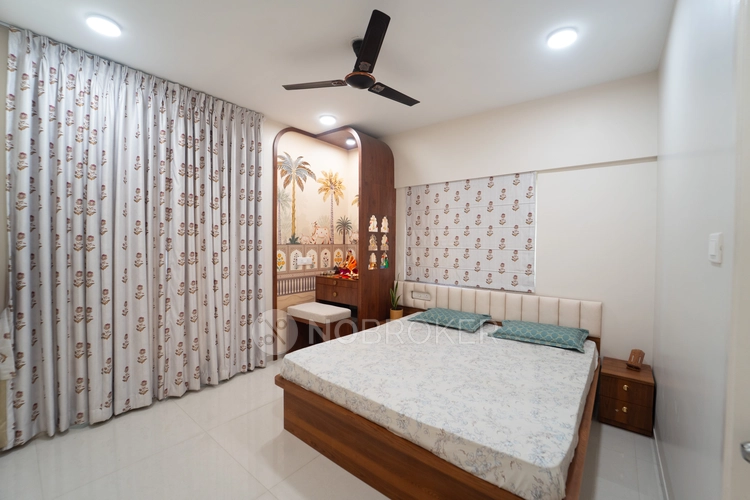
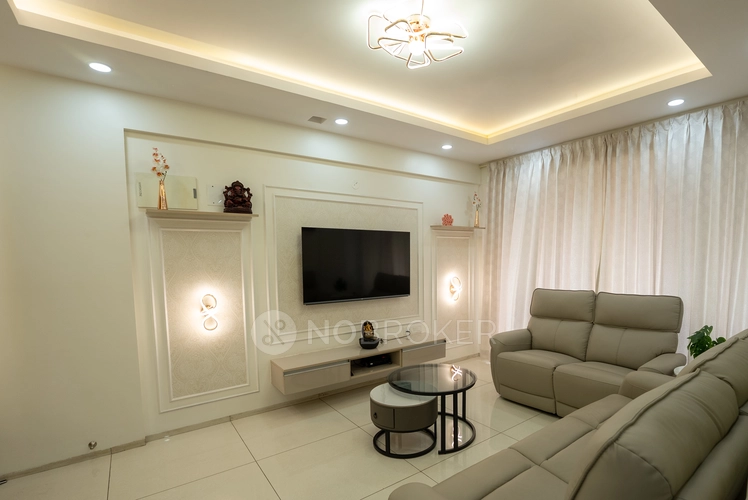
Reviews

Harley Jeetu

Had a wonderful experience with our project manager Shreyas. Everything was well coordinated and project finished well in time.

khushi jain
The interior design process was easy to explore, and it helped me organize my ideas for improvingg my home.

Belal Qasim
Good showroom and people

Suganthen
We had a wonderful experience with NoBroker Interiors. Special thanks to project manager Touched he was very calm and responsive. Produ... Read more

Mujahidul Haque
Great & The interior planning was well organizeed, and the team helped me understand how to make better use of my available space. Team... Read more

Sanoj Kumar
Good center

Archi Dubey
Truly More Organized Living Space I wanted interiors that looked attractive but were also practical for daily use. Crew professional ... Read more

Ganesh Bawaskar
Excellent work done by NoBroker team for my new flat. Best part is quality and cost both were good. No delay in work which showcase pro... Read more

Swathi Vs
Amazing experience given by NOBROKERS interiors... preferable...Tharun performance was ultimate...thanq so much tharun and team

Adhi HL
Amazing consultations by the designer they helped me finalise the designs I was looking for

Moynula Hoque
Planning a home renovation felt more manageable once I started exploriiing the available interior services.

Rina Dey
I had a good experience with NoBroker Interior. The team understood my requirements and suggested practicalll ideass that suited my hom... Read more

Vinodhkumar
I had a wonderful experience with Vishal V, the interior designer at NoBroker. His way of explaining things, point-by-point detailing, ... Read more

Dipti
Great Space Planning,,, I wanted to make better use of the space in my home, and the design suggestions were quite helpfull. I liked th... Read more

Divya Pendem
We are done our 3BHK flat interior work from No Broker. It was exlent and as we expected they done. Thank you all who involved in this ... Read more

Asha Kashyap
"Great interior design service by NoBroker Interiors - Whitefield! Had a wonderful experience working with their team for our home inte... Read more

Rising Soft
We trusted No Broker Interiors with our interior work and the final look of our home is lovely. At the experience centre they showed us... Read more

Sarala Buduru
The interior transformation made the space feel brighter and more welcoming. The design choiices were simmple, tasteful, and suited my needs.

Hanma
The team was responsive to my queriies and explained the interior work process clearly. Truly amazing 🤗

Pinky Mandal
NoBroker Interiors provided a useful starting point for planning a home makeoverrr according to my preferences.

Honey Verma
Better Use of Natural Light I wanted my home to feel brighter and more open. The designn choices helped create an airy apppearance, and... Read more

S K.K
Helpful Design Guidance team bhot suggestive hai & As someone with limited knowledge of interior design, I appreciated having different... Read more

Muskan kataria
Amazing interior work! The design is elegant, modern, and beautifully finished. Every detail is thoughtfully crafted, with excellent qu... Read more

Guncreator Studio
The design suggestions were creatiive and suited the style I wanteed for my home.

Anamika Banik
Good interior service with clear communication and helpful suggestions. The work was completed neatlyyyy

Nitin Kumar Mandilwar
Good work done by project manager Manoj. Completed the work in time.

Divyanshu Mehta
Great work done by designer Divya and Govardhan. Hassle free work snd best part is they will customise everything as per need exactly. ... Read more

Jason Fernandes
I had a great experience here. When it comes to planning, delivery and execution, great work was done by the team members. Suhail Khan... Read more

Vineeta Dalai
A big thank you to Mr. Ashwin Jaiswal, Sr. Project Manager, for turning my dream home into reality and making the entire interior journ... Read more

Riya Roy
Ideas for a Compact Home Making a smaller home look spacious was my maiin concern. The desiign concepts helped me explore better furnit... Read more

Rinki Jain
Modern Home Ideas the staff provided & I was looking for a modern yet practical look for my home. The design options I exploreed throug... Read more

Deepika Khilar
Quality work done by NoBroker. Zaki as a project manager was very sincere and good in getting things done. Few improvement suggestions... Read more

AKSHATHA S
I am writing this after using NoBroker Cleaning Services for my house and the difference is easy to see. Our chimney was greasy for mon... Read more

Priya Sardar
Overalll, the interior planning experience was smooth, and I liked the practical approach to the design. GOOD DESIGN 👍🏻

Abhilash Tomar
Good experience

Rahber Khan
The interior work turned out well, and I liked how the team focused on making the space both stylish and functional. They were responsi... Read more

Gaurav Jain
The process of exploring interior designnn,,, options was straightforward and convenient.

kranthi kumar
Great work by NoBroker, especially in project management and coordination. Our Project Manager Nazeer did a good job in coordinating th... Read more

Krishna Varma
We had a very good experience with NoBroker Interiors for our home interior work. Designer Shivani understood our requirements well an... Read more

nagaruru sree ranga varun kumar
Did my 2bhk interiors with NoBroker team and excellent design choices. Initial on-boarding process taken care smoothly by Saurav and sa... Read more

afrose alam
Project Misbah Tasleem Mr. SK Ali and Mr. Rizwan were extremely supportive throughout the entire process. They handled everything very... Read more

Sai kiran tharala
I recently got my home interiors completed by NoBroker, and I’m extremely happy with the outcome. Initially, I was unsure about frame... Read more

Mohammed Moizuddin
We recently got our home interiors done through NoBroker Interiors, and we are very happy with the final output. The overall finish and... Read more

Dev Roy
I prefer simple interiors rather than too many decorative elements. The ideas I exxplored throughh NoBroker Interior matched that prefe... Read more

Sree Harsha Yandamuri
Project finished on time, quality was top-notch. The associate caught issues we'd have missed -> that's what you want in a quality chec... Read more

Ajay Murumkar
Truly amazing team, Budget-Friendly Planning I wanted to plan my home interiors without overspending. Compariing the available options ... Read more
Testimonials
View All
NoBroker Interiors Review | Happy Customer Testimonial by Rajani
NoBroker Interiors | Customer Testimonial by Prinyakar Polley

NoBroker Interiors | Hyderabad Customer Testimonial by Prashant Choudhary

NoBroker Home Interiors | Hyderabad 4BHK Customer Review

NoBroker Interiors Customer Testimonial | Jatan's Story
NoBroker Interiors Review | Hyderabad Customer Testimonial

NoBroker Interiors Review | Modern Dream Home Customer Testimonial

NoBroker Interiors Customer Testimonial | Fast & Quality Home Interiors

NoBroker Interiors Customer Testimonial | Pune Dream Home

NoBroker Interiors| Bangalore Customer Testimonial
NoBroker Interiors: Sports Theme Interiors by NoBroker #interiordesign #nobrokerinteriors #nobroker

NoBroker Interiors - Customer Testimonials

That 3 PM meeting where ideas turn into floor plans, materials, and magic. 💫

Your 2026 list is here.

Smart wardrobe design that fits your life, beautifully.
POV: You gave your home a holiday hug.🥰

Blink and you’ll miss the makeover.👀

When your home finally gets its own weekend mood, this bar unit does the job beautifully.

A calm pooja corner every home needs.

NoBroker Home Interior Service | Saurabh & Prachi Share Their Story #interiordesign #shorts
About the Author

Rakshitha
Author
Rakshitha is an experienced interior designer in Bangalore, known for transforming living spaces into beautiful, functional dream homes. She believes every home tells a story, and thoughtfu










Recent Blogs
Subscribe to our Newsletter
Get latest news delivered straight to your inbox