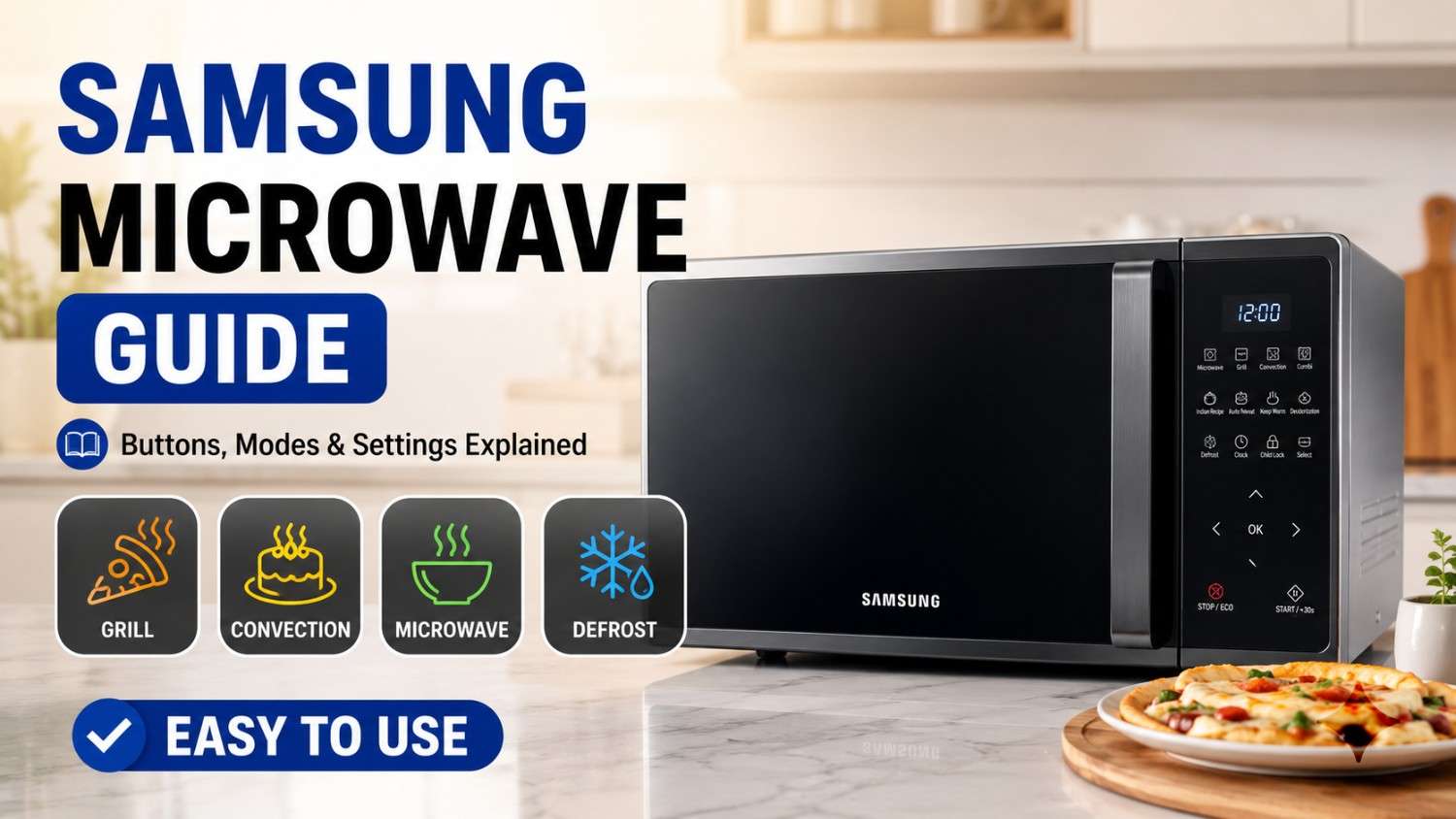
How to Use a Samsung Microwave: Complete Guide to Buttons, Settings & Cooking Modes

116 Views
Table of Contents
The Samsung microwave ovens are created to facilitate daily cooking activities, be it heating up your food items, grilling, or baking. The purpose of this article is to provide guidance for users on how to utilize Samsung microwave ovens, including all the possible cooking options like heating up, baking, or grilling in your daily life. Whether you are seeking information about operating your Samsung microwave oven for baking or any other feature available, this article has all the information you need.
How to Use a Samsung Microwave for Basic Heating
The use of a Samsung microwave oven for simple heating is easy when you are aware of its basics.
Microwave heating is excellent for warming up leftover foods or preparing meals within a couple of minutes.
Quick Steps:
- Place food inside a suitable microwavable container.
- Press the “Microwave” setting.
- Select time using the dial or keypad.
- Press the Start button.
Tip: Ensure that you rotate the food during the cooking process.
Samsung Microwave Control Panel Explained: Buttons, Settings, and Functions
The importance of the control panel cannot be understated when trying to learn how to use the Samsung microwave effectively. This is because the control panel comes equipped with different modes of operation, allowing users to switch from heating to grilling to defrosting or convection cooking.
Common Samsung Microwave Buttons and Their Functions
| Button | Function | Best Used For |
| Microwave | Basic heating mode | Reheating food, simple cooking |
| Grill | Adds browning and crisp texture | Sandwiches, pizza, kebabs |
| Convection | Uses hot air for baking & roasting | Cakes, cookies, chicken |
| Combi | Combines microwave + grill/convection | Faster cooking with crisp finish |
| Keep Warm | Maintains food temperature | Keeping meals ready to serve |
| Start/+30s | Starts or adds quick time | Instant heating |
| Defrost | Thaws frozen food evenly | Meat, frozen meals |
| Auto Cook | Preset cooking programs | Rice, vegetables, snacks |
| Power Level | Adjusts microwave intensity | Controlled cooking |
| Stop/Cancel | Stops or resets operation | Cancelling settings |
| Clock/Timer | Sets time or acts as timer | Time tracking |
How to Use Samsung Microwave for Different Cooking Needs
By comprehending the qualities of the Samsung microwave oven, it becomes easy for you to move seamlessly through different cooking modes including heat, grill, bake, and defrost among others to enable you to make various kinds of meals.
How to Use Samsung Microwave for Baking
Step-by-Step Instructions
- Preheat oven to convection mode
- Transfer batter into oven-safe bakeware
- Adjust temperature and set cooking time
- Do not open the oven door while cooking
Tips
- Always preheat for baking
- Use convection mode for best results
How to Use Samsung Microwave for Grill
Step-by-Step Instructions
- Select convection mode
- Set required temperature according to recipe instructions
- Preheat if needed
- Proceed with the cooking process
Tips
- Perfect for baking cake, pizza, and roasting
- Use metal-safe trays if supported
How to Use Samsung Microwave for Convection
Step-by-Step Instructions
- Select convection mode
- Set required temperature according to recipe instructions
- Preheat if needed
- Proceed with the cooking process
Tips
- Perfect for baking cake, pizza, and roasting
- Use metal-safe trays if supported
How to Use Samsung Microwave for Reheating
Step-by-Step Instructions
- Place food in a microwave-safe container
- Select Microwave mode
- Set time using keypad or dial
- Press Start
Tips
- Stir food midway through the cooking process
- Preferably, use medium power setting during reheating
How to Use Samsung Microwave for Defrosting
Step-by-Step Instructions
- Select Defrost mode
- Enter food weight or type
- Press Start
- Flip food when prompted
Tips
- Always use low power for defrosting
- Avoid over-defrosting to prevent partial cooking
How to Set Cooking Time and Power Level on a Samsung Microwave
Setting time and power correctly is essential to master how to work a Samsung microwave efficiently, ensuring food cooks evenly without drying out or burning while maintaining proper texture, taste, and overall cooking quality.
Step-by-Step Instructions to Set Time and Power Level
- Press Microwave mode
- Select power level (Low/Medium/High)
- Enter cooking time
- Press Start
Recommended Time and Power Settings for Samsung Microwave Cooking
With these settings, you will be able to utilize your Samsung microwave efficiently and effectively while balancing the power and time that is required for each type of food being heated.
| Food Type | Power Level | Cooking Time | Result |
| Vegetables | Medium | 3–5 min | Soft & cooked |
| Rice | High | 8–12 min | Fully steamed |
| Pizza | High + Grill | 4–6 min | Crispy base |
| Cake | Convection | 25–35 min | Even baking |
Which Utensils Can You Use in a Samsung Microwave and Which Should You Avoid?
Selection of appropriate cookware is very important while learning how to operate Samsung microwave oven grill mode or convection mode correctly because inappropriate cookware may lead to sparks, unequal heating, and other issues.
What Utensils Can You Use in a Samsung Microwave?
- Microwave-safe glass containers
- Ceramic bowls
- Silicone bakeware
- Microwave-safe plastic
What Utensils Should You Avoid in a Samsung Microwave?
- Metal utensils or foil
- Stainless steel containers
- Non-microwave-safe plastic
- Decorated or metallic-rim plates
Safety Tips for Using a Samsung Microwave
Correct use will promote safety and improve performance when learning how to use the Samsung microwave oven, thus ensuring no accidents happen, longevity of the appliance, and even cooking of food without damaging the appliance and utensils used.
Tips:
- Never operate a microwave when it is empty- damages internal mechanisms.
- Never use sealed containers- may burst due to pressure buildup.
- Only using microwave-safe cookware- prevents any spark and accidents.
- Ensure that the interior is clean- prevents odor and overheating.
- Never obstruct ventilation paths- ensures proper airflow and performance.
Final Thoughts
Learning how to use a Samsung microwave oven for baking, grilling and heating becomes simpler when you know how to operate it. Samsung microwaves have various functions that simplify everyday cooking, and with constant use, you can improve your efficiency and save time while getting the best results from cooking. In general, Samsung microwaves are an excellent addition to any modern kitchen that requires convenience and reliability in cooking appliances.
Our Microwave Repair & Services Across Major Cities
Looking for microwave repair near you? NoBroker serves major cities, including Bangalore, Chennai, Hyderabad, Delhi, Mumbai, Pune, Gurgaon, Noida, and many more cities. Enjoy transparent pricing and expert doorstep service for a hassle-free repair experience.
Brands Covered Under Our Microwave Repair Services
NoBroker provides microwave repair services for top brands, including Samsung, LG, IFB, Panasonic, Whirlpool, Bosch, Haier, and more, covering all types of microwave ovens with professional repair support.
Frequently Asked Questions
1. How do I use a Samsung microwave for the first time?
2. How do I bake using a Samsung microwave oven?
3. Can I grill using a Samsung microwave oven?
4. What does the Samsung microwave keep warm function do?
5. How to use Samsung combi mode microwave?
6. Is the Samsung microwave oven good for cake baking?
7. Which kitchen utensils can be used inside the Samsung microwave oven?
8. How to set the power level in the Samsung microwave oven?
9. What is a Samsung smart microwave oven for?
10. How to use Samsung TDS microwave oven?

Login / Sign up
Zero Brokerage.
Thousands of new listings daily.
100 Cr+ Brokerage saved monthly.
About the Author

krishnanunni
Senior Editor


Recent Blogs

Subscribe to our Newsletter
Get latest news delivered straight to your inbox