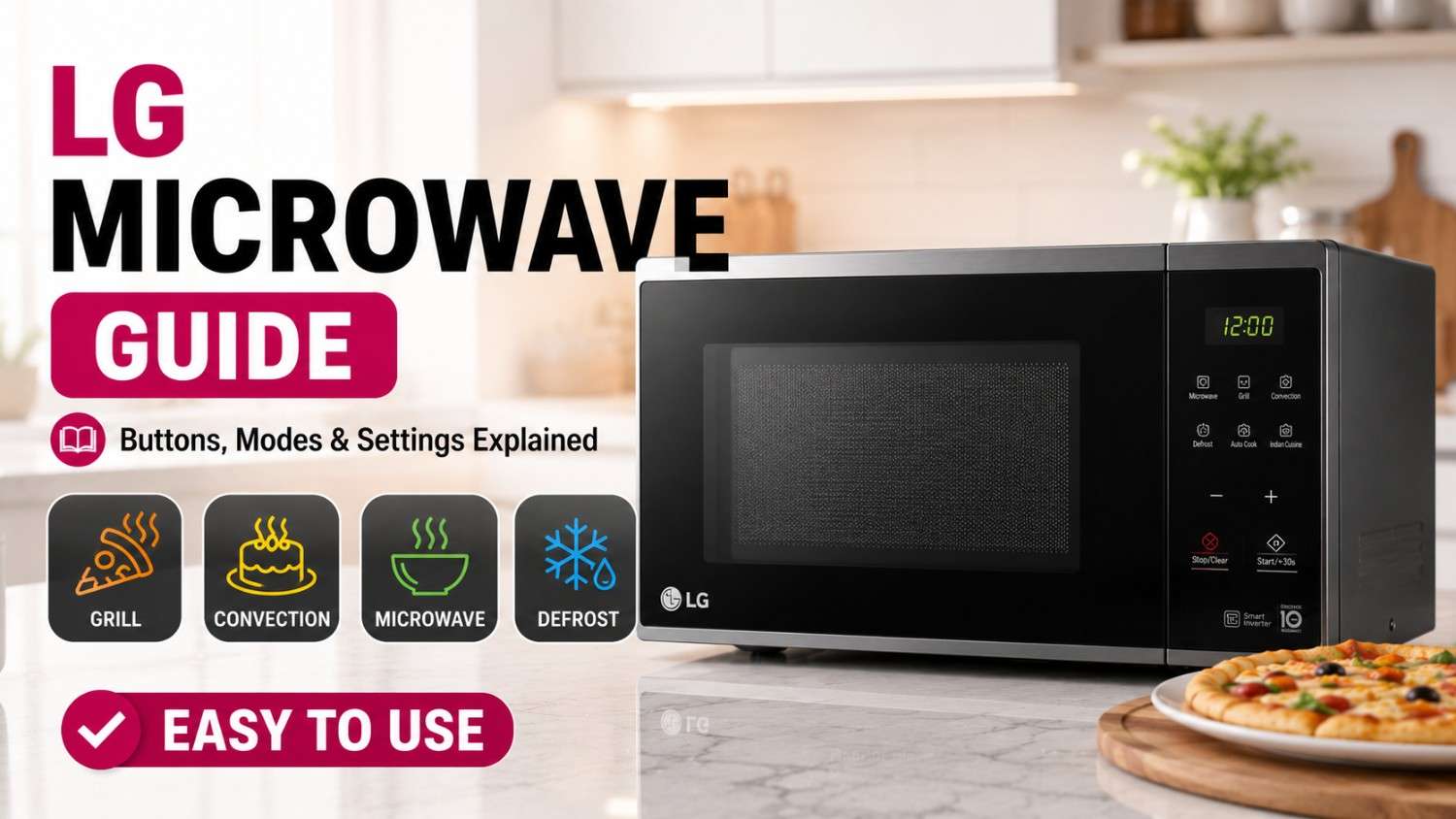
How to Use a LG Microwave: Complete Guide to Buttons, Settings & Cooking Modes

120 Views
Table of Contents
The LG brand microwave ovens are created with the aim of making your cooking experience much easier, quicker and smarter. If you need to heat up some food left in the fridge or cook a cake, knowing how to utilize your LG microwave can help you save time and energy. In this guide, we provide an insight into how to work with your LG microwave oven and use its various functions.
How to Use a LG Microwave for Basic Heating
The initial skill in using the LG microwave effectively is learning how to use it for basic heating purposes.
The microwave setting works best when reheating food, warming drinks, and cooking fast meals.
Quick Steps:
- Put the food into the appropriate cooking container.
- Press the "Microwave" button.
- Choose the required cooking time with the help of the dial.
- Press "Start."
Tip: Make sure to turn the food over halfway through the process.
LG Microwave Control Panel Explained: Buttons, Settings, and Functions
It is important to know about the control panel when learning how to operate the LG microwave effectively. This will assist in navigating through various functions such as heating, grilling, and convection cooking.
Common LG Microwave Buttons and Their Functions
| Button | Function | Best Used For |
| Microwave | Standard heating mode | Reheating, quick cooking |
| Grill | Adds crisp texture | Paneer tikka, sandwiches |
| Convection | Baking & roasting with hot air | Cakes, pizza, chicken |
| Combi | Microwave + grill/convection | Faster cooking with crisp finish |
| Smart Inverter | Even power distribution | Uniform cooking & reheating |
| Defrost | Thaws frozen food | Meat, frozen items |
| Auto Cook | Preset cooking programs | Indian dishes, snacks |
| Keep Warm | Maintains temperature | Serving-ready meals |
| Start/+30 sec | Quick start or time add | Instant heating |
| Stop/Cancel | Stops operation | Resetting settings |
How to Use LG Microwave for Different Cooking Needs
After you have familiarized yourself with the LG microwave specifications, it becomes easy for you to move from one cooking mode to another such as heating, grilling, and convection.
How to Use Convection Microwave (Baking, Cooking & Roasting)
Understanding how to use LG convection microwave ovens allows you to bake, roast, and cook evenly using hot air circulation.
Step-by-Step Instructions
- Select Convection Mode
- Set required temperature as per recipe
- Preheat the oven
- Place food inside using oven-safe cookware
- Set cooking time and press Start
Tips
- Always preheat for baking and roasting
- Avoid opening the door frequently during cooking
- Ideal for cakes, pizza, chicken, and roasted vegetables
How to Use LG Microwave for Grill
Understanding how to use an LG grill microwave oven helps you achieve crispy textures.
Step-by-Step Instructions
- Select Grill Mode
- Place food on grill rack
- Set time
- Press Start
Tips
- Best for kebabs, toast, and pizza
- Use grill-safe utensils only
How to Use LG Microwave for Reheating
Step-by-Step Instructions
- Put the food item in a microwaveable container
- Pick Microwave mode from the menu
- Determine cooking time via control panel
- Tap Start button
Tips
- Use medium power for better results
- Stir midway for uniform heating
How to Use LG Microwave for Defrosting
Step-by-Step Instructions
- Select Defrost Mode
- Enter food weight/type
- Press Start
- Flip food when prompted
Tips
- Always use low power
- Avoid over-defrosting
How to Use LG Charcoal Microwave Oven
If you have an LG charcoal model, learning how to use an LG charcoal microwave oven can enhance food taste.
Step-by-Step Instructions
- Select Charcoal Cooking Mode
- Choose preset menu
- Press Start
Tips
- Retains natural flavor and texture
- Ideal for Indian cooking
How to Set Cooking Time and Power Level on a LG Microwave
Choosing the right time and power settings for the LG microwave oven ensures that all your food is well-cooked without being overcooked or undercooked. This way, you have better control of your cooking and heating process.
Step-by-Step Instructions to Set Time and Power Level
- Press Microwave Mode
- Select power level (Low/Medium/High)
- Enter cooking time
- Press Start
Recommended Time and Power Settings for LG Microwave Cooking
By ensuring proper settings while cooking, one will ensure better results when it comes to good cooking, uniform cooking, and texture, and there will be no issues like undercooked or overcooked foods.
| Food Type | Power Level | Cooking Time | Result |
| Vegetables | Medium | 3–5 min | Soft & cooked |
| Rice | High | 8–12 min | Properly steamed |
| Pizza | High + Grill | 4–6 min | Crispy base |
| Cake | Convection | 25–35 min | Even baking |
Which Utensils Can You Use in a LG Microwave and Which Should You Avoid?
Selection of proper utensils is important when it comes to using a LG microwave safely and effectively. Properly rated material ensures efficient heating, whereas the use of metals and some types of plastics causes sparks and may lead to harm or damage.
What Utensils Can You Use in a LG Microwave?
- Microwave-safe glass bowls
- Ceramic cookware (without metal lining)
- Microwave-safe plastic containers
- Silicone baking molds
- Borosilicate dishes
What Utensils Should You Avoid in a LG Microwave?
- Metal containers or foil
- Steel utensils
- Plastic not labeled microwave-safe
- Melamine cookware
- Closed containers or sealed lids
Safety Tips for Using a LG Microwave
The adherence to the safety tips while using your LG microwave will help avoid any accident that might occur and improve efficiency in your cooking, besides adding to the durability of the machine.
- Never run the machine when empty.
- Do not overheat the liquids.
- Keep the machine clean to avoid any foul smell or stains.
- Ventilation must be open.
- Use appropriate cutlery only.
Final Thoughts
Learning how to use the LG microwave oven is not complicated as long as you understand all the features of the oven and the button controls. Regardless of what kind of food ingredients you cook using the oven, you will obtain favorable results as long as you set everything right. After getting used to using the oven, your cooking demands will be well-managed.
Cities We Serve for Microwave Repair & Services
We provide reliable microwave repair services across major Indian cities, including Bangalore, Chennai, Hyderabad, Delhi, Mumbai, Pune, Gurgaon, Noida, Ghaziabad, Greater Noida, and Faridabad. Enjoy 15-minute technician assistance, 180-day warranty, and 100% genuine spare parts for quick and hassle-free doorstep repairs.
What Are the Microwave Brands We Serve?
NoBroker provides professional microwave repair services across leading brands like Samsung, LG, Whirlpool, IFB, Panasonic, Electrolux, and more. Our trained technicians offer quick issue resolution, genuine parts replacement, and dependable doorstep repairs to keep your microwave working efficiently.
Frequently Asked Questions
1. What is the process of using an LG microwave for the first time?
2. What can be used for LG convection microwaves to cook/bake food?
3. Can I use the grill in my LG microwave oven?
4. What are the uses of LG smart inverter microwaves?
5. What should be done to cook in an LG charcoal microwave oven?
6. How to defrost foods in an LG microwave?
7. What types of utensils are suitable for LG microwaves?
8. What should be done to set the power level of the LG microwave?
9. Can I bake cakes in an LG microwave?
10. What are LG microwave oven uses?

Login / Sign up
Zero Brokerage.
Thousands of new listings daily.
100 Cr+ Brokerage saved monthly.
About the Author

krishnanunni
Senior Editor


Recent Blogs

Subscribe to our Newsletter
Get latest news delivered straight to your inbox