How to Pack Electronics for a Move: A Complete Packing Guide

102 Views
Table of Contents
Summary
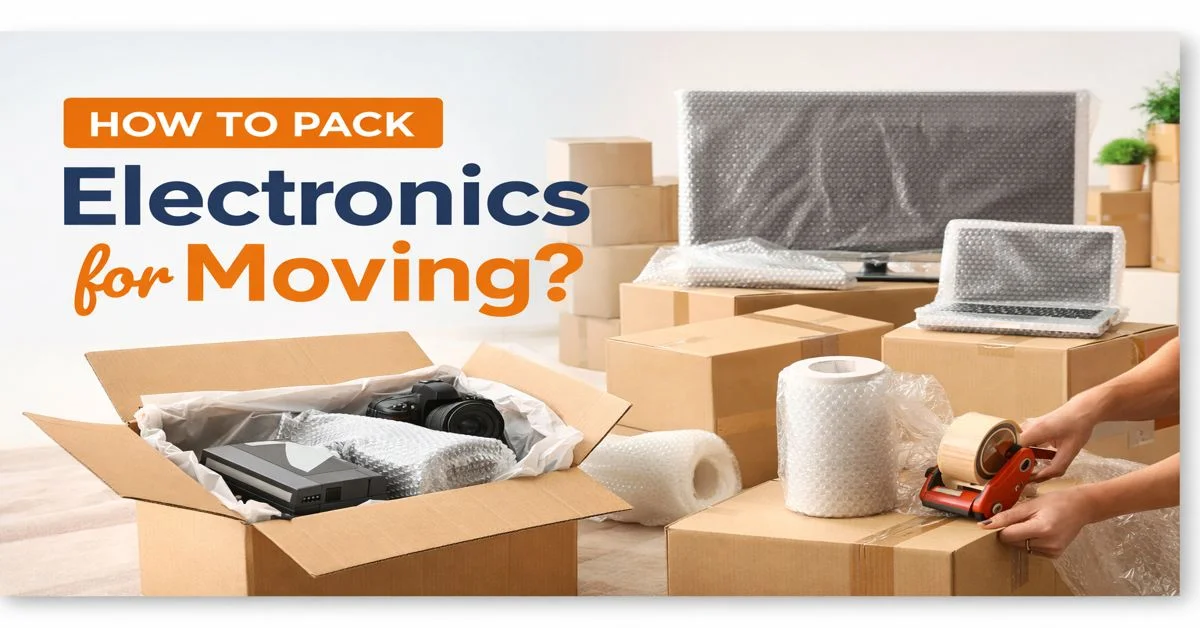
Electronics need careful packing because shocks, moisture, dust, and improper handling can cause scratches or internal damage during a move. Before packing, back up important data, remove batteries, organise cables, and clean your devices. Use anti-static materials, sturdy boxes, proper cushioning, and double boxing for valuable gadgets. Large electronics such as TVs and monitors need extra protection, while smaller devices should be packed in padded cases or their original boxes. Following the right packing steps can help keep your electronics safe and make unpacking easier at your new home.
10 Steps to Pack Electronics Safely for Moving
Here are 10 simple steps on how to pack electronics for moving to protect your devices from scratches, impact, moisture, and damage during transit:
- Step 1: Create an Inventory List: List down all the gadgets, accessories, charging tools, and cables you will be taking with you.
- Step 2: Save Your Important Data: Back up your files, photos, and documents before you start packing your gadgets and storage devices.
- Step 3: Document Connected Cables and Ports: Take pictures of your cables and ports so that assembling your equipment after relocation is easy.
- Step 4: Remove Batteries: Detach batteries from the gadgets to prevent damage during transit.
- Step 5: Dust Your Equipment: Before you start packing your equipment, make sure it is clean of dust and debris.
- Step 6: Double-Box Your Gadget: Wrap your gadgets in anti-static material or bubble wrap or a double-walled box, then place them in a sturdy inner box before adding a second outer box for protection.
- Step 7: Organize Accessories: Write down the name of the device on the cables and accessories, and make sure you pack them with your device.
- Step 8: Pack Electronics in Appropriate Boxes: Place your gadgets in sturdy boxes with appropriate cushioning to prevent shifting.
- Step 9: Label Your Boxes: Mention that the box contains electronics and mark them accordingly.
- Step 10: Protect Your Electronics: Keep the boxes of electronics away from heavy objects, moisture, and extreme heat.
How to Pack Large Electronics for Moving?
Here are simple ways to pack large and fragile electronics, such as TVs, monitors, printers, and speakers, safely before your move:
Recommended Reading
Railway Parcel Charges in India 2026: Pe...
8K Views


2026 Guide on How to Pack Kitchen Items ...
6.5K Views
How to Pack a Mattress While Moving: Ste...
6.3K Views
How to Pack a TV for Moving
6.2K Views
Best Way to Pack Framed Pictures for Mov...
6.1K Views
| Electronics | What to Pack | How to Pack |
| Television | TV, remote, cables | Wrap the TV in bubble wrap and place it upright in a strong box. |
| Computer monitor | Monitor, stand, cables | Cover the screen with foam and place it in a padded box. |
| Desktop computer | CPU, cables, accessories | Wrap the CPU well and fill the empty space with packing material. |
| Soundbar | Soundbar, cables | Wrap the soundbar and add padding around it before packing. |
| Speakers | Speakers, cables | Wrap each speaker and add enough padding to keep it safe. |
| Microwave oven | Oven, turntable | Clean and dry it, secure the door, and wrap it before packing. |
How to Pack Small Electronics for Moving?
Here are easy packing tips for small and delicate electronics, including laptops, tablets, cameras, gaming consoles, phones, and headphones, during your move:
| Electronics | What to Pack | How to Pack |
| Laptop | Laptop, charger | Put the laptop in a sleeve and wrap it for extra protection. |
| Tablet | Tablet, charger | Cover the screen and wrap the tablet before placing it in a box. |
| Digital camera | Camera, lens, battery | Remove the battery and protect the lens before packing the camera. |
| Gaming console | Console, controllers, cables | Wrap the console and pack the controllers and cables safely. |
| Smartwatch | Watch, charger | Put the watch in its box or a small padded case. |
| Mobile phone | Phone, charger | Keep the phone in its original box or a padded case. |
| Headphones | Headphones, cables | Put the headphones in their case and keep the cables secure. |
How to Pack Electronic Accessories for Moving?
Here are simple ways to pack electronics with cables and accessories, while keeping each cable organized and easy to identify after the move:
| Electronics | Accessories | How to Pack |
| Printer | USB and power cables | Label the cables and keep them with the printer. |
| Router or modem | Power adapter, Ethernet cables | Label the cables and put them in a small pouch. |
| Set-top box | Remote, HDMI cable | Keep the remote and cables together in a labeled pouch. |
How to Pack Small Electronic Appliances for Moving?
Here are simple ways to pack small electronic appliances, such as kettles, mixer grinders, air fryers, and vacuum cleaners, safely for moving:
| Appliance | What to Pack | How to Pack |
| Electric kettle | Kettle, lid | Empty and dry the kettle before wrapping it. |
| Mixer grinder | Mixer, jars, blades | Pack the jars and blades separately with padding. |
| Air fryer | Air fryer, basket | Clean and dry the air fryer before packing it. |
| Rice cooker | Cooker, inner pot | Remove the inner pot and wrap it separately. |
| Induction cooktop | Cooktop, power cable | Wrap the glass surface well to prevent scratches. |
| Coffee maker | Machine, removable parts | Empty and dry the machine before packing it. |
| Vacuum cleaner | Cleaner, attachments | Remove the attachments and pack them separately. |
| Hair dryer | Dryer, power cable | Wrap the dryer and coil the cable loosely. |
| Trimmer | Trimmer, blades, charger | Remove the blades and keep the trimmer in a safe pouch. |
How Can NoBroker Help You?
Are you worried about how to pack electronics for moving without damaging your valuable devices? With NoBroker Packers and Movers, you can leave the packing worries to us. Our professional packers use the right materials and careful techniques to protect your TVs, laptops, gaming consoles, and other electronics from scratches, shocks, and damage. From packing and loading to transportation, we handle every step with care for a safer, hassle-free move. Book our professional packing and moving services today for a safer, smoother relocation.
Frequently Asked Questions
Q: Should electronics be packed in original boxes?
Q: How do you pack a TV safely for relocation?
Q: Is bubble wrap safe for electronics?
Q: Should electronics be transported separately from furniture?
Q: Do movers provide packing for electronics?
About the Author

Yumna Ahmed
Senior Editor
Reviewed By

Bramha Maity
Reviewer


Recent Blogs
Subscribe to our Newsletter
Get latest news delivered straight to your inbox