Panasonic Microwave Symbols Meaning: Every Icon, Function & Feature Explained

49 Views
Table of Contents
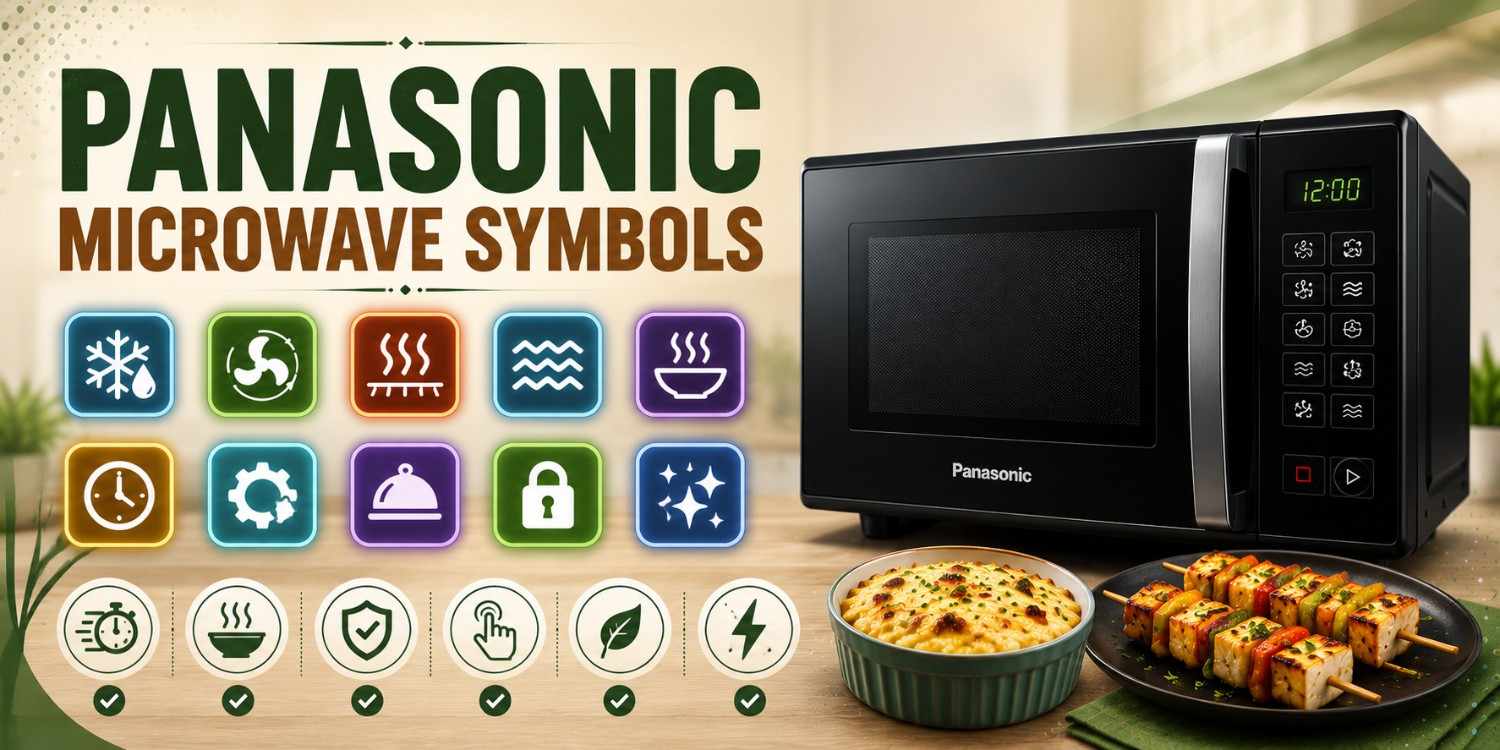
Understanding Panasonic microwave symbols' meaning is important for using your microwave correctly and getting the best cooking results. Panasonic microwaves come with various symbols for cooking modes, smart features, safety controls, and special functions. While these icons may look confusing at first, they are designed to make cooking, reheating, grilling, baking, and defrosting easier. In this guide, we'll explain all the common Panasonic microwave symbols and what they actually do.
Understanding Panasonic Microwave Symbols Meaning: Quick Overview Table
Panasonic microwave symbols are visual indicators that help users select cooking functions quickly. Knowing what each icon means allows you to use your microwave efficiently without guessing settings or cooking modes.
| Symbol | Meaning | When to Use |
| ❄️ | Defrost | Thawing frozen food |
| 🌪️ | Convection | Baking and roasting |
| 🔥 | Grill | Browning and crisping food |
| ⚡ | Microwave Mode | Cooking, heating, and reheating |
| 🍲 | Auto Reheat | Heating cooked food |
| 🕒 | Timer/Clock | Setting cooking time |
| 🔒 | Child Lock | Preventing accidental operation |
Panasonic Microwave Cooking Mode Symbols Explained
Cooking mode symbols indicate the primary cooking functions available in Panasonic microwaves. Understanding these icons helps ensure proper cooking, better food texture, and more accurate temperature control.
1. Convection (🌪️)
The convection symbol is commonly found on Panasonic convection microwave ovens and is used for baking, roasting, and even cooking using circulating hot air.
What it does
- Circulates hot air around the food
- Suitable for cakes, cookies, pizza, and roasting
- Provides even cooking and browning
Quick tips
- Always preheat before baking
- Use convection-safe cookware
- Avoid opening the door frequently
2. Grill (🔥)
The grill symbol activates the heating element that browns and crisps the surface of food for restaurant-style results.
What it does
- Creates a crispy outer texture
- Suitable for sandwiches, kebabs, and snacks
- Helps brown the top layer of food
Quick tips
- Place food on the grill rack
- Apply a little oil for better browning
- Turn food midway through cooking
3. Defrost (❄️)
The defrost symbol on Panasonic microwave ovens helps thaw frozen food safely and evenly before cooking.
What it does
- Defrosts frozen meat, vegetables, and seafood
- Reduces uneven thawing
- Preserves food texture
Quick tips
- Remove packaging before defrosting
- Enter correct food weight if required
- Cook food soon after defrosting
4. Microwave Mode (⚡)
This is the standard microwave cooking symbol used for everyday heating and cooking tasks.
What it does
- Reheats leftovers quickly
- Cooks food using microwave energy
- Suitable for daily use
Quick tips
- Stir food during cooking
- Cover dishes to retain moisture
- Use microwave-safe containers only
5. Auto Reheat (🍲)
The auto reheat function simplifies warming cooked meals by automatically adjusting power and cooking duration.
What it does
- Reheats food without overcooking
- Maintains moisture and texture
- Suitable for cooked meals and leftovers
Quick tips
- Reheat in small portions
- Stir midway if necessary
- Avoid excessive reheating
6. Keep Warm (♨️)
The keep warm symbol maintains food temperature until serving time.
What it does
- Keeps food warm after cooking
- Prevents rapid cooling
- Helps during delayed serving
Quick tips
- Cover food loosely
- Avoid extended usage
- Stir before serving
Panasonic Microwave Smart Feature Symbols Explained
Smart feature symbols make Panasonic microwaves easier to operate. These icons represent automatic programs, timers, inverter technology, and convenience functions designed to improve cooking efficiency.
1. Timer/Clock (🕒)
The timer symbol is used for setting cooking durations and managing delayed cooking functions.
What it does
- Sets cooking duration
- Displays current time
- Supports delayed cooking
Quick tips
- Verify time settings regularly
- Use shorter times for small portions
- Reset after power interruptions
2. Inverter Technology (⚙️)
Many Panasonic microwaves feature inverter technology for consistent power delivery.
What it does
- Provides continuous heating
- Improves cooking accuracy
- Prevents overheating delicate foods
Quick tips
- Use for defrosting and reheating
- Helps preserve food texture
- Works best with recommended settings
3. Auto Cook (🍛🍕)
Auto Cook offers preset cooking programs for commonly prepared dishes.
What it does
- Automatically adjusts power and time
- Simplifies everyday cooking
- Reduces manual settings
Quick tips
- Follow portion recommendations
- Use suitable containers
- Check food midway if needed
4. Turbo Defrost (❄️⚡)
Turbo Defrost is Panasonic's advanced defrosting feature.
What it does
- Defrosts food faster than standard modes
- Uses food weight for accuracy
- Helps preserve freshness
Quick tips
- Enter the correct weight
- Separate food pieces when possible
- Check progress midway
5. Steam Clean (💧)
Steam Clean helps maintain a hygienic microwave interior.
What it does
- Softens grease and stains
- Simplifies cleaning
- Reduces manual scrubbing
Quick tips
- Use a bowl of water
- Wipe surfaces after completion
- Perform regularly
6. Power Level (⚡)
The power level symbol controls cooking intensity.
What it does
- Adjusts heating strength
- Allows gentle or rapid cooking
- Suitable for different food types
Quick tips
- Low power for defrosting
- Medium for reheating
- High for cooking and boiling
Panasonic Microwave Control & Safety Symbols Explained
Control and safety symbols help users operate Panasonic microwaves securely. These icons improve usability, prevent accidental operation, and offer greater control during cooking.
1. Child Lock/Start-Pause (🔒⏯️)
This symbol combines cooking control and safety protection.
What it does
- Locks controls from accidental use
- Starts or pauses cooking
- Improves household safety
Quick tips
- Enable when children are present
- Pause to check food progress
- Unlock before changing settings
2. Stop/Clear (⛔)
The stop symbol immediately ends the current operation.
What it does
- Stops cooking instantly
- Clears selected settings
- Resets functions
Quick tips
- Use before changing modes
- Helpful during programming errors
3. Sound/Mute (🔇)
The sound control symbol adjusts notification tones.
What it does
- Turns alerts on or off
- Reduces operating noise
- Improves convenience
Quick tips
- Ideal for night use
- Enable sounds for cooking alerts
4. Eco Mode (🌿)
Eco Mode reduces standby power consumption.
What it does
- Saves electricity
- Reduces standby usage
- Supports energy efficiency
Quick tips
- Activate when idle
- Helps lower electricity consumption
Panasonic Microwave Symbols by Model: Solo, Grill & Convection Differences Explained
Panasonic offers solo, grill, and convection microwave models. While some symbols are common across all models, advanced functions vary depending on the microwave type.
1. Solo Microwave Models
Solo microwave ovens focus on basic cooking, heating, and reheating tasks. Their control panels typically feature simpler icons suitable for everyday use.
Core Symbols
- ⚡ Microwave Mode
- ❄️ Defrost
- 🕒 Timer/Clock
- 🍲 Reheat
Key Features
- Basic cooking functions
- Easy operation
- Compact design
- Affordable pricing
2. Grill Microwave Models
Grill microwaves combine standard microwave cooking with grilling capabilities for crispier food.
Core Symbols
- 🔥 Grill
- ⚡ Microwave Mode
- ❄️ Defrost
- 🍕 Auto Cook
Key Features
- Browning and crisping
- Grill rack support
- Faster cooking options
- Better texture control
3. Convection Microwave Models
Convection models offer the most versatile cooking experience, combining baking, grilling, roasting, and microwave cooking.
Core Symbols
- 🌪️ Convection
- 🔥 Grill
- ⚡ Microwave Mode
- ❄️ Turbo Defrost
Key Features
- Baking and roasting support
- Even heat distribution
- Suitable for cakes and pizza
- Multi-purpose cooking
Panasonic Microwave Symbols Not Working? Common Issues and Fixes
Sometimes Panasonic microwave symbols may stop responding due to dirt, moisture, electrical fluctuations, or control panel issues. Most problems are minor and can be resolved without professional assistance.
1. Touch Buttons Not Responding
Control panel buttons may stop responding because of moisture, grease buildup, or worn touch sensors.
Why It Happens
- Moisture on control panel
- Grease accumulation
- Touch membrane wear
Quick Fix
- Clean the control panel
- Dry the surface completely
- Restart the microwave
Tips
- Avoid wet hands
- Clean regularly
2. Display Symbols Not Visible
Icons may appear dim or disappear completely.
Why It Happens
- Display brightness issue
- Internal display fault
- Power fluctuations
Quick Fix
- Restart the appliance
- Check power supply
- Inspect display settings
Tips
- Use a stabilizer
- Avoid voltage fluctuations
3. Some Buttons Work, Others Don't
Certain symbols may become unresponsive while others function normally.
Why It Happens
- Partial keypad failure
- Dirt beneath controls
- Circuit wear
Quick Fix
- Clean the panel
- Reset the microwave
- Contact service if required
Tips
- Avoid excessive button pressure
- Keep controls clean
4. Delayed Keypad Response
The microwave may respond slowly to commands.
Why It Happens
- System lag
- Electrical instability
- Software glitches
Quick Fix
- Power cycle the unit
- Clear pending settings
Tips
- Avoid rapid button presses
- Maintain stable power supply
5. Complete Control Panel Failure
The entire control section may stop functioning.
Why It Happens
- Internal electrical fault
- Damaged control board
- Severe power surge
Quick Fix
- Disconnect power briefly
- Seek professional inspection
Tips
- Use surge protection
- Schedule maintenance when needed
Expert Tips to Keep Panasonic Microwave Symbols Working Properly
Proper care helps maintain Panasonic microwave controls and ensures symbols remain visible and responsive for years.
- Clean the control panel using a soft cloth regularly
- Avoid pressing buttons excessively hard
- Keep moisture away from touch controls
- Use a voltage stabilizer for protection
- Avoid harsh chemical cleaners
- Restart the microwave occasionally to refresh system functions
Conclusion
Understanding Panasonic microwave symbols meaning makes everyday cooking much easier and more efficient. Whether you're using convection, grill, turbo defrost, auto cook, or safety functions, knowing what each icon represents helps you achieve better cooking results. By learning these symbols and maintaining the control panel properly, you can use your Panasonic microwave confidently and avoid common operating mistakes.
NoBroker Microwave Repair & Services Across Major Cities in India
We offer fast and dependable microwave repair services from NoBroker across Bangalore, Chennai, Hyderabad, Delhi, Mumbai, Pune, Gurgaon, Noida, Ghaziabad, Greater Noida, and Faridabad. Book a repair and get technician assistance within 15 minutes, with doorstep service and upfront transparent pricing.
Brands We Cover for Microwave Repair Services
Looking for microwave repair for Samsung, LG, IFB, Whirlpool, Panasonic, Bosch, Haier, or other brands? NoBroker offers professional repair services for all microwave types, including solo, grill, and convection models, with expert technician support for quality solutions.
Frequently Asked Questions
1. What is the meaning of the defrost symbol on a Panasonic microwave?
2. What does the convection symbol mean in a Panasonic microwave?
3. Why are Panasonic microwave symbols not working?
4. Are Panasonic microwave symbols the same on all models?
5. How do I understand Panasonic microwave display symbols?
6. What does the grill symbol mean on a Panasonic microwave?
7. What is the Auto Cook symbol used for?
8. What does the power level symbol do?
9. What is the Keep Warm symbol in Panasonic microwaves?
10. Why is my Panasonic microwave display not showing symbols properly?

Login / Sign up
Zero Brokerage.
Thousands of new listings daily.
100 Cr+ Brokerage saved monthly.
About the Author

Siri Hegde K
Senior Editor


Recent Blogs

Subscribe to our Newsletter
Get latest news delivered straight to your inbox