Daewoo Microwave Symbols Meaning: Every Icon, Function & Feature Explained

23 Views
Table of Contents
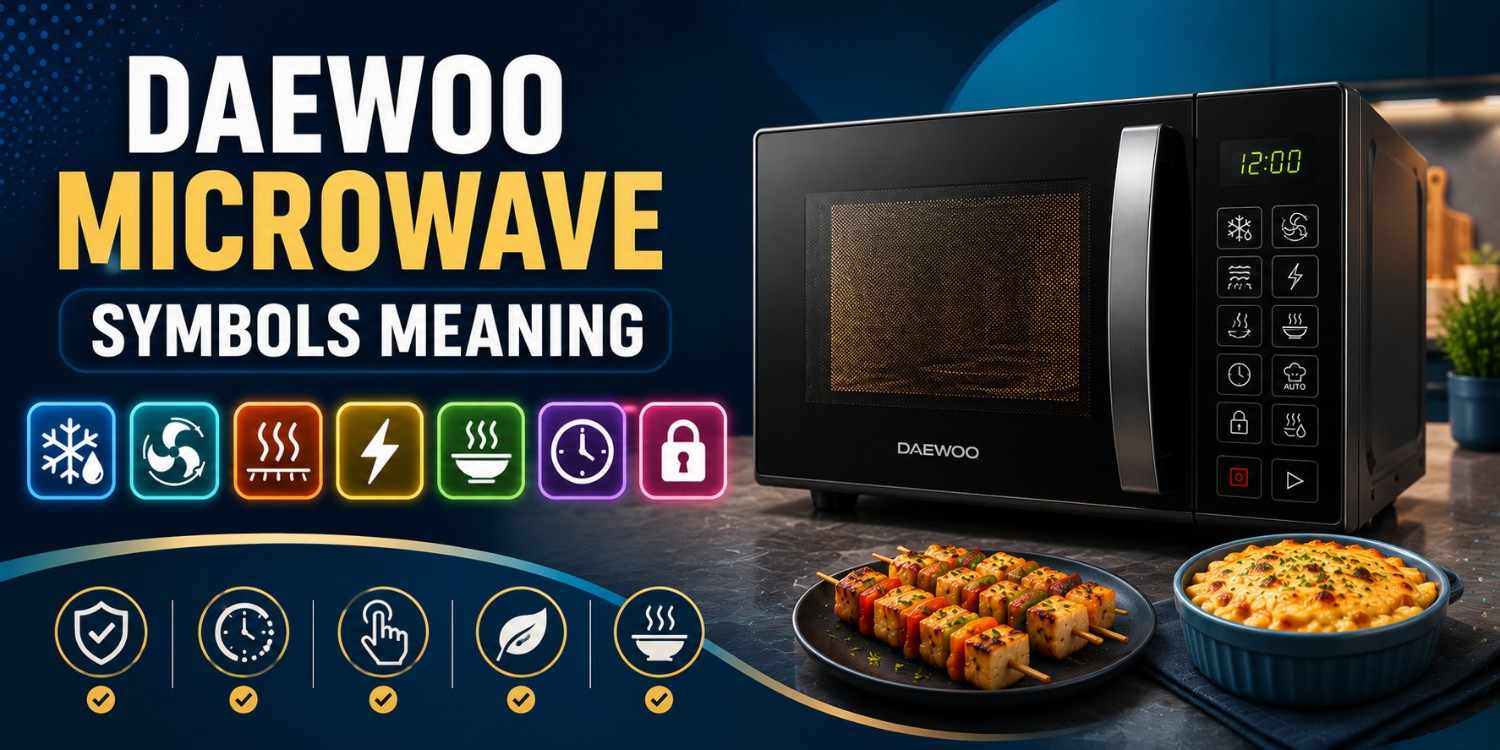
Understanding Daewoo microwave symbols' meaning can make daily cooking much easier and more efficient. Daewoo microwaves use various icons to represent cooking modes, defrost functions, grill settings, safety controls, and smart features. While these symbols may seem confusing initially, each one serves a specific purpose. This guide explains the most common Daewoo microwave symbols, helping you use every feature confidently and achieve better cooking results.
Understanding Daewoo Microwave Symbols - Quick Overview Table
Daewoo microwave symbols provide quick access to different cooking and control functions. Learning these icons helps users operate the microwave correctly and select the most suitable settings for cooking, reheating, grilling, or defrosting food.
| Symbol | Meaning | When to Use |
| ❄️ | Defrost | Thawing frozen food |
| 🌪️ | Convection | Baking and roasting |
| 🔥 | Grill | Crisping and browning food |
| ⚡ | Microwave Mode | Everyday cooking and heating |
| 🍲 | Reheat | Warming cooked food |
| 🕒 | Timer/Clock | Setting cooking duration |
| 🔒 | Child Lock | Preventing accidental operation |
Daewoo Microwave Cooking Mode Symbols Explained
Cooking mode symbols on Daewoo microwaves indicate different heating methods. Understanding these icons ensures proper food preparation, better texture, and improved cooking efficiency.
1. Convection (🌪️)
The convection symbol is available on Daewoo convection microwave ovens and allows baking, roasting, and cooking using circulating hot air.
What it does
- Uses hot air circulation for even cooking
- Ideal for cakes, cookies, and pizza
- Helps achieve better browning
Quick tips
- Preheat before cooking
- Use oven-safe cookware
- Keep the door closed during baking
2. Grill (🔥)
The grill symbol activates the grilling element to create crispy and golden food surfaces.
What it does
- Browns food from the top
- Creates crispy textures
- Suitable for sandwiches and snacks
Quick tips
- Use the grill rack
- Brush food lightly with oil
- Turn food halfway through cooking
3. Defrost (❄️)
The defrost symbol on Daewoo microwave helps thaw frozen food safely before cooking.
What it does
- Defrosts frozen meat and vegetables
- Reduces uneven thawing
- Maintains food quality
Quick tips
- Remove packaging first
- Enter the correct weight if required
- Cook food immediately after defrosting
4. Microwave Mode (⚡)
This is the standard cooking symbol found on all Daewoo microwave ovens.
What it does
- Heats food quickly
- Reheats leftovers efficiently
- Suitable for everyday cooking
Quick tips
- Cover food during heating
- Stir food midway
- Use microwave-safe containers
5. Reheat (🍲)
The reheat function automatically warms cooked food while maintaining texture and moisture.
What it does
- Reheats cooked meals
- Prevents overheating
- Preserves food quality
Quick tips
- Reheat small portions
- Stir during heating
- Avoid repeated reheating
6. Keep Warm (♨️)
The keep warm symbol helps maintain serving temperature after cooking.
What it does
- Keeps food warm
- Prevents rapid cooling
- Useful before serving
Quick tips
- Cover food loosely
- Use for short periods
- Stir before serving
Daewoo Microwave Smart Feature Symbols Explained
Smart feature symbols help automate common cooking tasks. These icons make Daewoo microwave ovens easier to use while improving cooking consistency and convenience.
1. Timer/Clock (🕒)
The timer symbol controls cooking duration and displays the current time.
What it does
- Sets cooking time
- Displays clock settings
- Supports delayed cooking
Quick tips
- Check clock accuracy regularly
- Use shorter times for smaller meals
- Reset after power cuts
2. Auto Cook (🍕🍛)
Auto Cook uses preset programs for frequently prepared dishes.
What it does
- Automatically selects cooking settings
- Reduces manual adjustments
- Improves convenience
Quick tips
- Follow portion guidelines
- Use recommended cookware
- Check food midway
3. Power Defrost (❄️⚡)
Power Defrost speeds up the thawing process while protecting food quality.
What it does
- Faster than standard defrost
- Uses weight-based settings
- Helps preserve texture
Quick tips
- Enter accurate food weight
- Separate frozen pieces if possible
- Monitor halfway through
4. Multi-Stage Cooking (🔄)
This feature allows multiple cooking functions to run automatically in sequence.
What it does
- Combines different cooking stages
- Reduces manual intervention
- Improves cooking accuracy
Quick tips
- Program settings carefully
- Verify cooking sequence
- Use for complex recipes
5. Steam Clean (💧)
Steam Clean helps maintain a clean microwave interior.
What it does
- Softens grease deposits
- Makes cleaning easier
- Maintains hygiene
Quick tips
- Use a bowl of water
- Wipe interior after completion
- Repeat regularly
6. Power Level (⚡)
Power level settings allow better control over cooking intensity.
What it does
- Adjusts heating strength
- Supports different food types
- Prevents overcooking
Quick tips
- Low power for defrosting
- Medium power for reheating
- High power for cooking
Daewoo Microwave Control & Safety Symbols Explained
Control and safety symbols help users operate Daewoo microwaves securely while improving overall convenience and protection.
1. Child Lock/Start-Pause (🔒⏯️)
This symbol controls cooking operation while preventing accidental usage.
What it does
- Locks the control panel
- Starts or pauses cooking
- Improves safety
Quick tips
- Enable around children
- Pause to inspect food
- Unlock before changing settings
2. Stop/Clear (⛔)
The stop symbol cancels current cooking operations.
What it does
- Stops cooking instantly
- Clears settings
- Resets functions
Quick tips
- Use before changing modes
- Helpful for quick corrections
3. Sound/Mute (🔇)
This symbol controls keypad and alert sounds.
What it does
- Turns sounds on or off
- Reduces operating noise
- Improves convenience
Quick tips
- Useful at night
- Enable alerts when needed
4. Eco Mode (🌿)
Eco Mode reduces energy consumption while the microwave is idle.
What it does
- Saves electricity
- Reduces standby power usage
- Supports energy efficiency
Quick tips
- Activate during idle periods
- Helps reduce power bills
Daewoo Microwave Symbols by Model: Solo, Grill & Convection Differences Explained
Different Daewoo microwave models offer different cooking functions. While many symbols remain similar, advanced models include additional icons for grilling and convection cooking.
1. Solo Microwave Models
Solo microwaves focus on basic cooking and reheating functions for daily use.
Core Symbols
- ⚡ Microwave Mode
- ❄️ Defrost
- 🕒 Timer/Clock
- 🍲 Reheat
Key Features
- Easy operation
- Suitable for reheating
- Compact design
- Budget-friendly
2. Grill Microwave Models
Grill microwaves combine standard cooking with grilling functions.
Core Symbols
- 🔥 Grill
- ⚡ Microwave Mode
- ❄️ Defrost
- 🍕 Auto Cook
Key Features
- Crisping and browning
- Grill rack support
- Faster cooking
- Better food texture
3. Convection Microwave Models
Convection models provide baking, roasting, grilling, and microwave cooking capabilities.
Core Symbols
- 🌪️ Convection
- 🔥 Grill
- ⚡ Microwave Mode
- ❄️ Power Defrost
Key Features
- Baking support
- Even heat distribution
- Roasting capability
- Multi-purpose cooking
Daewoo Microwave Symbols Not Working? Common Issues and Fixes
Sometimes Daewoo microwave symbols may stop responding because of moisture, dirt accumulation, power fluctuations, or keypad wear. Most issues can be fixed easily with proper troubleshooting.
1. Touch Buttons Not Responding
The control panel may stop detecting touch inputs.
Why It Happens
- Moisture buildup
- Grease on controls
- Worn keypad membrane
Quick Fix
- Clean and dry the panel
- Restart the microwave
- Check for visible damage
Tips
- Avoid wet hands
- Clean regularly
2. Display Symbols Missing
Icons may appear faded or disappear completely.
Why It Happens
- Display malfunction
- Power supply issues
- Internal electronic fault
Quick Fix
- Reset the microwave
- Check power connections
- Inspect display settings
Tips
- Use a stabilizer
- Avoid voltage fluctuations
3. Some Buttons Work, Others Don't
Only certain controls respond when pressed.
Why It Happens
- Partial keypad failure
- Dirt accumulation
- Circuit damage
Quick Fix
- Clean the keypad
- Reset the appliance
- Seek service assistance
Tips
- Press buttons gently
- Avoid excessive force
4. Delayed Keypad Response
The microwave responds slowly after button presses.
Why It Happens
- System lag
- Electrical instability
- Temporary software issues
Quick Fix
- Restart the microwave
- Clear unused settings
Tips
- Maintain stable voltage
- Avoid rapid button presses
5. Complete Control Panel Failure
The entire control panel becomes unresponsive.
Why It Happens
- Control board failure
- Electrical surge damage
- Internal hardware fault
Quick Fix
- Disconnect power briefly
- Contact professional service
Tips
- Use surge protection
- Schedule maintenance checks
Expert Tips to Keep Daewoo Microwave Symbols Working Properly
Proper maintenance helps preserve the visibility and responsiveness of Daewoo microwave symbols.
- Clean the control panel regularly using a soft cloth
- Avoid pressing buttons too hard
- Keep moisture away from the keypad
- Use a voltage stabilizer for protection
- Avoid harsh chemical cleaners
- Restart the microwave occasionally
Conclusion
Understanding Daewoo microwave symbols helps you use your appliance more effectively and safely. Whether you're using grill, convection, microwave, defrost, or smart cooking functions, knowing what each symbol represents allows you to achieve better cooking results. Familiarity with these icons also helps prevent operating mistakes and ensures you get the most from your Daewoo microwave.
Cities We Serve for Microwave Repair & Services
Looking for microwave repair services near you? NoBroker provides professional microwave repair across major cities, including Bangalore, Chennai, Hyderabad, Delhi, Mumbai, Pune, Gurgaon, Noida, Ghaziabad, Greater Noida, and Faridabad. Our skilled technicians offer doorstep repairs with assistance within 15 minutes of booking and transparent pricing.
Brands We Cover for Microwave Repair Services
Get trusted microwave repair services from NoBroker for all major brands, including Samsung, LG, IFB, Whirlpool, Panasonic, Bosch, and Haier. Whether you own a solo, grill, or convection microwave, our experienced technicians provide reliable repair solutions.
Frequently Asked Questions
1. What does the defrost symbol on a Daewoo microwave mean?
2. What is the convection mode symbol in a Daewoo microwave oven?
3. Why are my Daewoo microwave symbols not responding?
4. Are Daewoo microwave symbols the same on all models?
5. How do I understand Daewoo microwave display symbols?
6. What does the grill symbol mean on a Daewoo microwave?
7. What is the Auto Cook symbol used for?
8. What does the power level symbol do?
9. What is the Keep Warm symbol in a Daewoo microwave?
10. Why is my Daewoo microwave display not showing symbols properly?
11. How do I use the dial on a Daewoo Retro microwave instead of a number pad?

Login / Sign up
Zero Brokerage.
Thousands of new listings daily.
100 Cr+ Brokerage saved monthly.
About the Author

Siri Hegde K
Senior Editor


Recent Blogs

Subscribe to our Newsletter
Get latest news delivered straight to your inbox